LandOffer
Job search
Deleting MyGreenhouse vs. Deleting Employer Application Data: A Practical Guide
Map MyGreenhouse profile data and employer-held applications separately, then track what each deletion confirmation actually covers.
Deleting your MyGreenhouse account does not delete application information you already shared with employers. Greenhouse’s candidate FAQ makes that boundary explicit: account deletion permanently removes your MyGreenhouse profile data, while requests about company-held information need to go to the company. Treat these as separate requests with separate evidence of completion.
That distinction matters when you want to leave the portal, remove an old resume, or reduce the information retained after a job search. Before taking an irreversible step, identify who holds each record and preserve the details needed to follow up. This guide reviews official documentation checked on October 19, 2026; it does not report a test deletion or a completed request to an employer. LandOffer publishes this guide and offers recent job listings, a separate part of your search that cannot confirm deletion from Greenhouse or an employer.

Map the data before choosing a delete button
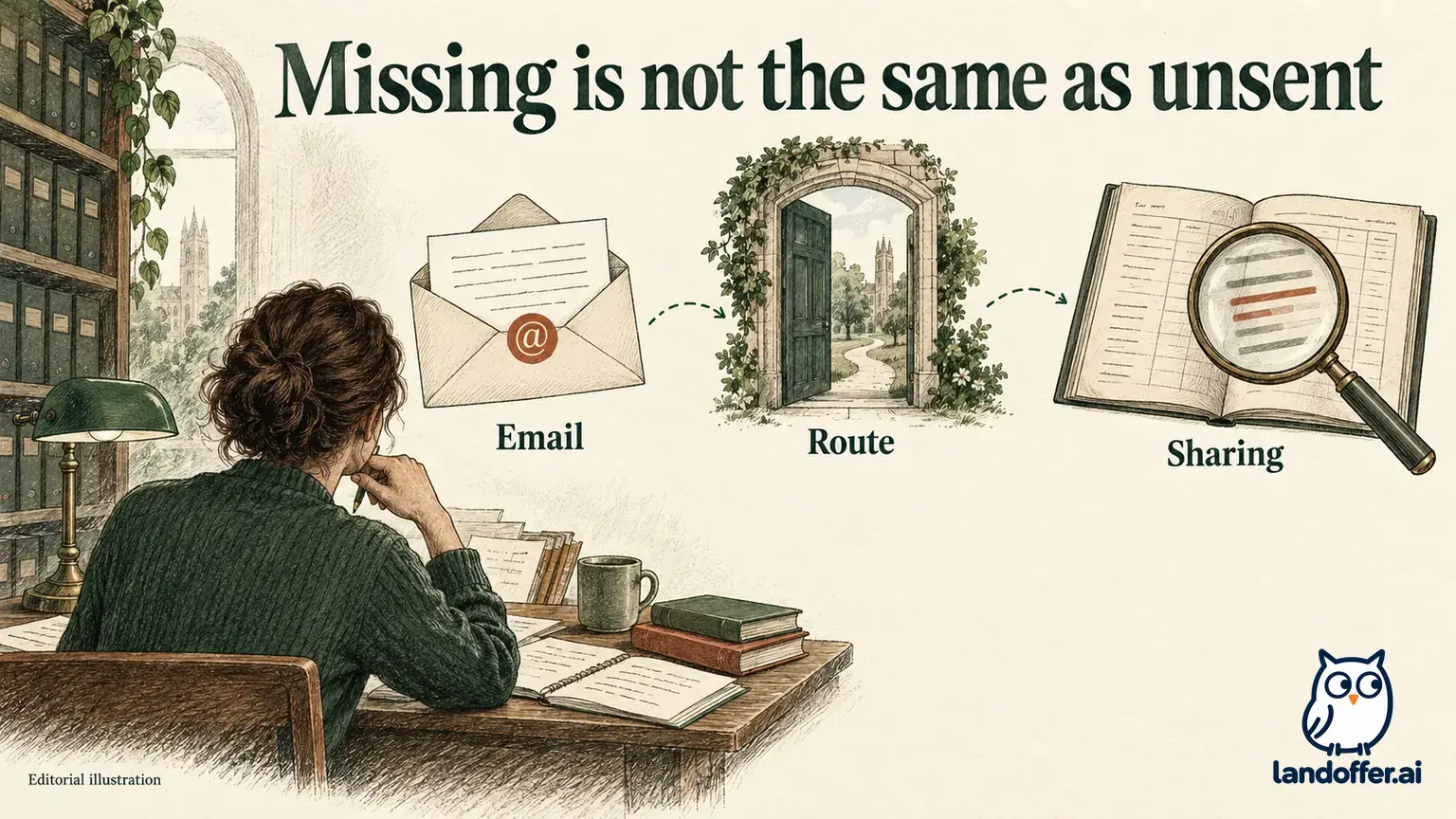
A single login can make several employers’ applications look like one collection. The portal view can combine information controlled by different organizations. Greenhouse’s candidate portal documentation identifies Greenhouse as the controller of personal information added to a MyGreenhouse account. The candidate FAQ separately identifies companies as controllers of application data shared with them.
Identify who received each copy before choosing a deletion route. A resume saved in your profile and a resume submitted to Cedar Atlas may contain identical text, but deleting the first does not establish what happened to the second. Likewise, information displayed in the portal can include employer-controlled statuses or tasks. A change in the portal view does not establish that the employer deleted its application record.
Consider Leah Chen, a fictional applicant who used MyGreenhouse for two roles. The following map is a completed planning example, not a statement about real companies’ retention practices.
| Record in Leah’s search | Holder or destination | Route for the intended change | What would remain unproven |
|---|---|---|---|
| Information Leah added to her MyGreenhouse profile | MyGreenhouse account | Profile account-deletion control | Deletion of information already shared with companies |
| Resume and application for Cedar Atlas CA74 | Cedar Atlas | Its verified recruiting or privacy contact | Deletion of the separate Harbor Finch record |
| Application and candidate record for Harbor Finch HF28 | Harbor Finch | Its verified request channel | Completion merely because the request was received |
| Leah’s own saved application receipts | Leah’s storage | Her own file-management decision | Any change to employer-held copies |
With this map, Leah can attach each confirmation to the correct record and see which requests still need a response. Leah can decide what to do with her own files separately, while keeping enough information to identify each employer record accurately.
Preserve access to information you still need
If an application is active, first record the role title, job ID, application date, employer contact, and any outstanding task instructions. Keep only what you need for your follow-up. A copy of an assessment invitation or an employer’s privacy contact can be more useful than a large collection of screenshots containing unrelated personal information.
Ask whether losing portal access would make an interview, assessment, or correspondence harder to manage. MyGreenhouse’s employer documentation says candidate-facing statuses and tasks involve employer-controlled information and require features to be enabled. A portal therefore should not be your only record of an important deadline. If an invitation depends on access you plan to remove, obtain clear instructions from the employer before proceeding.
This is an access-planning step, not a reason to postpone every deletion indefinitely. Someone with no active applications may need only a short record of the companies involved and the relevant privacy channels. Someone interviewing tomorrow may need to resolve task access first. The right sequence depends on what is still outstanding.
For Leah, CA74 is no longer active, while HF28 has a task invitation she has not resolved. She saves the CA74 application identifier and Cedar Atlas contact. For HF28, she preserves the invitation and asks how the task should be handled before changing her access. Her preparation does not itself withdraw either application or delete any record.
Understand the MyGreenhouse account deletion scope
The documented candidate route is to open your MyGreenhouse profile and select Delete account. Read the current confirmation shown in your account before completing it. The FAQ describes permanent deletion of MyGreenhouse profile data. Do not use a tutorial about Greenhouse Recruiting administration as a substitute for these candidate instructions.
In particular, employers have their own administrative tools. A support page describing a Site Admin’s candidate record is addressed to a hiring organization, even if the word “candidate” appears throughout it. You should not expect to see those controls in your personal account, and you do not need access to an employer’s recruiting system to raise a request.
If you choose to complete account deletion, retain the confirmation that is actually provided and its date. Describe the result within that scope: “MyGreenhouse account deletion confirmed.” Do not expand it to “all my applications deleted.” The official FAQ expressly excludes information already shared with companies from the effect of deleting the profile.
Account deletion also should not be used as a signal about a hiring decision. The portal documentation says organizations can stop sharing statuses and tasks while submitted applications remain visible with an explanatory note. Changes in visibility have several possible causes. A missing dashboard entry, an inaccessible login, or a quiet task list cannot establish an employer’s data-removal result.
Send each employer a request it can identify
For application information, locate the company’s current privacy notice or an established recruiting contact. Use a channel connected to that employer rather than an address found in an unrelated forum. State which record you mean and what you are asking to remove. If you applied for multiple roles, identify whether your request concerns one application, the broader recruiting profile, or both.
An initial request can be concise. It usually needs enough context to locate the record, not a new attachment containing everything you previously supplied. Avoid sending a government ID, financial details, or another sensitive document unsolicited. If the company requests verification, review its instructions and confirm the destination before providing the requested information through the stated channel.
Here is Leah’s illustrative request for CA74, prepared for the employer’s verified channel:
I applied for Cedar Atlas role CA74 using the email associated with this message. Please review my request to delete the application attachments and recruiting profile associated with that application. Please confirm which data categories your response covers and explain any categories that remain outside the completed action. If you need further information to locate or verify the record, please tell me the appropriate secure process.
This example asks for an intelligible response rather than declaring that deletion has already happened. It identifies one employer and one application, and it distinguishes attachments from the recruiting profile. Leah would adjust the wording if she wanted a narrower request, such as removal of an outdated attachment, rather than asking for a broader record deletion.
If you also want to leave a hiring process, make that intention explicit in the appropriate employer conversation. A privacy request and a withdrawal address different questions. Our withdrawal versus data deletion guide explains that broader distinction; the important task here is to keep the MyGreenhouse account request separate from each employer’s response.
Track the response by holder and data category
A request log is useful when it records a result precisely. “Done” is too broad if it could mean you sent an email, passed verification, received an acknowledgment, or obtained a deletion confirmation. Use a separate entry for each holder and preserve the wording that supports its current state.
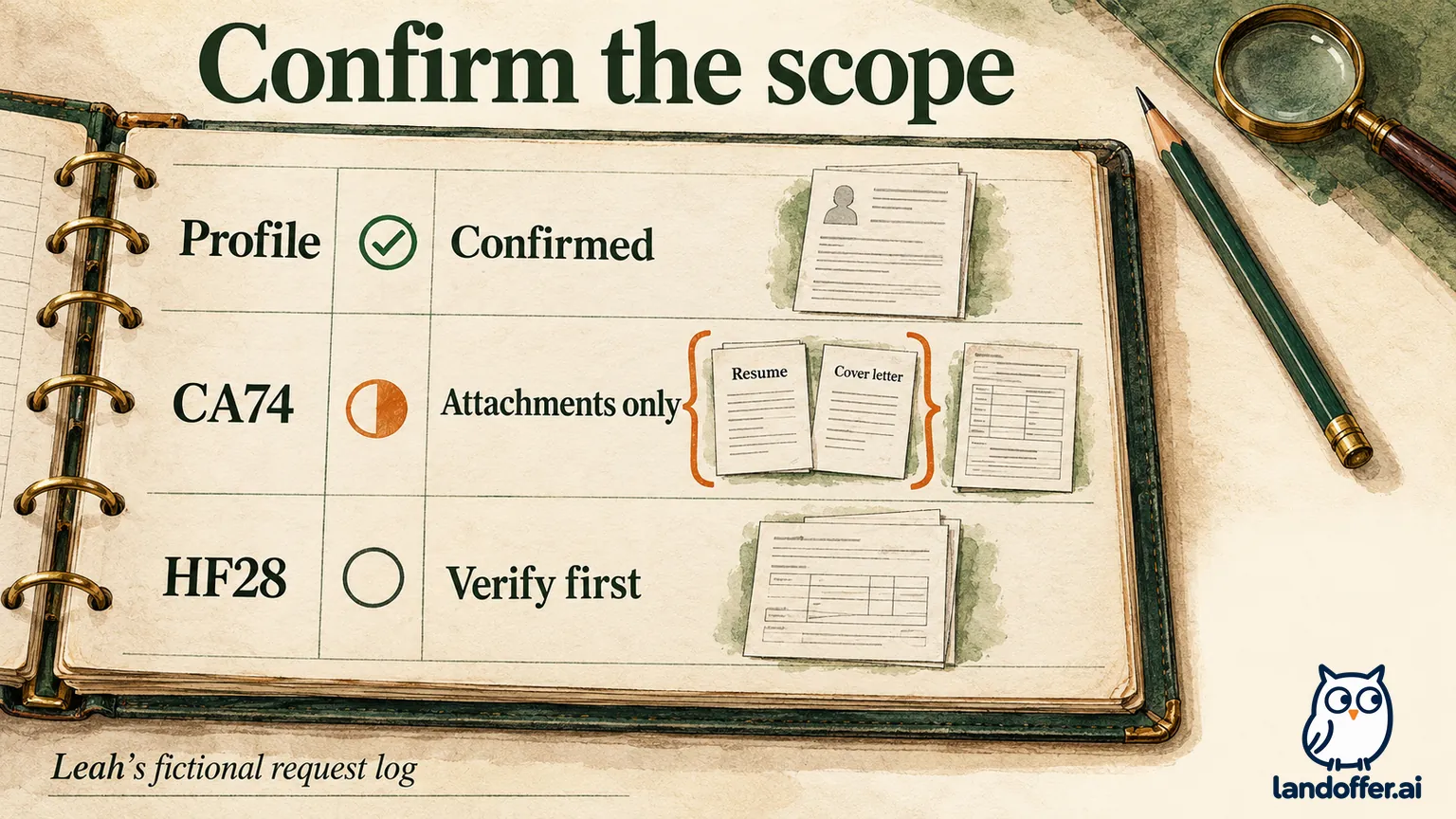
The following continuation of Leah’s fictional example shows three different outcomes. The MyGreenhouse confirmation is an assumed teaching example, not a deletion performed for this article. Cedar Atlas and Harbor Finch are invented employers; their replies illustrate how to classify evidence rather than predict real company behavior.
| Request record | Evidence received in the example | Accurate current state | Next action |
|---|---|---|---|
| MyGreenhouse profile | Account-deletion confirmation saved | Profile deletion confirmed; employer copies outside this result | Keep the confirmation with its date |
| Cedar Atlas CA74 | Reply confirms removal of the resume and cover letter; other requested categories unanswered | Partial response for named attachments | Ask whether the recruiting profile and remaining application fields were addressed |
| Harbor Finch HF28 | Receipt acknowledgment and secure verification instructions | Verification pending; deletion unconfirmed | Review the legitimate verification route and decide whether to continue |
Leah’s log therefore contains one platform confirmation, one limited employer confirmation, and one unresolved verification step. It contains no evidence that both employers erased every record. Her next action changes with the reply: Cedar Atlas needs a scope clarification, while Harbor Finch needs a verification decision before a deletion result can be assessed.
For CA74, Leah’s private log would link the original request, the attachment-removal reply, and her unanswered question about the recruiting profile. Include the request date, channel, application identifier, and reply reference for each entry. The table above omits personal identifiers deliberately; you can keep a pointer to the original correspondence without copying sensitive content into a broadly shared spreadsheet. An acknowledgment belongs in the evidence column, but it should not be promoted to a completion status.
Read partial responses without guessing what remains
An employer might describe its action as deletion, removal, or anonymization. Ask what the term covers in that response. Greenhouse’s official anonymization documentation says the employer-side action cannot be undone and that the personal data anonymized depends on the retention rule applied to the candidate or prospect. That is a reason to read the scope carefully, not a promise that every employer will use that particular tool for your request.
For CA74, confirmation about the resume and cover letter does not answer Leah’s question about other application fields. A focused follow-up would ask whether those fields and the recruiting profile were included, excluded, or still under review. That keeps the follow-up focused on the unanswered categories while preserving the narrower result already confirmed.
If a reply says some information will remain, record the categories and explanation supplied. If it leaves the duration or applicable scope unclear, ask for clarification. This guide does not assign a universal legal deadline or decide whether a particular retention explanation is valid. Those questions depend on the applicable circumstances and the company’s response, not on the presence of a Greenhouse logo.
Do not invent an answer about backups, downstream recipients, or separate systems. A confirmation about a recruiting profile might not discuss any of them. Keep “not addressed in the response” distinct from “confirmed retained” and “confirmed deleted.” Those labels allow an honest result even when a request remains partly unresolved.
Close only the part that the evidence supports
Before closing a log entry, match three things: the holder, the requested categories, and the response’s completed action. Save the relevant confirmation and identify any remaining question. A request that has only been sent is still awaiting a response. A verification request is a step to evaluate. A category-specific confirmation closes only the category it actually names.
Leah can close her MyGreenhouse profile entry in the illustration while keeping both employer entries open for different reasons. She does not need to recreate a profile to make that distinction, and disappearing from a portal would not improve the evidence for either employer. Her records make the next conversation shorter because she can name the unanswered part.
Start by writing your own three-column list: holder, record, requested action. Resolve any active-task access you still need. Then decide separately whether to delete your MyGreenhouse profile, request changes from each employer, or do both. If you are continuing your search, browse recent roles on LandOffer separately and keep a small application log from the start. Use each deletion confirmation for the data it names, and leave unanswered categories visibly open.
Sources and Further Reading
- Greenhouse: MyGreenhouse FAQ for Candidates, updated October 2, 2026; candidate account deletion and company-held application data.
- Greenhouse: MyGreenhouse candidate portal, updated August 27, 2026; account data responsibility and employer-controlled information sharing.
- Greenhouse: Anonymize a candidate’s personal data, updated October 14, 2026; employer administrative permissions, irreversibility, and retention-rule scope.