LandOffer
Job search
Changing Your Email in MyGreenhouse: Handle Multiple Accounts and Existing Applications
Separate a new candidate profile from employer-held applications, then verify contact and task continuity for each role.
To use a different email in MyGreenhouse, Greenhouse's candidate FAQ says you need a new profile. Accounts created with different email addresses cannot be merged. That changes how you prepare for future applications; it does not establish that earlier employer applications, messages or tasks moved to the new account. Identify each existing application and outstanding task before retiring an address you still control.
This guide reviews official Greenhouse documentation checked October 19, 2026, including the candidate FAQ updated October 2. It is not a signed-in migration test. LandOffer publishes it and offers recent job listings, but cannot change MyGreenhouse or employer records. The old/new email map and employer correspondence below are fictional teaching examples, not accounts created or messages sent for this article.

Start with the candidate account rule
The MyGreenhouse candidate FAQ ties the account to its signup email, requires a new profile for another address, and says merging is unavailable. One account can serve multiple applications; you do not need a fresh account for every employer.
If you already have two profiles, choose the address you actively use for applications going forward. Keep the older account's purpose clear while dealing with earlier records. Do not describe the new profile as a renamed version of the old one or expect a merge command to collect both histories.
You may encounter instructions for adding a primary or secondary Greenhouse email. That March 2, 2026 article concerns Greenhouse Recruiting users, including hiring-team account settings. It is not the candidate MyGreenhouse email-change procedure. Use the candidate FAQ for MyGreenhouse identity changes; the Recruiting-user article addresses hiring-team accounts.
Identify the product and audience before following a support article. For this task, the question is your candidate profile's identity and the applications associated with it. Instructions about configuring users, choosing a recruiting sender address or managing interview kits answer a different question.
Separate the new profile from existing employer applications
For an incorrect email on a submitted application, the candidate FAQ directs you to the employer or describes reapplying with the correct email if the posting remains open. It does not offer a candidate-side edit to that submitted email. A replacement profile should therefore not be treated as evidence of an employer-record correction.
Contacting the employer first is useful when you want to preserve an active application or task. The FAQ's open-posting reapplication option remains an option; it is not a requirement to submit again or proof that duplicate applications merge. If you use that route, retain both references and establish which record should be used.
An employer's reply can also have a narrower scope than an account migration. “We will contact you at the new address” confirms a correspondence instruction. It need not mean that a portal login, original submission email or historical attachment changed. Record the words the employer actually confirms.
The same care applies when an older dashboard remains visible. Continued access tells you that you can open that account; it does not prove a particular application is still active. Conversely, an empty new dashboard does not establish that the older applications were deleted or rejected.
Build an old/new email map before changing your routine
Owen Lark is an invented candidate moving from owen.old@example.org to owen.search@example.net. Both are reserved example addresses. In this base case, Owen still controls the old inbox and intends to use the new address for future applications.
Two applications need continuity: Corbel Data's Data Engineer opening CD61 and Lantern Byte's Platform Engineer opening LB27. A third opportunity, Ashwick's AW93, has not been submitted. Owen keeps these three situations separate instead of treating the email choice as a single global switch.
| Record | Starting identity or state | Completed migration decision |
|---|---|---|
| Older MyGreenhouse profile | Old address | Keep its records identifiable while resolving earlier applications |
| Profile for future applications | New address chosen | Prepare separately; no account merge assumed |
| Corbel Data CD61 | Submitted with old address | Ask about future correspondence on this application |
| Lantern Byte LB27 | Assessment invitation sent to old address | Ask how to preserve access to that task |
| Ashwick AW93 | Not submitted | Review the new address and materials before applying |
This is a completed decision map, not a claim that Owen has performed those account actions. Its output is a specific route for each record. CD61 needs a contact-continuity answer; LB27 needs a task-access answer; AW93 needs a pre-submission check.
Add the application date, reference and existing recruiter thread to your own map where available. Keep it compact. You do not need to copy your entire resume or every personal detail into another spreadsheet to identify which employer still has the old address.
Preserve access to messages and outstanding tasks
Before retiring an accessible inbox, identify the applications and tasks that still depend on it. Check real invitations, scheduled interviews and employer messages rather than assuming every application has a pending assessment. Save the references and instructions you need to discuss those specific records. Keep an existing recruiter conversation attached to its application in your notes, even after choosing a new address. That lets you identify the original context without turning a contact change into another job application.
Greenhouse's Share updates in MyGreenhouse documentation, updated August 27, 2026, says employers choose whether to share statuses, tasks or both. Listed task types include scheduling, tests and forms. The article identifies these sharing controls as Site Admin settings for the employer. They are not candidate controls.
That makes your invitation and the employer's response important when assessing continuity. A task absent from the new profile is not enough evidence that it was canceled or transferred. Ask about the exact invitation if you need a new route to complete it.
In Owen's fictional LB27 record, an assessment invitation is already known to exist. His question can therefore name it. If your own record contains no invitation, ask whether any outstanding task exists; do not report a missed assessment merely because the dashboard looks different.
Do not assume an address update extends a deadline. Preserve the deadline stated in the existing instruction, then ask the employer to confirm the applicable deadline if it issues a replacement invitation. The task and its timing need explicit handling even when the preferred contact address is settled.
Send each employer a request suited to its record
Prepare the request for the company that holds the application, using its published applicant-contact route or an appropriate existing recruiting conversation. MyGreenhouse Support cannot contact recruiters or change an employer's application for you. A new profile is not a substitute for that conversation.
The two drafts below are complete but unsent examples. They show different requests because the records have different dependencies.
CD61: request correspondence continuity
Subject: CD61 — preferred email for application correspondence
Hello,
I applied for Corbel Data's Data Engineer role, CD61, using owen.old@example.org. I am moving my job-search correspondence to owen.search@example.net and still control the original inbox.
Could you confirm the supported way to use the new address for future messages about this application? I would like to preserve the existing application and can complete any verification through your official process.
Please let me know whether I need to take any separate action for the candidate account or existing tasks.
Thank you, Owen Lark
CD61's request does not invent a task or ask for account merging. It identifies the old address, intended address, role and desired correspondence scope. Owen can distinguish a reply about future contact from a reply that says a particular record was updated.
LB27: resolve an existing assessment invitation
Subject: LB27 — contact address and existing assessment invitation
Hello,
My Platform Engineer application, LB27, used owen.old@example.org. I received the assessment invitation there and am moving future job-search correspondence to owen.search@example.net.
Could you advise how to retain access to that assessment using the new contact address? If a replacement invitation is needed, please confirm which invitation I should use and its deadline. I would like to preserve the existing application rather than start another submission unnecessarily.
Thank you, Owen Lark
LB27 names the known assessment and asks which invitation remains authoritative. It does not claim the original link failed or that an extension has already been granted. Adapt the facts to your record instead of sending the same generic change notice to every company.
Record the employer's reply at its actual scope
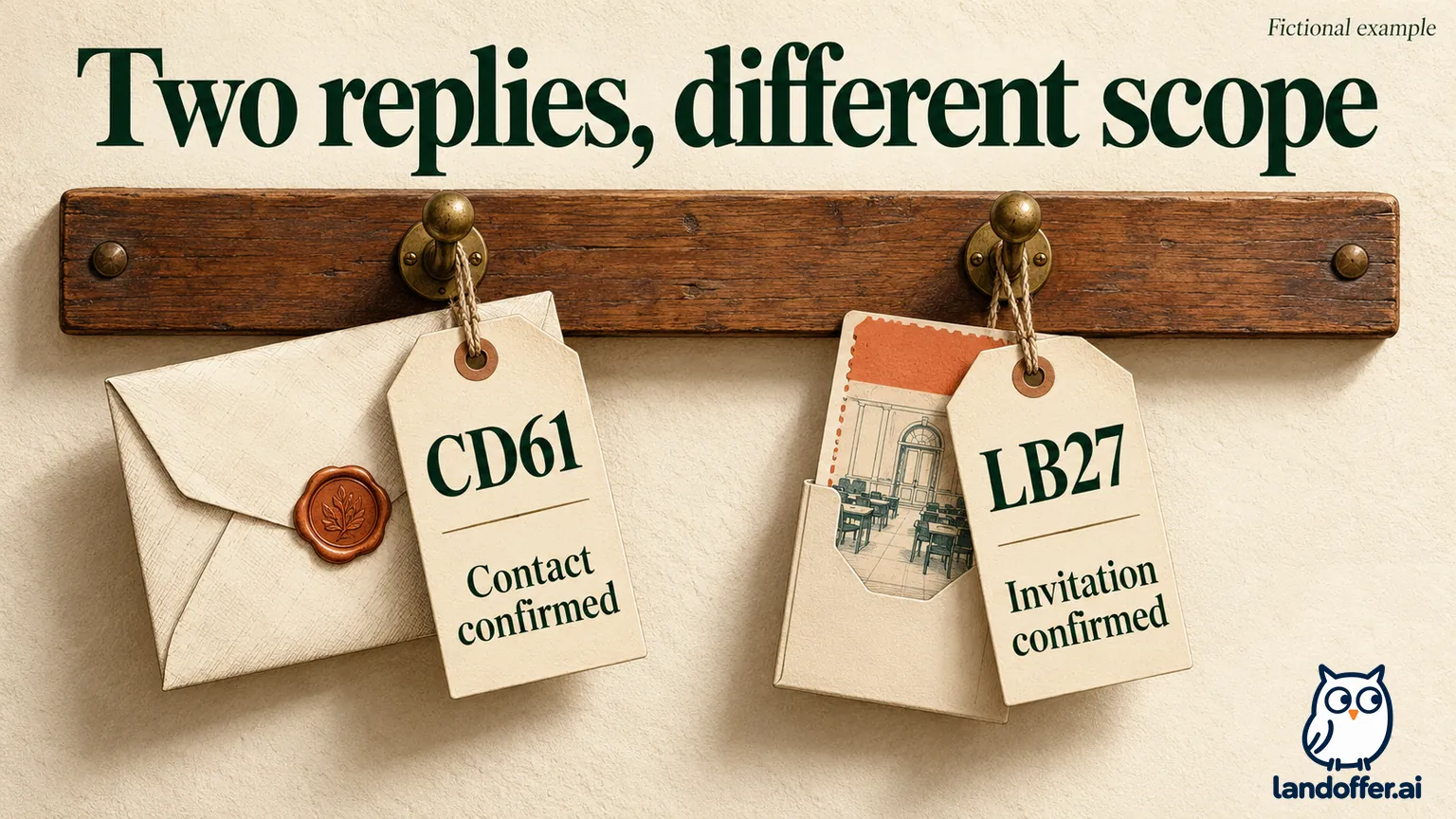
Suppose, in this fictional exercise, Corbel Data confirms that future CD61 correspondence will use the new address. It gives no confirmation that CD61 moved into the profile at owen.search@example.net or that its original submission email changed. Owen records the contact instruction and keeps those other fields unconfirmed.
Lantern Byte separately verifies Owen through its process, supplies a replacement LB27 invitation to the new address, identifies which invitation to use and explicitly confirms the deadline. Owen records that instruction with LB27. This is a hypothetical response branch, not correspondence received for this article.
| Record after the fictional replies | What the reply establishes | What it does not establish |
|---|---|---|
| CD61 | New address for future correspondence | Account merge or rewritten historical submission email |
| LB27 | Replacement invitation and explicitly confirmed deadline | An automatic deadline extension from changing email |
| Old and new MyGreenhouse profiles | Remain separately identified in Owen's notes | A combined application history |
| AW93 | Still not submitted | A completed application merely because a new profile is ready |
The result is two resolved continuity questions, not a completed account merge. Owen retains the old application identities and the evidence for each new instruction. He does not overwrite every earlier address in his notes as if the applications had originally used the new one.
If an employer acknowledges only receipt of the request, the correction is still unconfirmed. If the employer says nothing, “request sent” is accurate only after you actually send it. Until then, the request remains ready. These distinctions prevent a prepared message from becoming an imagined employer-side change.
If you cannot access the old inbox, explain that dependency
An inaccessible old mailbox changes the recovery problem. Tell the employer which application you need to continue and that you cannot receive messages at the original address. Ask for its supported verification and contact-update route. Creating another profile does not establish ownership of the existing application.
Use a verified employer channel and provide the application identifiers it requests. Keep passwords, sign-in codes and unnecessary identity documents out of an informal email. If the employer needs verification, follow its stated process rather than inventing a workaround through another person's mailbox.
For a pending interview or assessment, name the task and known deadline. Ask how to continue it, while making clear which information is unavailable. If sign-in still sends messages to the inaccessible address, stop retries and use the employer's stated recovery route. Keep task recovery and account identity as separate questions.
If the posting is closed, say so when discussing available correction routes. A closed role can make the FAQ's reapplication option unavailable. Applying to an unrelated open role will not, by itself, resolve the original application's contact problem.
Use one deliberate address for the next application
Before submitting a future application, inspect the email in the form, the resume and the account you are using. A profile prepared with the new address does not prevent an older export or browser-filled value from carrying the old one. Review the final application rather than relying only on the profile heading.
Keep a brief note of which address you used and the actual submission evidence. For AW93, Owen's next action is still to review and submit the intended application; preparing a new MyGreenhouse profile does not complete that step.
Deleting the older profile is not a migration shortcut. The candidate FAQ distinguishes MyGreenhouse profile deletion from data already shared with employers. Resolve the contact and task questions before treating account housekeeping as the same task.
Choose the address you will actively monitor. For each earlier application, record the existing reference, the requested contact address and any task instruction the employer confirmed; leave unanswered items open. Continue finding relevant roles through LandOffer's recent jobs, keeping the new profile and earlier applications separate in your records.