LandOffer
Job search
Applying on Indeed with a File Resume vs. Profile Details: Check What You Send
Choose the correct Indeed resume source, review details sent alongside it, and resolve contact or work-history differences before submitting.
When applying on Indeed, choose the resume source that contains the right information for the role, then review both the document and the application details. Uploading a file does not mean the file is the only information sent. Indeed says it scans resume details and sends those details to the employer along with the resume. A correct PDF can therefore coexist with a field that still needs your attention.
This guide uses Indeed's public documentation checked October 19, 2026, rather than a test in a candidate account. Indeed describes a gradual rollout of its profile and resume experience, so the wording and controls you see may vary. LandOffer publishes this guide. You can browse recent roles on LandOffer.ai while applying the same document-and-details check to each application; this does not imply that LandOffer and Indeed synchronize materials.

Start with the resume choices the application offers
Indeed's Applying for a Job guide describes two starting choices: your resume on Indeed or a resume file. For the file route, you can upload a file, use one already uploaded to your profile, or choose Resume options and Upload a different file during the application.
Treat “profile details” as a description of information to inspect, rather than assuming every candidate sees a button with that exact name. The current guide uses resume-on-Indeed and resume-file terminology. Read the actual choice, preview, and review steps on your application. Check which material the current application has selected, even when the label looks familiar.
These instructions concern applications completed on Indeed. Some listings take you to the employer's website instead. Once the application moves there, inspect that site's file selection, extracted fields, and confirmation process. An Indeed profile change is not evidence that an external form has received the revised material.
| Material or choice | What Indeed documents | What to check before continuing |
|---|---|---|
| Resume created on Indeed | Built in sections; individual sections can be edited | Contact information, employment entries, dates, education, and role-relevant content |
| Resume file uploaded now | A file can be selected during the application | The actual document and the details scanned from this file |
| File already in your profile | An existing upload can be used; a different file can be selected | Whether the stored file is the version intended for this role |
| Resume details reviewed after scanning | Details are sent along with the resume | Missing, merged, outdated, or incorrectly extracted information |
| Profile preferences and matching data | Separate profile areas support job preferences and qualifications | Do not treat a preference change as confirmation of the material selected in an application |
The table resolves a practical choice: use the source you can make accurate and review completely. Neither route earns a universal advantage from being called a file or a profile. A tailored file with incorrect accompanying details still needs work; an accurate Indeed-built resume may be suitable without another upload.
Review the details sent alongside a file
The application guide says Indeed scans a resume for information such as work experience, education, and qualifications. Before continuing, you can review those details and edit, delete, or add information. Indeed says this review is needed once for each resume file you upload and that it sends the details along with the resume.
That creates two review tasks. First, open or preview the document to confirm its contents. Then read the structured information displayed in the application. Check that each title belongs to the correct employer, dates match the actual employment period, and separate roles remain separate. This prevents an otherwise correct resume from being accompanied by a misleading work history.
If a field is wrong, compare it with your accurate source record before changing it. A missing qualification can be added when it is true and the form supports it. A parser's omission is not a reason to invent a stronger credential, and a wrong extracted title is not permission to upgrade your actual job title.
The “once per file” description is useful, but it should not replace the final application review. A previously reviewed file may still be the wrong choice for today's role. A file with a familiar name may also be an older export. Verify what the application currently shows instead of relying on a review you remember completing weeks ago.
Use the right control for the material you need to change
Indeed's Creating a Resume guide distinguishes a resume built on Indeed from an uploaded file. You can edit individual sections of the resume created there. For an uploaded file, you can replace it; editing a displayed section should not be assumed to rewrite the original document stored on your computer.
Its Resume Options Menu guide makes the distinction concrete. The Indeed Resume has Edit and Select template options; a resume file has Replace file. The documented general options include Download and Delete. Both guides flag changes being rolled out, so follow the controls actually available in your account.
If the document itself contains an error, correct the source document, produce a new export, and select the corrected file. If the document is accurate but a scanned field is wrong, correct the reviewed detail through the application controls provided. Then check the document again if anything about the selected file changed.
Indeed also says uploaded files are automatically converted to PDF for employers to view. That is a documented product behavior, not a guarantee that every layout or extracted field will be correct. Inspect the available preview. If a heading, date, or contact line is unclear there, resolve it before submission rather than assuming conversion preserved everything.
Check contact information in more than one place
Indeed's employer-sharing guide says an employer receiving an Indeed application can see the resume used to apply. It identifies the city and state on that resume and notes that the resume's phone number may differ from the number linked to the account. It also describes an Indeed email alias used to help protect your email.
The useful check is therefore specific: inspect the contact line in the resume you are using, the application fields, and relevant profile information. Do not assume that a working sign-in email or a verified account phone number proves the resume's contact line is current. Indeed documents the alias as part of its email handling; its presence alone does not establish a contact error.
The separate profile contact guide describes name prefill from an uploaded resume and editable profile contact information. Your resume, application fields, and profile contact section have distinct purposes. Review the fields rather than promising that selecting one attachment controls every piece of information an employer can receive.
Avoid replacing a real current location with the job's location simply to make the application appear local. If the form asks about relocation, answer that separately and accurately. The goal is consistent facts across the application, not forcing every location or contact field to look identical when the questions mean different things.
A completed difference check before submission
Owen Reed is a fictional applicant for HarborMetric's backend role, reference HM51. The employers, filenames, numbers, and facts below are teaching inputs. No Indeed account was operated. Owen's accurate source record says he worked as a Software Engineer at BrightQuay from January 2023 through June 2026, after an earlier position at another employer.
He has prepared Owen_Backend_HM51.pdf. The file has the correct BrightQuay end date and his current fictional phone number, (415) 555-0142. His older resume on Indeed still lists BrightQuay as Present and has (415) 555-0119. In the example's application review, the selected file is correct, but the displayed work-history details show Present for BrightQuay and omit the earlier job.
| Item | Material Owen finds | Completed correction and decision |
|---|---|---|
| Resume choice | HM51 file is selected; older Indeed-built resume differs | Keep the reviewed HM51 file for this application; separately update reusable resume information |
| Phone | File shows current 0142 number; older reusable material shows 0119 | Retain 0142 in the file and check the application's contact fields; correct outdated reusable information where appropriate |
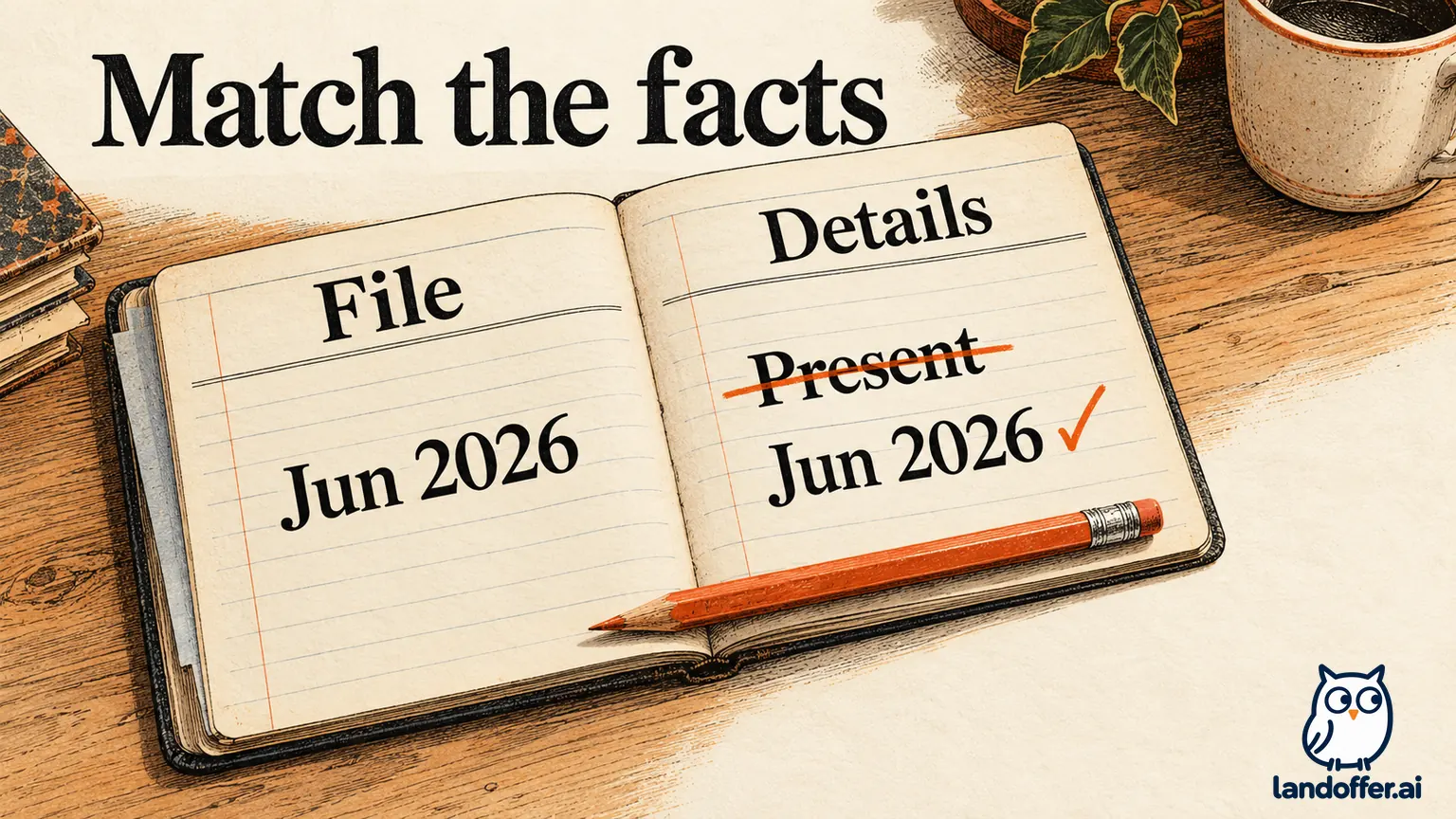
| BrightQuay end date | File says June 2026; displayed detail says Present | Correct the displayed end date to June 2026 using the accurate source record |
| Earlier employment | Separate earlier role in the file is absent from displayed details | Add the omitted truthful entry through available review controls, keeping employers and dates separate |
| Final review | Correct file plus corrected details are ready to review together | Check the summary and required questions before submitting; preserve confirmation only after it appears |
Owen has resolved which material to use and which fields to correct. He uses the HM51 file because it contains the intended role emphasis and accurate facts, then corrects the accompanying details. He does not switch to the older Indeed-built resume merely because it is already saved. He also does not rewrite the correct PDF to match a mistaken extracted end date.
The example stops at a reviewed application ready for submission. It does not claim the employer received it or that the file passed an ATS test. Those would require different evidence. If the review controls do not allow Owen to correct a material discrepancy, his next action is to resolve that problem through the available help or workflow before treating the application as ready.
Keep preferences separate from application contents
A complete profile can be useful without being a complete description of what one application sends. Indeed's profile overview separates About You, Resume, and Preferences. Its preferences guide describes job preferences and matching data, including qualifications.
Changing a preferred title or schedule is not the same check as confirming the employment history in an application. Similarly, choosing a different resume does not answer an employer's required questions for you. Review those questions directly and keep answers consistent with the facts and constraints they ask about.
Discovery settings also have their own scope. The employer-sharing guide includes a separate discussion of what employers can access when they find your profile. Do not transfer a rule from that discovery section into a claim about which resume an application selected. For this task, the relevant evidence is the current application and the material used to apply.
Preserve the selected version and confirm the submission
Keep a local copy of the file you selected, or a record of the Indeed-built resume content you reviewed. Include the role reference, the selected source, and any material details corrected during review. If you need a broader naming and archive system, see our guide to managing multiple resume versions.
Then read the final application summary, required employer questions, and any supporting-document options. A resume upload or a saved draft is not the final submission. Indeed documents an on-screen confirmation and a confirmation email for applications completed on Indeed. It says an application completed on the employer's website will not receive an Indeed confirmation email.
After submission, Indeed's application guide says you cannot change that submitted application and directs corrections to the employer. Updating your profile or replacing a reusable file afterward should not be recorded as a successful repair of the earlier submission. Save what was actually selected so any later correction request can identify the relevant material accurately.
For your next application, choose one resume source and compare the file or built resume with the displayed details before continuing. Resolve a contact or work-history mismatch while the application is still editable, and check the final summary before choosing Submit your application. When you look for another recent role on LandOffer.ai, repeat the same check for that role's selected material rather than carrying forward an unverified default.
Sources and Further Reading
- Indeed: Applying for a Job on Indeed — resume choices, scanned details sent alongside the resume, review, confirmation, and post-submission limits.
- Indeed: Creating a Resume on Indeed — upload, preview, conversion, section editing, and rollout notice.
- Indeed: Resume Options Menu — built-resume editing and file replacement controls.
- Indeed: What Do I Share With Employers? — application information and the separate profile-discovery context.
- Indeed: Updating Your Profile Contact Info — contact fields and prefill.
- Indeed: About Your Profile and Profile and Job Search Preferences — profile areas and preferences.