LandOffer
Job search
Updating Your Google Careers Profile After Applying: What Changes and What Does Not
Keep the Careers Profile, submitted application and original Drive file separate. Use a completed correction example to check the next draft and describe an unresolved submitted change accurately.
You can update your Google Careers profile after applying, including adding a new resume. That does not replace the documents in an application you already submitted. Google's public help also says a document uploaded from Drive becomes a separate application copy. Editing the original Drive file does not change that copy. Start by identifying which of these three records needs attention.
LandOffer publishes this guide and offers recent job discovery, so we have a commercial interest in job-search tools. We checked Google's public documentation on October 19, 2026, including the expanded troubleshooting sections. This is a documentation review, without access to a candidate account or a submitted application. Theo's records below are fictional teaching examples.
Identify the record you are changing
Google describes the Careers Profile as a central place for candidate information and a resume, required for applying. The same application guide distinguishes editable applications before submission from applications that have already been submitted. An editable profile does not erase that boundary.
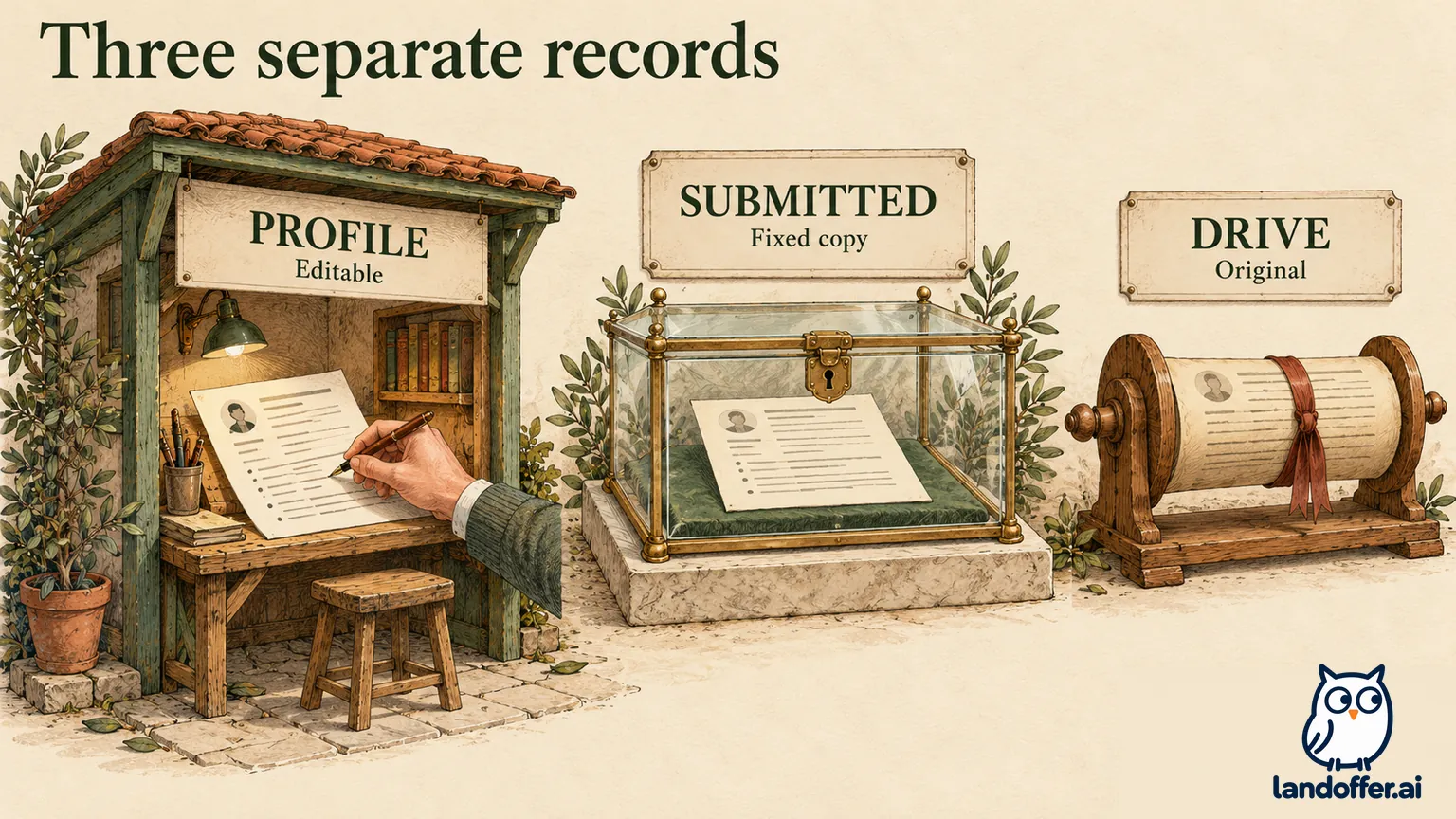
Use this map of the three records before making another change. It combines Google's documented rules with the practical checks those rules imply; it is not a screenshot of account controls.
| Record | What a change can do | What it does not establish |
|---|---|---|
| Careers Profile | Update profile information, including a new resume | Replacement of a submitted application's documents |
| Submitted application | Preserve the application and documents already sent; adjustments can be requested when a recruiter contacts you | A self-service edit through a profile upload |
| Original Drive file | Maintain your source document for later use | A change to the separate copy attached to an application |
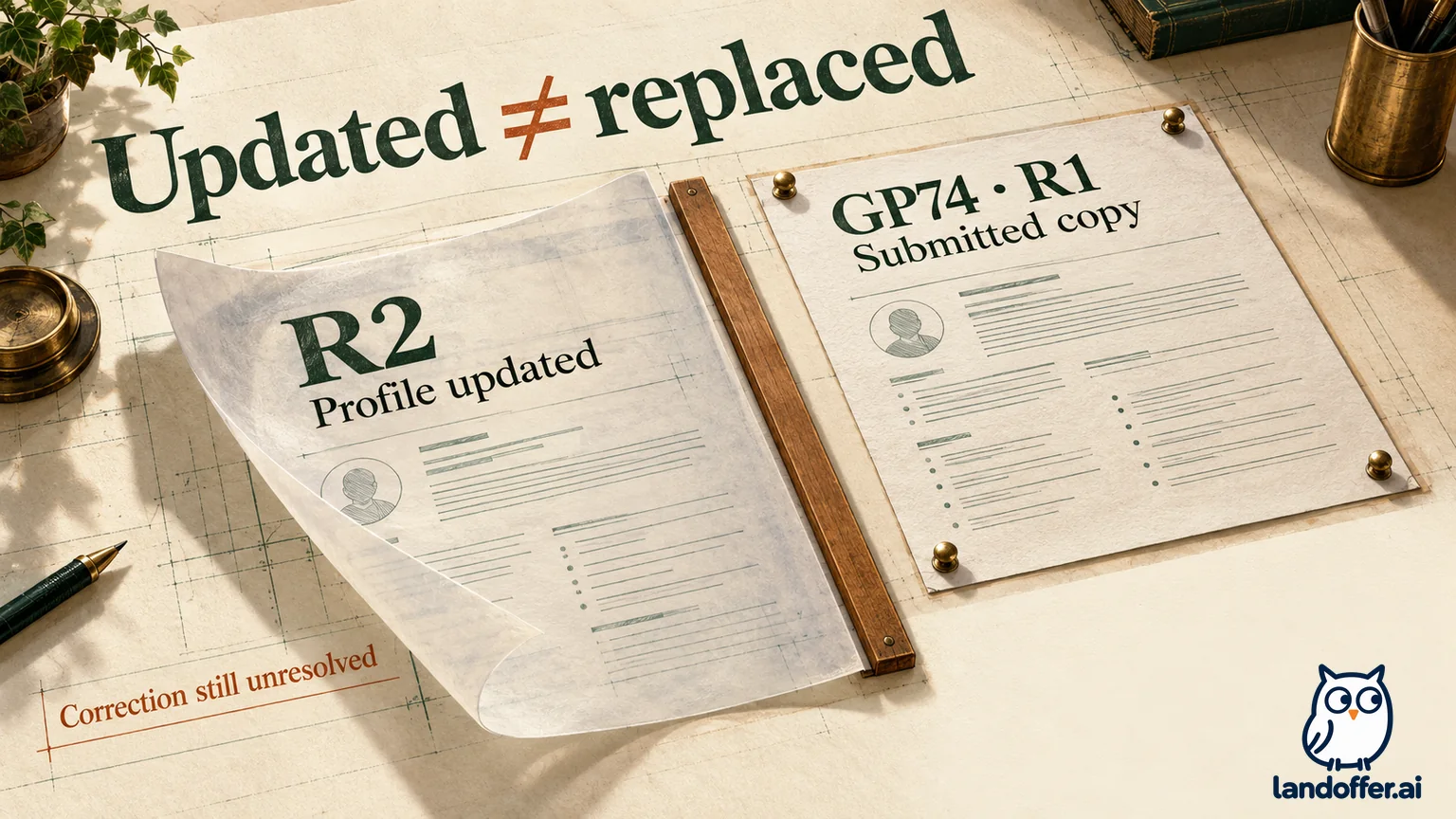
For example, “resume updated” is incomplete as a correction note. “Careers Profile now contains R2; submitted GP74 application still associated with R1” identifies both the completed maintenance and the unresolved application issue. You can finish one task while the other remains open.
Do not import another employer portal's behavior into Google Careers. Some systems have application-specific editing routes or snapshots created at a later event. Google's published rule here is the submission boundary. You do not need to guess whether a recruiter opened the application to decide whether a profile upload amended it.
Keep the Drive original separate from the attachment
The Drive section of Google's application help says the upload attaches a copy separate from the original. Google Staffing does not have access to your actual Drive file through that copying process, and the extra application copy does not appear in your Drive file list. Therefore, searching Drive for a second file is not a reliable way to determine whether the application received an attachment.
Your corrected original and an older application attachment can both remain in place. You might fix a date or revise a project bullet in Drive after uploading. The application copy still reflects the earlier upload. The help says to upload again when the source changes, but read that instruction together with the prohibition on editing submitted applications. Reuploading is useful while preparing an editable application; it is not a documented way to reopen a submitted one.
Drive's separate upload instructions say a same-name upload can become a revision of the existing Drive file, with an option to keep both files. That is behavior inside Drive. A revised file under the same familiar name does not become evidence that Google Careers replaced its historical attachment.
Use distinct exports when you need to reconstruct what you sent. Keep the original submitted file and the corrected version privately, with names you can distinguish. You can then describe the exact correction without reconstructing the old document from memory. Open the contents, because a reused filename can hide several different versions. Do not change sharing permissions or publish a resume link in an attempt to force the separate application copy to refresh.
Correct a draft before crossing the submission boundary
If the application is still a draft, Google's help permits changes, including a different resume. First verify the Google account email and the exact role. The guide says notifications go to the account used to apply and warns against switching accounts during the process. A draft in another account is not the submitted record you are trying to correct.
Prepare the intended document before uploading. The documented resume limit is 2 MB. Google's guide describes desktop uploads from Drive or the hard drive and mobile uploads from Drive; those are the public instructions we reviewed, rather than a test of every device or current account interface.
After selecting the document, review the populated fields as well as the file. Google's resume-parsing troubleshooting acknowledges incomplete or inaccurate extraction and recommends manually filling missing information and checking its accuracy. A correct PDF does not make an incorrect structured employment date acceptable.
If an upload-failed alert appears, the help recommends deleting the existing resume from the parsing tool and uploading it again. The location matters: this is an upload-recovery step in the parsing tool. It does not authorize deleting a submitted application or treating the earlier submission as undone.
Before pressing Submit, compare the role identifier, the final export's employment dates, contact information and any application answers you changed. Keep a record of the selected export and the eventual submission confirmation. A saved profile or completed upload alone does not show that the application was submitted.
Theo records what changed after GP74 was submitted
Consider fictional candidate Theo Marin and an invented Google application identifier, GP74. These identifiers and outcomes illustrate the documented boundaries; they are not live Google openings or an observed candidate account.
Theo submitted GP74 on October 14 with TheoMarin-R1.pdf. That file incorrectly says a research-assistant appointment ended in June, while Theo's own employment record shows July. On October 19, Theo corrects the source document and exports TheoMarin-R2.pdf. The correction concerns an actual date, not a new qualification added to match the posting.
In this completed teaching exercise, Theo uploads R2 to the Careers Profile and checks that the profile shows the new version. In this example, Theo retains the same R1 export selected on October 14 as the submitted-version record. No recruiter has contacted Theo about GP74, so the application adjustment remains unresolved.
| Theo's record on October 19 | Completed check in the example | Remaining application question |
|---|---|---|
| Drive source and R2 export | July date checked against Theo's own record | No claim that GP74 changed |
| Careers Profile | R2 visible after the profile update | Does not replace GP74's R1 |
| Submitted GP74 application | Original submission recorded with R1 | Adjustment route not yet available through recruiter contact |
| Prepared correction note | Exact June-to-July change written privately | Unsent; no employer acknowledgement |
Theo's result is limited but useful: the reusable material is accurate, the original submission remains identifiable, and the correction request is ready for an appropriate conversation. Theo records the completed source and profile updates while leaving GP74's correction open. That gives the next conversation a precise starting point.
Request a submitted adjustment through the documented conversation
The expanded edits section says submitted applications and corresponding documents cannot be edited through the described candidate controls. It separately lists work-authorization or sponsorship updates and deleting, closing or withdrawing submitted applications as unavailable changes. Only draft applications can be deleted under that guidance.
The profile remains editable despite those restrictions. This is why a successful profile save cannot be used as proof of a submitted work-authorization correction, a document replacement or a withdrawal. Identify the actual change needed rather than searching for a different profile field that appears to accept it.
Google's documented adjustment route is to make requests directly with the recruiter when the recruiter gets in touch. The help does not establish an immediate general replacement inbox or promise a recruiter will contact every applicant. Do not send a resume to an unrelated Google address merely because it appears on a policy page. The Careers privacy help, for example, lists a contact for privacy questions; it does not describe that address as an application-editing service.
Theo prepares this unsent note, to use if an appropriate recruiter conversation begins:
Thank you for contacting me about my GP74 application. The resume I submitted, TheoMarin-R1.pdf, lists June as the end of my research-assistant appointment. The correct month is July. I have prepared TheoMarin-R2.pdf with that correction and updated my Careers Profile separately.
Could you advise how to provide the corrected document for GP74 through your supported process? I have kept the original submitted version for reference.
The note names one application, one factual change and one request. It does not assume that the recruiter has already seen R2. Theo would follow the recruiter's actual instructions about supplying the file rather than attaching it indiscriminately or claiming a replacement has happened.
If a recruiter later acknowledges receiving R2, record exactly that acknowledgement. Receipt of a correction request, association with GP74 and consideration during review are different facts. A response confirming receipt should not be rewritten in your notes as “application replaced and reviewed” unless it explicitly establishes those additional steps.
Inspect the next application even after updating the profile
Google's help says new applications can be pre-populated from the last-submitted application. That wording matters after a correction. The latest profile resume, a recently edited Drive source and the last application you submitted may describe different versions of your information.
Return to Theo's fictional case. Theo opens a new draft, GP79, after updating the profile. In this example, the form still contains the June end month inherited from earlier information. Theo changes it to July, selects R2 and checks the file and remaining fields before submitting. The check catches a discrepancy without requiring an assumption about which background process should have synchronized it.
The completed GP79 draft check is separate from GP74's unresolved correction. It demonstrates the intended current materials in one editable draft, not a repair to the earlier application. If Theo leaves GP79 unfinished, its status remains Draft. Neither preparing it nor updating the profile creates a submission confirmation.
Apply the same inspection to role-specific emphasis. An API-focused resume from the last application may be accurate but poorly suited to a different data role. Change emphasis using work you can support, then inspect the selected file and populated fields together. Avoid overwriting factual dates simply to make each version sound different.
Do not create a duplicate application as a correction shortcut. Google documents a 90-day wait before reapplying to the same job and a rolling limit of three applications in 30 days. Our separate Google Careers application-limits guide explains planning around those rules. Neither rule supplies an immediate route to replace GP74's submitted document.
Close only the task your evidence supports
Finish with a short record: account used, role identifier, original submission date and file, corrected source, profile result, and any actual recruiter response. Keep “profile updated,” “request prepared,” “request sent” and “adjustment confirmed” as separate states. If the application offers no inspectable corrected copy, preserve that uncertainty.
For Theo, the final October 19 note reads: “Source and Profile R2 checked; GP74 R1 correction unresolved; recruiter note prepared but unsent; GP79 draft checked with July and R2.” It makes the next action clear without promising a response or treating profile maintenance as an application amendment.
Before pursuing another opening, verify the intended file and answers in its own draft. Keep a prepared recruiter note unsent until you have the appropriate conversation or instructions. Then browse recent roles on LandOffer and choose a suitable next application, keeping any earlier correction open until the relevant evidence arrives.