LandOffer
Job search
Wellfound Review for Job Seekers: Startup Filters, Salary Visibility, and Application Fit
Evaluate Wellfound through startup filters, salary sources and hiring regions, with a completed shortlist and a targeted application example.
Wellfound is worth considering if you want to search startup jobs by company stage, compensation and working arrangement. Its strongest use is building a focused shortlist before you spend time applying. The main qualification is that visible pay can be employer supplied, estimated or absent, while a remote label does not establish that a company can hire you where you live.
This review uses public pages and official documentation checked October 12, 2026. We did not test a signed-in candidate account, submit applications or measure recruiter responses. LandOffer publishes this review and offers job-search tools; you can compare your shortlist with recent roles on LandOffer.ai. The candidate, companies and decisions in the worked example below are fictional.

Who Wellfound fits, and when to use another source
Wellfound's case is strongest when startup characteristics affect your decision. Someone joining a small engineering team needs different information from someone seeking a structured graduate program. Company size and investment stage give that first candidate a useful starting point, although neither establishes how the team actually works.
The official candidate cost guide describes the platform as free for job seekers. Employer recruiting subscriptions are a different purchase and should not be presented as the price of applying. The cost to evaluate is mainly your time: maintaining a profile, checking listings and writing relevant application notes.
The public jobs page displayed engineering, product, data and other categories during this review. It included both remote and office roles, with salary ranges and sometimes explicit equity information. That establishes visible inventory, not completeness for your location or level.
Use Wellfound as a primary discovery source when these startup attributes matter and suitable roles appear. Keep employer career pages or another board alongside it when your targets are absent. Read the employer's current job description alongside its marketplace profile so presentation does not determine your choice.
Build the search around the work you want
Wellfound's search guide documents role, location, compensation, work type, experience, investment-stage and employee-count filters. Its keyword search covers both job and company information. These are documented capabilities, not controls we exercised in a candidate account.
Start with the role family and the location you can actually work from. Add the experience and employment arrangement you need. Only then narrow the company attributes. Selecting every attractive preference at once makes an empty result difficult to diagnose: you cannot tell which choice removed useful work.
Treat stage and size as separate clues. A small team at a later-stage company can still offer broad ownership; a seed-stage company may need a specialist with little mentoring capacity. Read what the engineer will build, who reviews their work and which responsibilities already have an owner. Do not turn a funding label into a prediction about stability.
For a backend search, compare a broad role query with a specific term such as payments or data infrastructure. A keyword match needs context: the company might sell a data product while the actual opening involves internal tools. Reading the work description before tailoring your resume keeps a broad keyword match from sending you toward the wrong engineering specialty.
Read the source of the salary before the number
Wellfound's salary-data explanation distinguishes company-provided ranges, estimates labeled “Wellfound Est.” and jobs without salary data. Estimates use comparable startup roles and factors such as stage, seniority and location. A displayed estimate is therefore different from an employer stating its budget.
Keep that distinction in your shortlist. Write “employer range,” “platform estimate” or “not listed” beside the amount. An estimate can help you decide whether a conversation is worth pursuing, but you should not describe it in an application as the employer's advertised commitment.
Even a company-provided range leaves questions. Which location and level does it cover? Is the number annual base pay, or does the description combine different components? If the posting and description disagree, preserve the discrepancy and ask for clarification before treating the role as affordable for you.
Equity deserves its own column. A listed percentage does not explain the grant terms or provide an interchangeable cash amount. For this search decision, record what is stated and what remains unknown. Do not lower a necessary cash threshold simply because an equity figure looks appealing. This review does not value startup equity or offer investment advice.
Recover roles hidden by a salary filter
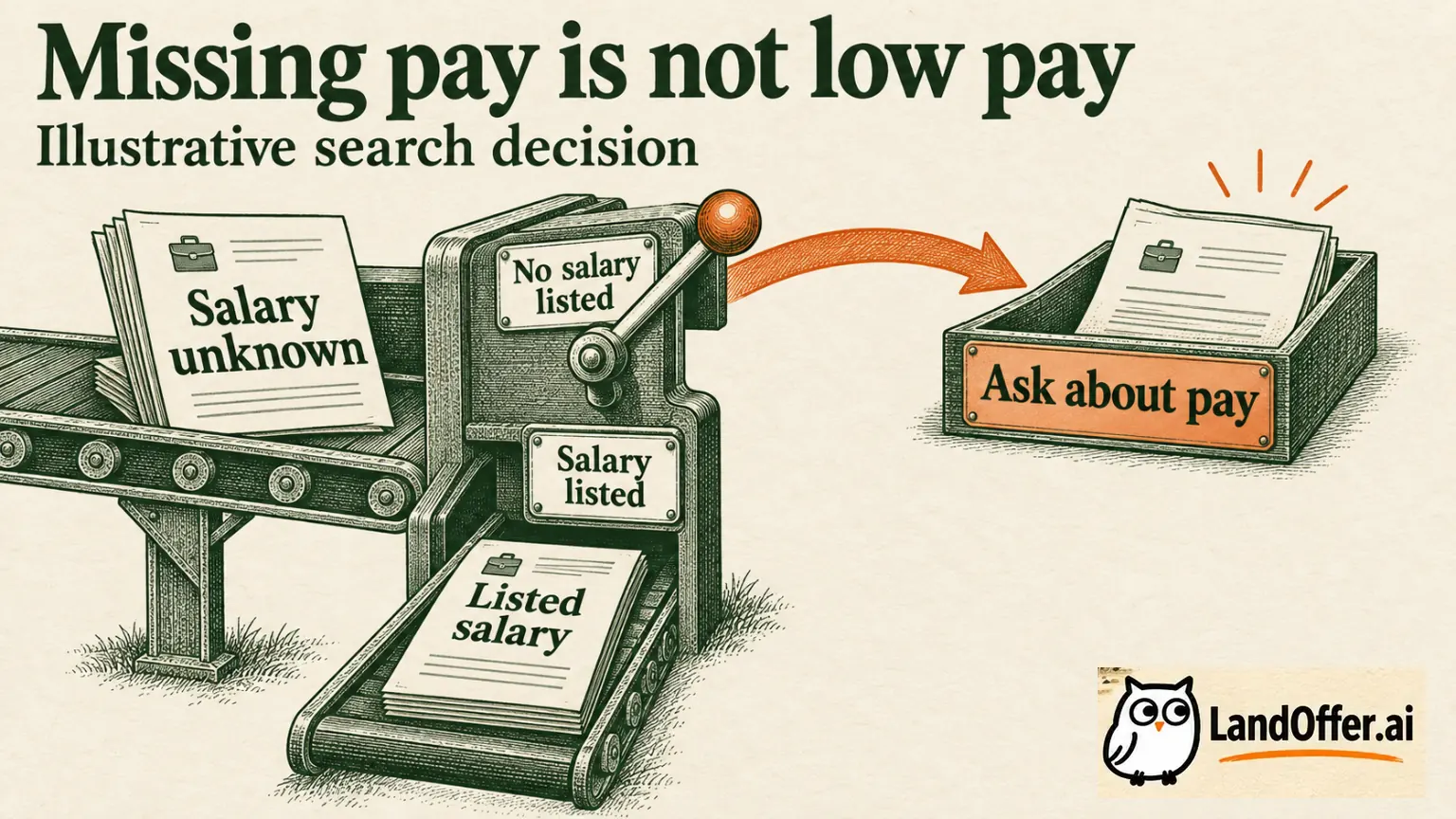
The search guide explains a specific behavior: entering a salary range excludes jobs without salary information. Its documented remedy is the “Include jobs with no salary listed” toggle. Turn it on if you want those roles included alongside the salary-filtered results. We verified this instruction in documentation, not by measuring a signed-in result set.
Keep the missing-salary option separate from your pay decision: including a listing does not approve its compensation. If you have little time and a firm pay floor, unknown-pay roles may belong in a small research queue rather than your immediate application list. If a company strongly matches your work interests, missing data may justify one targeted question. Neither approach requires pretending that an unknown salary is acceptable.
Wellfound also describes limited distribution for listings without compensation, with a promotion exception. That employer-side policy is separate from your search settings. The toggle is not a promise to reveal every undisclosed-pay job on the platform.
Here is the practical recovery sequence: preserve your role and location choices, enable the missing-salary option, then inspect the newly included leads for responsibility and hiring-region fit. Keep them marked as unresolved. If the search still looks thin, vary one optional company preference at a time. Do not relax a real work-location constraint just to increase the count.
The useful result is a clearer explanation of what you excluded. It is not evidence that every recovered role would pay enough or reply to you.
Separate company headquarters from where you may work
Wellfound's remote-search documentation explains that the company-location selection concerns headquarters. Candidate profile location and the listing's “Hires Remotely From” field address a different question. It also warns that automatically posted jobs can appear without confirmed hiring eligibility.
For example, selecting US-based companies does not itself mean that a candidate must live in the United States, or that every US company hires worldwide. Open the individual posting and read its hiring-region field. Then check any location restrictions in the description. If they conflict, keep eligibility unresolved rather than letting the broadest label win.
Consider a candidate living in Colorado who finds a company headquartered in New York. “Remote” alone is incomplete. A US hiring region may be promising, but a requirement to attend a New York office each week would change the decision. A California-only restriction would also matter, regardless of the company headquarters.
Remote permission is only one part of fit. Working hours, travel and collaboration expectations can still be incompatible. Ask about the condition that would change your decision. For a broader location workflow, see our remote tech job filtering guide; here, the important Wellfound distinction is headquarters versus hiring region.
A completed shortlist with three different decisions
The following is an illustrative exercise, not scraped listings, a product test or a candidate outcome. Maya is a Colorado-based backend engineer with four years of professional experience. She wants full-time remote work, US hiring eligibility and at least $140,000 in annual base salary. She prefers a smaller product team, but does not require a particular funding stage.
Her fictional search notes produce this shortlist:
| Role | Recorded evidence | Decision and reason |
|---|---|---|
| Alder Systems, Backend Engineer | US remote; employer-listed $150k–$175k base; API and queue ownership matches Maya's experience | Apply after checking the current employer page; the recorded constraints and work align |
| Birch Metrics, Product Engineer | US remote; salary missing; backend-heavy product work; small team | Research pay first; use the missing-salary option to retain the lead without assuming it meets her floor |
| Cedar Labs, Platform Engineer | $170k–$190k marked as a platform estimate; remote hiring limited to Canada | Skip for this search; the location conflict settles the decision regardless of the attractive estimate |
Maya does not rank Cedar first because its displayed number is highest. She also does not classify Birch as low paying. The two exclusions have different meanings: one is a documented incompatibility in the fictional record, while the other is missing information that could change the decision.
For Birch, her question is narrow: “Before I prepare an application, can you confirm the annual base range for a Colorado-based employee?” A positive answer would move the role into application review; an incompatible range would close it. Silence leaves the question unanswered.
This completed example shows where Wellfound's search distinctions are useful. The candidate can act on a good lead, retain a promising unknown and stop spending time on a hard mismatch. It does not assign a hiring probability or infer employer interest from a filter match.
Turn a suitable listing into a specific application
Wellfound's application guide describes an Apply step, an optional note and a final Send Application action. It says submitting exposes your job profile and uploaded resume to the company, and applications cannot be undone. Review the profile as part of the application, not just the attached file.
For Maya's fictional Alder role, an application note could read:
Your posting emphasizes API reliability and background-job ownership. In my current role, I maintain a Python service and its queue workers, including retry handling and production investigation. I would be interested in discussing how your team divides service ownership and release review. I am based in Colorado and am looking for a full-time remote role.
Every claim in this example is stipulated as part of Maya's fictional record. A real applicant should replace it with evidence they can explain. The note names the work and opens a relevant conversation without inventing growth figures or claiming to understand the company's internal architecture.
Wellfound's experience-warning guide connects warnings to experience recorded in the jobs profile versus the posting's requirement. Correct stale profile information truthfully. Do not inflate years to remove a warning; inspect whether the actual responsibility is appropriate.
Keep visibility and application status in context
Wellfound distinguishes a public profile from a jobs profile in its profile documentation. Visibility depends on application activity and profile settings, and its current-employer protection depends on correctly connected employment information. The profile guide is dated February 2023; review your current settings before relying on its privacy description. This review did not test employer blocking.
Application labels also need careful reading. The status guide describes “Accepted” as progressing toward screening, rather than an offer. It distinguishes pending applications from those managed through an external applicant tracking system, where equivalent updates may not appear in Wellfound. It also documents expiration after two weeks without company action.
Keep the application date, destination and any direct employer correspondence together. A quiet dashboard does not reveal the employer's reasoning. If the process moves to email or another portal, use that evidence to understand the next step rather than repeatedly submitting the same role.
The verdict: useful startup screening, with gaps you must resolve
Wellfound can be useful in a startup search because company attributes, compensation information and location context can shape your shortlist before application work begins. It is particularly useful when you know which trade-offs you are willing to make. Its public candidate offering is free; that does not eliminate the need to check fit.
The limits are equally practical. A pay estimate needs employer confirmation, missing salary is an unresolved question, and remote search results require a hiring-region check. This review provides no evidence of better response rates than another board, universal listing freshness or stronger employer interest in any particular candidate.
Try one focused search with a clear role, work location and minimum base salary. Review three leads and record whether each is suitable, missing pay information or incompatible with a hard requirement. You can browse recent roles on LandOffer.ai to look for additional candidates for the same shortlist, then use the employer's current posting to check each one. Keep Wellfound if its startup detail helps you make those decisions; do not switch tools solely because this review is published by another job-search service.
Sources and Further Reading
- Wellfound: searching for a job — filters and the missing-salary option.
- Wellfound: salary data and estimates — compensation provenance.
- Wellfound: remote search — headquarters and hiring regions.
- Wellfound: candidate costs — free candidate access.
- Wellfound: compensation and distribution — listing visibility and promotion exception.
- Wellfound: applying to jobs — profile, note and submission.
- Wellfound: application statuses — screening and offsite updates.