LandOffer
Job search
Job Application Deadline Passed During a Technical Error: Build a Useful Support Request
Build a useful support request after a technical error crosses an application deadline, with a completed timeline, privacy checks and a bounded request for instructions.
If a job application's deadline passes while you are dealing with a technical error, preserve the timeline and ask the employer how to proceed. Record the opening, cutoff, exact failure and any submission evidence. A useful support request asks two separate questions: was an application received, and, if it was not, is there an authorized way to complete it? A ticket number establishes a support request, not an accepted application or an extended deadline.
LandOffer publishes this guide. You can browse recent roles on LandOffer.ai while keeping the affected opening's evidence together. This is a documentation-based workflow checked October 12, 2026. The completed timeline and message below are fictional examples; we did not submit an application, reproduce an outage or contact an employer.
Preserve what happened before changing the form
Start with the page you still have. Save the exact error text, job title, employer, requisition number and time with its time zone. If the form displays answers that were not saved elsewhere, privately preserve your own text before refreshing. Record whether the last action was uploading a file, moving to another step or pressing the final submission button. These details describe different possible failure points.
A screenshot helps when it shows the failed step and visible message together. Keep the original privately and prepare a redacted copy for support. Remove other tabs, addresses, demographic answers and unrelated account information. Preserve enough context to identify the relevant page without distributing the entire application. If the error contains an incident or request identifier, copy it accurately so support can look for that particular request. The identifier alone does not establish application receipt.
Write down any recovery attempt already made, including its result. “Retried once in the same browser; the same message appeared” is more useful than “nothing worked.” Repeated attempts can feel productive when a deadline has just passed, but stop adding submissions merely to force a different result. If the first attempt might have reached the server, additional submissions make the receipt question harder to resolve.
Avoid claiming a platform-wide outage from a single error. The failure could involve the form, an upload, authentication, a handoff or your connection. You can report what the page displayed without naming a cause you have not established. If an official incident notice exists, save its date and affected service separately from your own observations.
Establish which cutoff actually applied
Copy the deadline from the employer's announcement or invitation, including its wording. Distinguish the displayed closing date from your interpretation of it. If the employer specified a time zone, retain that original reference and add your local equivalent as a convenience. If no time was stated, say that rather than inventing midnight.
USAJOBS documents an 11:59 p.m. Eastern Time cutoff on the published closing date, while noting that agencies can close, remove or cancel announcements earlier. This is a USAJOBS rule, not a default for every private employer. A company's application or an assessment invitation may use a different cutoff.
Look for an applicant limit or other closing condition in the announcement. Preserve the exact condition with the original posting if you have it. A page that is now unavailable cannot tell you which condition triggered its closure. The separate guide to a disappeared job posting explains why public visibility alone does not establish a decision about an application.
Keep document timestamps in perspective. A resume saved before the cutoff shows when that file was saved; it does not prove an application reached the employer. Likewise, a screenshot captured after closing may accurately show an error while leaving the first failure time uncertain. Label that gap explicitly. An honest partial record is more useful than a reconstructed timeline presented as verified.
Separate platform diagnosis from an employer decision
Choose a contact from the official application instructions, employer careers site or authenticated portal. Platform support can be the appropriate route for an upload error or broken handoff. The employer's recruiting contact is the route for asking what it will accept for this opening. Do not assume a technical support representative can grant a hiring exception.
For a federal opening, USAJOBS directs job questions to the agency contact in the announcement's How to Apply section. If a closed announcement has disappeared, it directs applicants to the hiring agency's Human Resources Office. This identifies a contact route; it does not promise that late materials will be accepted.
If two teams are involved, give each a distinct request. Ask platform support to investigate the visible failure and whether its records can establish receipt. Its access to the employer's recruiting records may be limited. Ask the recruiting team whether any approved completion route is available. Reference the existing ticket in the second message. A shared factual summary helps the teams connect their records without receiving multiple contradictory versions.
Do not send your full application to guessed recruiter addresses as a substitute for the closed form. First ask for instructions through a verified route. If a reply provides a different link, verify the opening and destination before entering details. Keep the first submission attempt and any replacement instruction together so you can explain the sequence later.
Include the account email in the official support form when it is needed to locate your record. If you used a different address on the application, identify that discrepancy privately rather than creating another account. Keep the public job URL separate from a personalized continuation link. The first locates the opening; the second may contain access information that should remain private.
An accessibility barrier deserves a clear description of the blocked task and a request for an accessible completion route. You do not need to disclose a full medical history in an initial technical ticket. Use the employer's designated accommodation contact where one is provided. Explain that the cutoff has passed and ask what procedure applies, without assuming that a general error report also submitted an accommodation request.
A completed timeline that preserves uncertainty
The following is a fictional teaching example. Noor was applying for Backend Engineer DE-731 at an invented employer. Its announcement specified October 11, 2026 at 23:59 ET. Noor's private log records the failure before closing, but there is no application confirmation. The example establishes a support question, not a right to submit late.
| Time in the announcement's zone | Recorded event | What the evidence supports | What remains unknown |
|---|---|---|---|
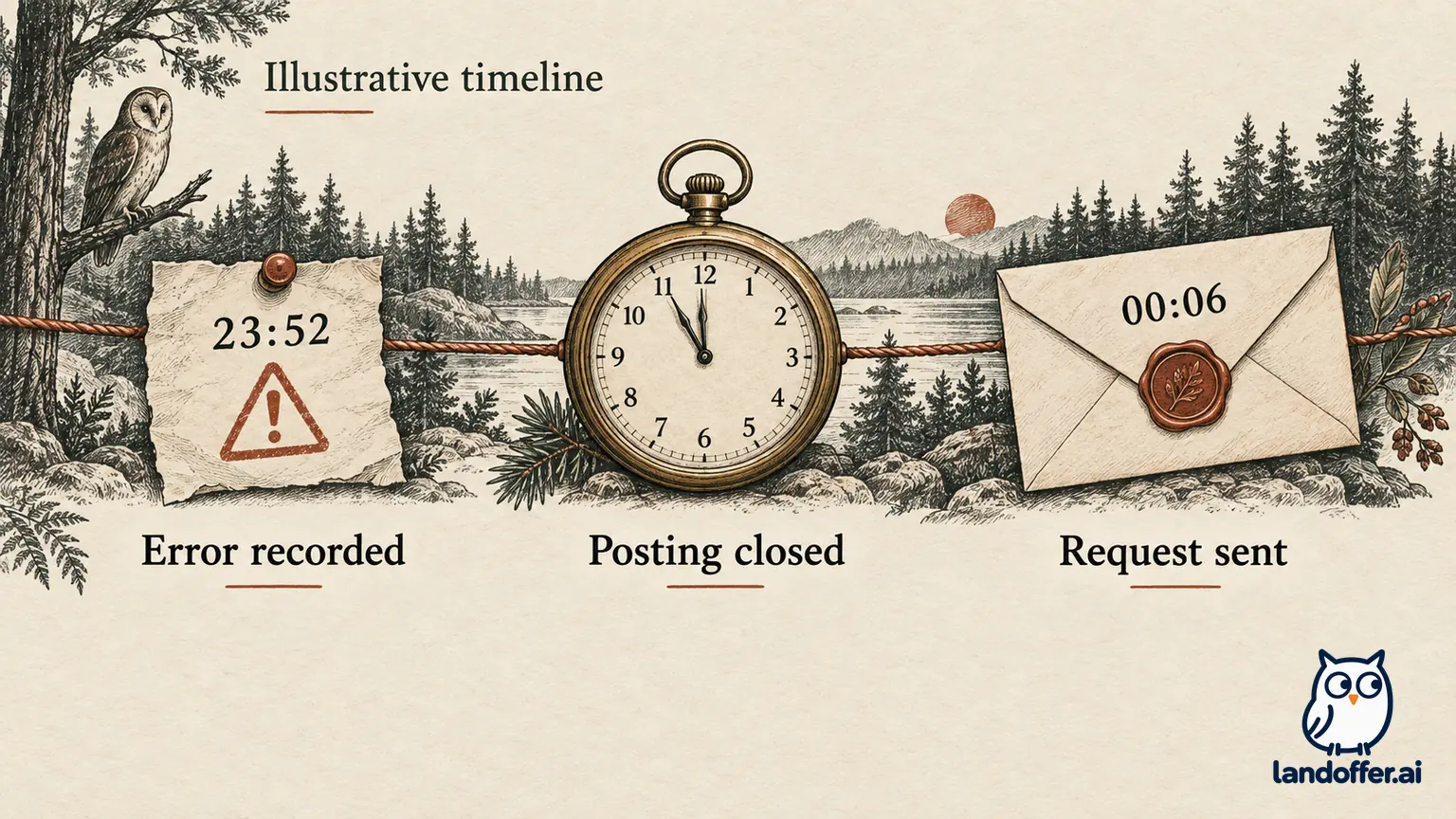
| October 11, 23:52 ET | Pressed Submit; visible message said the request could not be processed | A submission attempt encountered that message | Whether the employer received a record before the error appeared |
| October 11, 23:54 ET | Saved a screenshot and the displayed request ID | The message and request ID were preserved | The technical cause and scope |
| October 11, 23:59 ET | Published closing time passed | The announced cutoff was reached | Whether the employer permits an exception |
| October 12, 00:02 ET | Official posting displayed closed; no receipt found in the portal | The public route was closed and receipt was unconfirmed | Whether a backend record exists |
| October 12, 00:06 ET | Sent a support request through the official contact route | A request for assistance was made | Acceptance, reopening and hiring review |
Noor keeps the original screenshot in a private folder and sends only a redacted copy with the email address and unrelated answers covered. The job identifier, error message and request ID remain visible. The subject line names DE-731, allowing the recipient to locate the opening without opening every attachment.
The resulting tracker entry reads: “Submission unconfirmed; support request sent October 12, 00:06 ET; awaiting receipt check and employer instructions.” It does not read “Applied October 11” merely because Submit was pressed. Nor does it read “Rejected” because the public posting closed. Those labels would claim more than the available record establishes.
If Noor had no screenshot until 00:02, the log would say “first failure recalled at approximately 23:52; screenshot captured 00:02.” That weaker record may still help support, but the distinction matters. Do not edit an image, device clock or file metadata to make the evidence appear earlier or more complete.
Write a message the recipient can investigate
Lead with the role and failure, then supply a short sequence. Include browser and operating-system versions when known, device type, failed step, visible error and any request ID. Describe the destination by its official domain and job reference. Keep private session tokens and signed links out of ordinary email unless support provides a secure way to supply them.
Here is Noor's completed fictional message. It is intentionally narrower than an appeal arguing that an exception must be granted.
Subject: DE-731 — submission error before October 11 cutoff; receipt check requested
Hello Recruiting Support,
I attempted to submit the Backend Engineer application DE-731 on October 11 at 23:52 ET, before the posted 23:59 ET cutoff. After I selected Submit, the page displayed “Request could not be processed” with request ID EX-741. I have not found a role-specific application receipt.
The failure occurred on the final review page in Chrome 141 on Windows 11. The sequence was: open DE-731 from your careers page, complete the required fields, attach my PDF resume, review the form, then select Submit. The posting now displays closed. I have attached a redacted screenshot of the error.
Could you check whether an application was received under my account for DE-731? If it was not, please let me know whether an approved completion route is available. I understand that the technical error does not automatically extend the deadline. I can provide additional diagnostic details through your secure support channel if needed.
Thank you, Noor
Use your real environment and error text; do not copy the fictional versions or identifier. If you never reached Submit, replace that part with the actual failed step. If you have a confirmation number, put it near the top and ask about that existing application rather than describing receipt as entirely unknown.
Before sending, remove attachments that do not answer the support question. A browser network archive can contain session credentials and application answers. Do not include one proactively. Ask what diagnostic information is needed and how to transmit it securely. Keep any approved diagnostic upload separate from a request to accept application materials.
Interpret the reply without upgrading its meaning
A reply saying “we opened ticket 123” confirms case creation. “The error has been fixed” describes a technical change. Neither sentence alone confirms that your application was received or that the deadline was extended. Ask the remaining question in the same thread, quoting the role identifier and relevant instruction.
Keep the response and the action it authorizes together. “Please email your resume” may leave other required answers unresolved; ask whether additional materials are needed and how completion will be acknowledged. If the employer gives a new cutoff, record its date and time zone exactly. The repaired technical route and permission to use it after closing are separate pieces of information.
If support finds an application, request or locate its role-specific confirmation and record the actual submission details. If the employer authorizes another route, follow the stated instructions, including any new deadline, and save the resulting receipt. If it declines late completion, record that decision and stop trying to submit through alternate identities or unrelated openings.
On USAJOBS, continuing into the agency system can require further steps. Its status guidance also separates the announcement's job status from the agency's application status. Those documented distinctions explain why an outer-platform record alone may leave the final receipt question unresolved.
If there is no reply, follow the support channel's stated timing rather than sending hourly duplicates. One concise follow-up in the existing case can repeat the unresolved action question. Keep searching while it is pending. Prepare one accurate timeline and send one focused request through the official route. Keep the application marked unconfirmed while receipt remains unresolved. You can then browse recent roles on LandOffer.ai; that search is separate from the employer's decision about the missed cutoff.
Sources and Further Reading
- USAJOBS: job expiration time and time zone — platform-specific closing rules.
- USAJOBS: contacting the hiring agency — official contact routes, including missing closed announcements.
- USAJOBS: creating an application — additional steps after the agency handoff.
- USAJOBS: application and job status — separate announcement and application records.