LandOffer
Job search
Jake's Resume on Overleaf: Customize the Template and Check the PDF Before Applying
Customize Jake’s Resume on Overleaf with supported content, then inspect a real local PDF for page layout, links, text order and application format limits.
Use Jake's Resume on Overleaf as an editable starting point: replace the example facts, learn the commands that place headings and bullets, and inspect the exact PDF you will attach. Its compact appearance does not establish compatibility with every employer’s application software. A source file that compiles still needs a content, page, link and text-order check against the employer's requested format.
LandOffer publishes this guide and offers job-search tools, giving us a commercial interest in this category. On October 14, 2026, we inspected the public template and documentation, then adapted its commands for an original fictional resume and compiled it locally. We did not sign in to Overleaf, create or share a cloud project, or upload to an employer. Merrick's sample and completed audit below demonstrate a local document workflow. Start with one recent role on LandOffer when deciding which supported work to emphasize.

Identify the actual template and preserve a clean copy
The public Jake's Resume gallery page named Jake Gutierrez, described MIT licensing and exposed View Source and View PDF. The Open as Template link specified pdfLaTeX and a TeX Live 2026.1 image when inspected. We read the source without opening a private project. The linked GitHub repository was archived in August 2024; archive status does not prevent licensed reuse, but it should temper expectations of ongoing maintenance.
Overleaf's template instructions explain creating your own project from a selected template. Creating an editable cloud copy is a separate account step. Viewing the public sample does not mean you have saved an editable personal copy, and the gallery's demonstration PDF is not your application attachment.
Preserve the original source before editing. Give the working copy a name tied to your own role or revision, and keep a record of the template version and compiler. If you later change layout commands, you can compare the result with the clean copy instead of trying to reconstruct which negative spacing adjustment caused a problem.
Retain the template's attribution and license notice when distributing adapted source. Replace all demonstration identity, education, dates, employers, project descriptions and links. A familiar preview can make an untouched sample line easy to overlook; check the actual file rather than trusting your memory of the edits.
Learn the commands before changing the layout
The inspected source used an article document class, US Letter paper and an 11-point class setting. Its reusable commands handle role headings, project headings and bullets. Edit content through those commands before changing global margins or spacing.
In this template, \resumeSubheading takes four arguments: the top-left heading, top-right text, second-line left text and second-line right text. The sample uses that pattern for role/date and employer/location pairs. \resumeProjectHeading takes two arguments, while \resumeItem wraps a bullet. Read the definition when a copied call seems confusing; the argument order determines where each value appears.
For Merrick's fictional internship, the top line contains Application Support Intern and June 2026–August 2026. The second line contains Harbor Support Lab, explicitly fictional, and Portland. That organization is his employer within the exercise, rather than a client substituted into the employer position.
Balance every opening brace and close each list environment. Make one small change and compile before proceeding to the next section. If a heading disappears after editing, first examine the affected command and arguments. Shrinking the font will not repair a missing brace or misplaced list ending.
The source includes compact spacing and two-column heading tables. Those are formatting choices you can adjust when your content needs it. They are not evidence that every future combination of employer name, date and location will fit without wrapping.
Merrick turns factual notes into a compact sample
Merrick Vale is a fictional software-development student. His original teaching record contains an internship supporting CSV imports and a practice inventory validator using Python and SQLite. He has no supported production impact metric, no independent ownership of a company's platform and no completed degree yet.
His first editing decision is to separate the internship from the practice project. Combining them would make an educational implementation appear to be deployed employer work. His education line says Expected May 2027, so the layout does not imply that the associate degree has already been awarded.
| Source fact in the exercise | Completed content decision | Unsupported claim removed |
|---|---|---|
| Reproduced import failures in a test environment | Place defect reproduction in Experience | Do not describe owning the production data platform |
| Checked corrected fields and recorded duplicate-row cases | Keep reviewer follow-up and unresolved cases visible | Do not invent a reduction percentage |
| Built a practice Python/SQLite importer | Place it under Projects with practice scope | Do not label it a client deployment |
| Wrote missing-identifier and repeated-row fixtures | Explain the checks and import log | Do not claim comprehensive reliability certification |
| Degree remains in progress | Use Expected May 2027 | Do not present a completed credential |
His original project bullet reads: “Built a practice importer that validates item identifiers and records rejected rows before saving accepted records to SQLite.” A second bullet explains that he wrote fixtures and compared expected results with the import log. Together, the two bullets identify the practice importer, its validation boundary and the checks Merrick performed.
The internship bullet reads: “Reproduced CSV import errors in a test environment and attached sanitized examples to triage tickets for the developer review.” The wording keeps his environment and reviewer relationship explicit. It does not convert assisting with reproduction into sole responsibility for the eventual fix.
These sentences are original teaching content. They are not the template author's experience or a real applicant's history. When adapting the workflow, use your own factual notes and permitted examples. A template can arrange evidence; it cannot supply the evidence missing from your record.
Replace visible contact text and link targets together
A link has two parts: what the reader sees and the destination the PDF opens. In LaTeX, \href{destination}{visible text} keeps those parts separate. Updating the visible email while leaving an old mailto: destination creates a polished-looking but incorrect contact link.
Our fictional sample uses merrick@example.invalid, deliberately an invalid teaching address. We inspected the matching email annotation without sending a message or pretending the address can receive recruiter replies. Replace both parts with your own current address in an actual resume.
The sample's only HTTPS link points to Python's public website and is labeled Python documentation reference. It is a reference for this exercise, not Merrick's portfolio. A real application should use relevant links to your permitted work and describe them honestly; a vendor documentation page cannot stand in for a personal project you have not shared.
Inspect the exact exported link target and open the intended public destination without relying on a signed-in session. If a portfolio needs access permission, resolve that before including it. Do not claim a recruiter can view a private repository merely because you can open it while authenticated.
Escape characters that LaTeX treats as syntax in ordinary text, such as ampersands, percent signs and underscores. The sample uses R\&D for its practice-data note. Check URLs and displayed labels separately, since an escaped visible label is not automatically the right destination string.
Compile using the template's expected environment
Overleaf's compiler guide explains choosing an engine and TeX Live version. Keep the inspected template's pdfLaTeX default unless a deliberate change requires another engine. Record that decision with the project so a future edit does not silently change the environment.
Our local editor used XeTeX. The first compilation stopped at a pdfTeX-specific Unicode mapping command. We preserved the initial source, wrapped the mapping input and setting in checks for their corresponding commands, and recompiled successfully. The same guarded source then produced a PDF through the bundled local Tectonic compiler.
This repair demonstrates an environment-specific adaptation, not an error observed in Overleaf's default template. It is unnecessary to tell every Overleaf user to switch engines or delete Unicode settings. Match the actual compiler message with the source before changing the template.
Overleaf's recompilation guide explains that its default error handling can attempt to produce a PDF despite errors. Read the error log even when a PDF preview is visible. Read the error log, fix the reported source issue and rebuild the final version before inspecting output.
Keep the last known-good PDF while repairing source. Otherwise, a stale preview can be mistaken for the product of your most recent edit. The file you inspect should have a clear relationship to the source revision you intend to use.
A completed audit of the actual local PDF
The resulting sample is one US Letter page, 612 by 792 points, and 27,371 bytes. We rendered and inspected that PDF. Its headings, date associations and bullets were legible, with no observed overlap or clipping. The short teaching record deliberately leaves substantial white space; it is not a claim that every career should fit into the same area.
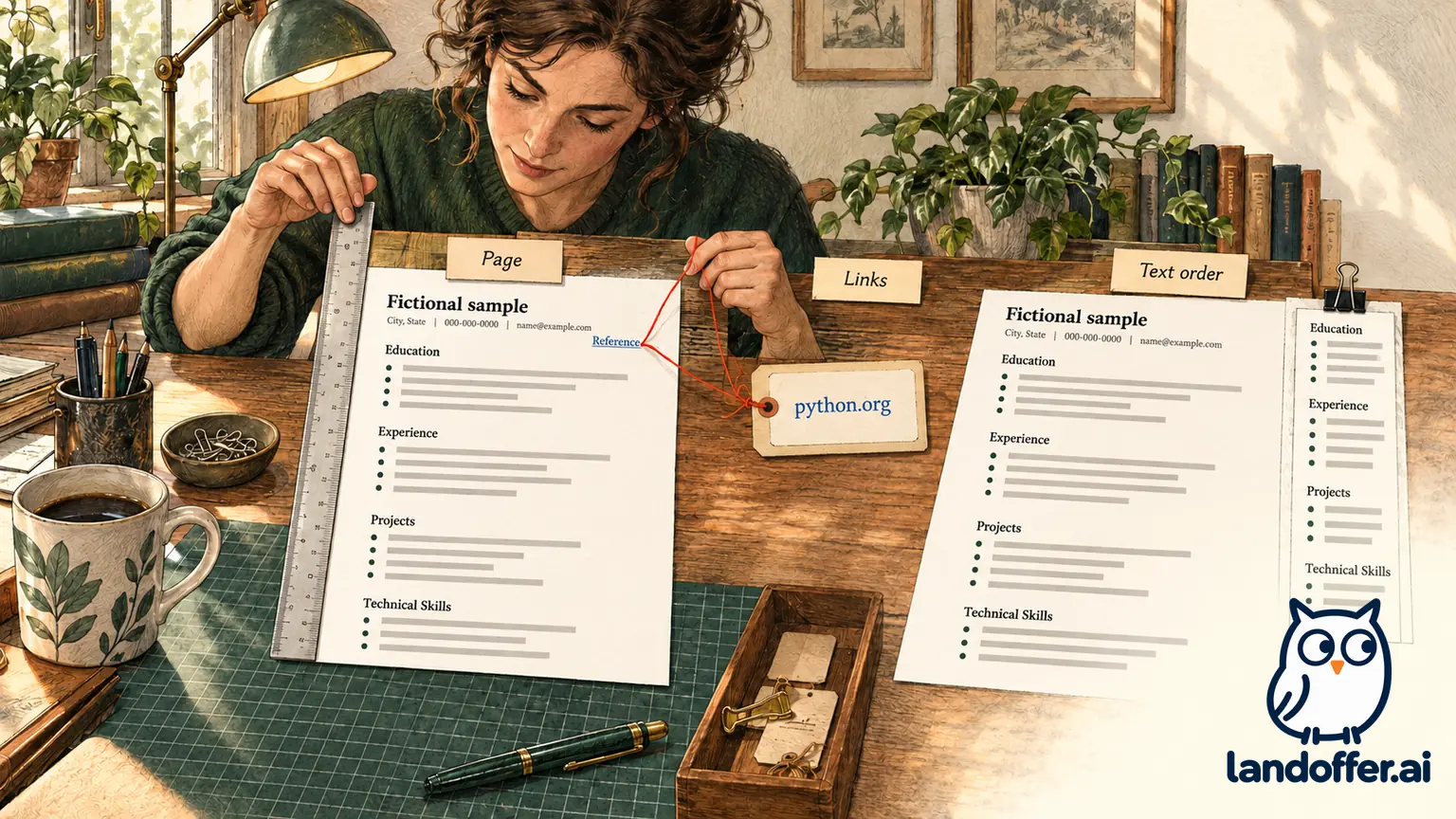
The following record concerns this exact local artifact. It does not describe a private Overleaf export, an employer upload or an ATS benchmark.
| Check performed | Observed result | Practical limit |
|---|---|---|
| Compile and export | Guarded source compiled; local PDF generated | Different engine from the gallery's pdfLaTeX default |
| Page inspection | One page; no observed clipping or overlap | Short fictional teaching content |
| Link annotations | Matching invalid sample email and Python HTTPS reference | No contact message; reference is not a portfolio |
| Extracted section order | Name, Education, Experience, Projects, Technical Skills | Extraction tools showed spacing differences |
| Font resources | Referenced fonts had embedded font files | Embedding does not guarantee employer parsing |
| Document metadata | Fictional sample title and LandOffer Editorial author | Replace sample identity for an actual application |
Text extraction deserves a closer look than section order alone. One extractor inserted spaces within words such as Technical and Workshop. Another preserved those words but joined words in a compact bullet under its default settings. Both outputs remain in the audit, with their spacing differences unresolved for an employer parser.
These findings identify a check to repeat with the actual attachment and receiving system. If a portal imports a title, skill or date incorrectly, inspect and correct the form field against your source record. Do not assume a clean-looking PDF proves every imported field is right. A local extraction result also does not establish that an employer's parser will make the same spacing choices.
Preserve readability instead of forcing more lines onto a page
First remove irrelevant or repeated content. In Merrick's case, the supported internship and validation project are more informative than a large skills list copied from the demonstration. The final skills section names Python, SQL and relevant tools without adding frameworks he has not used.
After content edits, inspect long headings, date columns and the final bullet. If they collide or become difficult to read, adjust the layout in a copy and rebuild. Avoid a sequence of unexplained negative spacing changes that makes the next revision fragile.
Unicode mapping, text extraction and accessibility are related checks with different purposes. Overleaf's accessibility documentation discusses tags, structure and package compatibility, and explicitly says implementation alone does not guarantee accessibility. We did not validate this sample for PDF/UA conformance or screen-reader behavior. Template comments and popularity cannot replace those checks.
If an employer asks for DOCX, keep a separately reviewed Word version rather than assuming this PDF meets the request. Confirm the selected attachment's facts after any conversion. A correct file extension does not establish that the dates, bullets and links survived unchanged.
Choose one recent role on LandOffer, edit only supported content, and save the source revision beside its final PDF. Recheck the page, contact destinations, extracted text and requested format before uploading. After completing the separate application process, retain its employer destination and confirmation.