LandOffer
Job search
iCIMS Candidate Login Problems: Recover the Right Employer Account
Identify the employer account and recovery route before another reset request or a duplicate candidate profile.
For an iCIMS candidate login problem, recover the account through the employer whose application you need. Confirm the employer, original sign-in method and registered mailbox before requesting another password reset. The iCIMS name on two pages does not make them the same account, and recovering access does not complete a job application.
This guide combines official documentation checked October 19, 2026, a signed-out inspection of one public application entrance and completed fictional recovery records. We did not enter an email, accept applicant-data consent, request a reset or sign into a private account. LandOffer publishes this guide and offers job-search tools. If you are also tracking recent roles on LandOffer, keep the affected employer and application reference attached to the recovery task.

Identify the employer before choosing a login page
The iCIMS candidate password guide says candidates establish an individual login and profile for each employer. It explicitly distinguishes these from a shared login across employers. Start from the hiring organization's verified careers site and follow its candidate route.
That first check prevents several different problems from being treated as a wrong password. A bookmarked page may belong to another employer, a staff-facing system or a help community. Each can have a working sign-in form while still being the wrong place to recover your application. The presence of a familiar vendor logo does not settle which record the form addresses.
The separate iCIMS login article for employer users points candidates to candidate-specific recovery guidance. Its employer-user instructions should not become a reason to seek a recruiter account. Likewise, the Login and Forgot Your Password links above an iCIMS Community help article belong to that help-site context. Reading an article there does not mean your employer application lives there.
Use your saved application reference to identify the destination you need. Compare the organization, role and original portal with the employer's current careers route. If those sources disagree, preserve both and ask the employer which route now serves the existing record. Do not decide that a different company name, new domain or empty page proves that an application disappeared.
A public entrance can begin with email, not a password
We followed iCIMS' corporate contact page to its own careers site, then its job listing for Lead DBA, requisition 6583. The linked public application entrance displayed Enter Your Information, an empty Email field, an applicant privacy notice, an unchecked data-processing consent and a disabled Next button. No password field appeared on that first screen.
This was an observation of iCIMS as an employer, not a test of all employers using its software. We left the form blank. We did not check consent to expose another screen, and the observation establishes nothing about a registered person's subsequent login, available social buttons or recovery email.
The result is useful when comparing your screen with a help article. The candidate guide explains that employer appearances, steps and button names vary. It also describes an email-first route that can distinguish a new applicant from a returning one. A missing password box on the initial page therefore needs context before you call it a login failure.
Read the displayed notice and instructions for yourself. Do not enter a random address or accept a declaration merely to make the page resemble a screenshot. If you cannot identify a returning-user route, ask the employer how to reach the existing profile. Keep the public careers page separate from any private application or reset link you later receive.
Reconstruct the original sign-in method
The candidate guide describes returning through a connected social or Microsoft account, or the employer login name and password used when registering. The offered options depend on the company. Use the method you actually used rather than assuming that the same visible email address makes every sign-in method interchangeable.
Look at your own registration notes, previous confirmation messages and password-manager entry for that employer. You are checking context: which company, which mailbox and which method. Keep any credential in its proper private storage. A job-search tracker needs an account label, not a copied password or reset link.
If you used a connected account, first establish which provider identity was involved. Being signed into another personal or work identity can complicate the comparison. Do not disconnect an existing relationship or grant new profile permissions as a speculative repair. If the original option is absent, report that mismatch through the employer's published help route.
If you registered directly, a familiar email is still only a candidate for the correct mailbox until it agrees with your records. The reset form needs the address associated with that employer's account. Repeatedly trying addresses without documenting which portal they belong to makes the problem harder to describe later.
Anika separates five similar-looking routes
Anika Rowe and Copper Cove are fictional. She expects an existing reliability-engineer application, RC83, but her browser contains several pages labeled iCIMS. Her original note identifies a direct employer login and an accessible personal mailbox. The following completed map decides which route needs recovery; it does not claim successful access to a real account.
| Saved route | Evidence in the fictional record | Completed decision |
|---|---|---|
| Copper Cove candidate portal | Matches the employer's current careers link and RC83 note | Recover the existing candidate record here |
| iCIMS Community help page | Contains the password article and a separate help-site Login link | Read guidance; do not reset this site's account for RC83 |
| Employer staff login | Intended for recruiting-system users | Not Anika's candidate recovery route |
| Another employer's candidate page | Different organization and role reference | Keep separate; it cannot establish access to RC83 |
| New-hire onboarding link | No matching onboarding invitation in this case | Do not infer that it is the unfinished job application |
The resolved question is the destination: Copper Cove's candidate record. Anika has not yet established whether the password, email delivery or a link is the remaining problem. She can stop testing unrelated entrances without pretending that the account has been repaired.
Her account label records the employer, RC83 and direct-login method. The actual mailbox stays in her private notes. She does not create a new profile to get a fresh-looking dashboard. If an employer recommends a different process after checking the record, that instruction becomes new evidence; it is not something this example assumes.
Anika can now ask about the candidate record instead of reporting every inaccessible page as an account failure. The staff entrance and help community serve different users. Fixing either of those passwords would leave her actual RC83 access question unanswered.
Make one identifiable recovery attempt
For the documented direct-login recovery path, the password guide describes using the employer's returning-candidate area, selecting its reset option and entering the registered email. It says the resulting email includes the login name and reset link. Check spam if it is missing; the guide's general prompt suggests trying again after five minutes.
Treat the acknowledgement as a record of the request, not a completed mailbox or account check. Note the employer, request time, timezone and whether a message actually arrives. Keep the original address private. If delivery is still unresolved, you can explain which message is missing and when it was requested. That is a manageable next task even while access remains blocked.
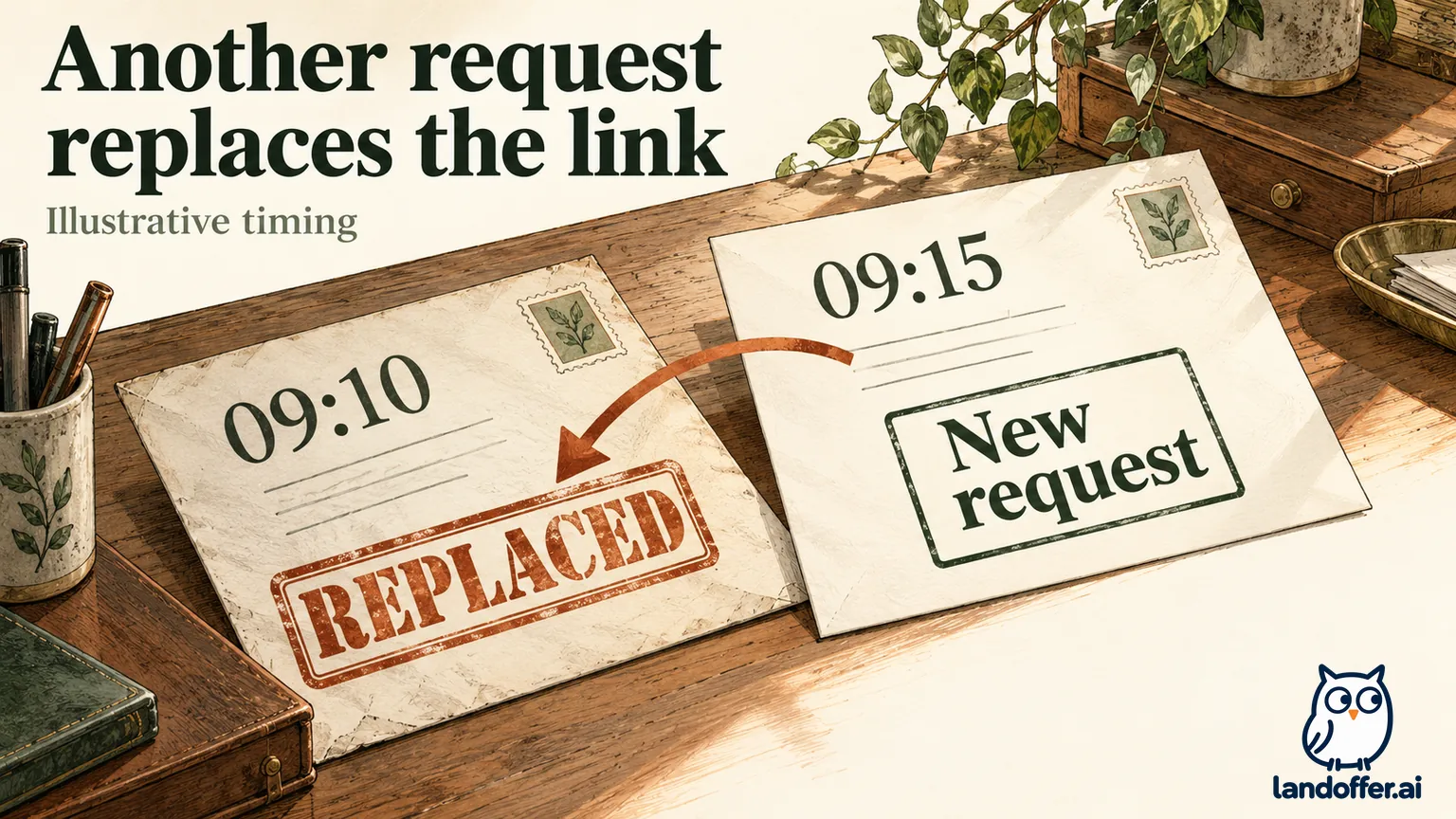
The same guide says a link expires after eight hours or when another request is made for that account. The second condition matters even when the first request was recent. Avoid mixing messages from successive attempts or different employers.
Here is an independent, fictional calculation using that documented rule. Request A occurs at 09:10 PDT (UTC-07:00) on October 19, 2026. Request B follows at 09:15. At 09:16, Anika opens A's message. Under the stated rule, B has already superseded A. B's eight-hour ceiling would be 17:15 PDT if no subsequent request intervened. These are calculated example times, not observed server events or a promise that a real link remains usable until that minute.
Our local record ends with the older message identified and access still unresolved. No password was changed. Identifying the stale route is useful progress, but it is insufficient evidence to mark the account recovered. Follow the employer's current instructions for your own next step rather than treating this example's clock as your deadline.
Send a useful problem description without sending a secret
The iCIMS contact page directs job seekers asking about applications to the employer. Start with the candidate-assistance route on that employer's current careers page. A vendor sales form is a different destination, and a community login does not identify the person who can inspect your employer record.
Anika's completed support packet retains the fictional employer and RC83 reference, the portal's base hostname, the action attempted, 09:16 PDT and a clearly illustrative error description. It removes the full mailbox address, password and complete reset URL. The time and action help explain the problem without giving the recipient a reusable account-access link.
We checked that redaction locally against a synthetic input containing fake credential markers. Our local checks confirmed that the prepared text contained none of those markers, the full email or the reset URL/query. This demonstrates the prepared packet's contents; it is not a security assessment, a redaction tool recommendation or a test using anyone's real secrets.
The resulting unsent request says:
I need help reaching the existing candidate record for Copper Cove reliability engineer RC83. My original mailbox is accessible. At 09:16 PDT on October 19, I opened the earlier of two reset messages, and it was not accepted. I have not created a replacement profile or made a new application. Could you advise the correct recovery route? Please identify your approved private channel if additional account details are needed.
For a real request, replace the illustrative information with facts you can support. Do not claim two requests were made if you only saw one message. If support needs your registered address to locate the record, provide it through the verified private channel it specifies. An anonymized public example is not a rule that support can diagnose every account without identifying information.
Before attaching a screenshot, inspect the address bar, email preview and other visible fields. A cropped error can still expose a token in the URL. Preserve the original privately if needed, but share only the details appropriate for the verified recipient. No message or attachment was sent for this guide.
Close the access task separately from the application
If the original mailbox is inaccessible, stop treating it as an ordinary password typo. Tell the employer what access is missing and ask about its identity-verification process. Do not substitute another person's address, assume an automatic account merge or create a replacement record merely to avoid the recovery question.
If a closing date is near, include the actual role reference and stated deadline when asking the employer for help. Acknowledging a technical problem does not itself extend that deadline or authorize application by email. Keep any employer instruction with the record so that your next action follows what was actually offered.
After access returns, compare the expected employer and role with the record you reached. Then address any remaining application steps. Our iCIMS incomplete-application guide covers that separate task; this article's recovery map does not establish that RC83 was submitted or reviewed.
Finish with a precise status: correct route identified, recovery message missing, mailbox access unresolved or original account reached. If you browse another recent LandOffer role, preserve that status beside the affected employer. Choose the next action for this record: verify the route, resolve delivery, ask for mailbox recovery or check the account you reached.
Sources and Further Reading
- iCIMS: changing or resetting a candidate or new-hire password
- iCIMS: candidate guide to employer career portals
- iCIMS: employer-user login guidance and separate candidate route
- iCIMS: contact guidance for job seekers
- iCIMS' own careers site: public entrance inspected October 19
- LandOffer: continue an incomplete iCIMS application after access is resolved