LandOffer
Job search
Reactive Resume Review: Open-Source Editing, Version History, and Deployment Choices
A public-documentation review of Reactive Resume’s editing controls, saved versions, download formats and hosting responsibilities.
Reactive Resume is a useful option if you want a free resume workspace with separate document copies, reviewable AI suggestions and saved versions you can restore. The first choice is whether to edit in a hosted account or maintain your own installation. Most individual job seekers should start with the hosted editor and manual writing; self-hosting makes more sense when someone can operate the server. This review examines current public pages and v6 documentation checked October 19, 2026. We did not test authenticated editing, exports, AI responses or deployment.
LandOffer publishes this review and also provides job-search tools. Use a real opening, such as one from LandOffer’s recently posted jobs, to decide which resume copy and file format you need. Reactive Resume’s documented controls offer a way to organize that work, but neither a saved application status nor an attractive preview establishes what an employer received.
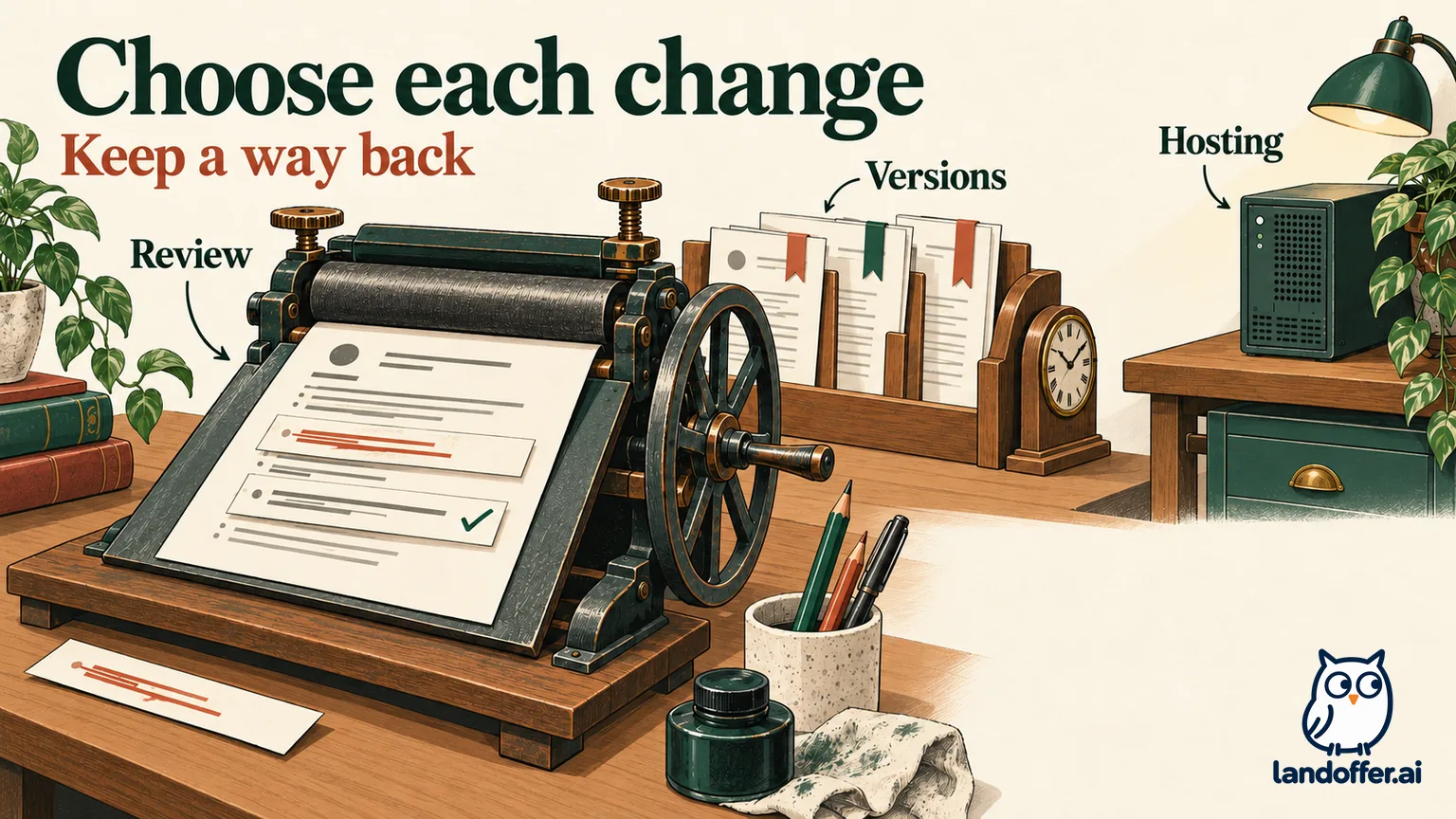
What is free, and where costs can enter
The official Reactive Resume site describes a free, open-source builder under the MIT license, supported by donations. Its hosted service provides the workspace without requiring you to run the application yourself. The current documentation covers document editing, templates, downloads and history. You can create and revise resumes manually without connecting an AI provider.
That is a meaningful starting point for someone maintaining different resumes for platform engineering and data roles. You can keep separate copies and return to saved work rather than treat every application as a replacement of the same document. The value is control over ongoing editing; a large feature list alone does not establish whether the resulting resume fits a particular vacancy.
AI has a separate cost boundary. The provider guide says personal connections use your provider’s API key and you pay that provider for usage. A self-hosted administrator can configure a shared provider instead; that changes who supplies the connection, not whether model usage has a cost. Reactive Resume does not include its own AI model. Free access to the builder therefore does not mean free model inference, and self-hosting can add infrastructure costs.
Start with the editing workflow you need. If you already know what your bullet should say, edit it directly. An AI connection is useful only when its assistance and review process justify the extra setup and data handling.
Review a proposed edit before it becomes your claim
The documented Assistant workflow shows the current and proposed wording, the location of a change and a reason. You can accept or reject changes individually. An Accept all option also exists, so individual review is a choice you must actually make.
Consider Inez, a fictional graduate preparing a platform-engineering resume. Her verified source sentence is: “Wrote deployment checklists and documented rollback steps for a student web service.” The following proposed edits are independently authored teaching examples, not responses obtained from Reactive Resume.
| Proposed wording | Inez’s decision | Reason |
|---|---|---|
| “Wrote deployment checklists and rollback instructions for a student web service.” | Accept | Clearer wording retains the same work and scope. |
| “Reduced release failures by 40% through automated deployment safeguards.” | Reject | Her source establishes neither a measured failure rate nor automated safeguards. |
Her final sentence is the first proposal. It describes useful work without converting preparation into an unsupported result. The assistant’s visible differences help locate what changed; they do not independently verify whether a new claim is true.
Now suppose Inez checks her project notes and manually corrects the scope to two student web services before deciding on an earlier proposal. The docs say a proposal becomes Out of date when the underlying text has changed. Her next step is to request a fresh suggestion against the corrected sentence, rather than apply wording prepared for an older state.
Accepted edits can be undone. The docs also explain that undoing an accepted proposal can make it pending again. Inez should review that queue after an undo instead of assuming the proposal was permanently rejected. This matters when several small decisions are spread across one editing session.
Choose the right kind of recovery
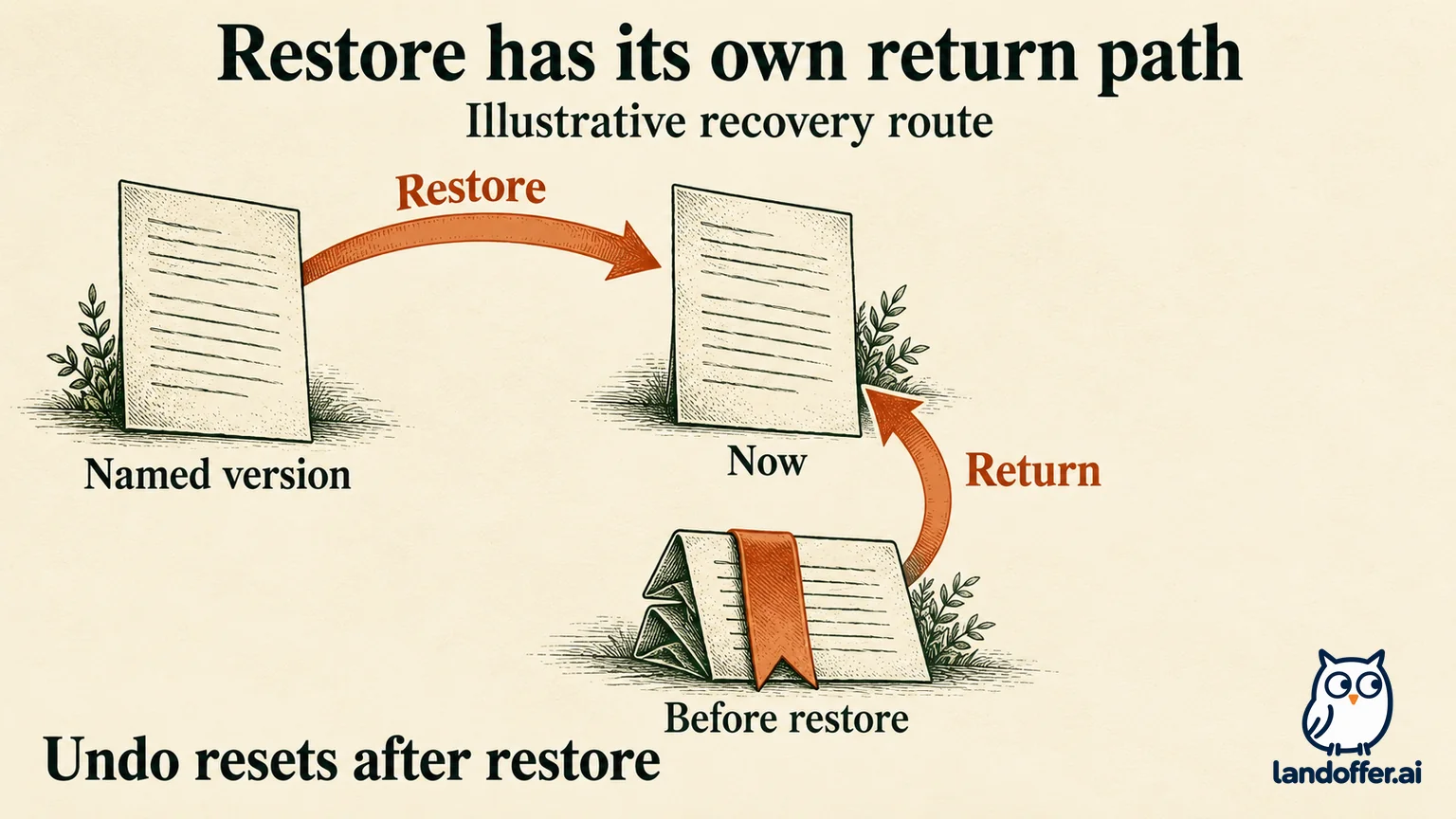
Reactive Resume documents several ways to preserve work, each covering a different situation. The history guide distinguishes temporary undo from versions stored on the server. Undo keeps up to 200 steps while the resume is open; reloading, reopening, restoring a version or receiving an external change starts a fresh undo history. For a resume-wide change such as switching templates, click outside a text field before using the shortcut. Inside a field, the shortcut undoes that field’s typing.
History displays the 100 most recent versions. Ordinary editing-session versions have 90-day retention; a named version is retained until deleted. A visit to the editor keeps one editing-session version, refreshed at most every two minutes. Do not expect a durable checkpoint for each keystroke or assume that every old session remains indefinitely.
A named version is useful before a substantial rewrite. An independent document copy serves a different purpose: keeping two resumes available for different roles. A private JSON export provides a separate structured backup. None of these should be treated as interchangeable.
Leon’s fictional case shows why. He has a short timeline with fewer than 100 versions. Ninety-five days ago, he saved a named version, “Before infrastructure tailoring,” and also worked in an ordinary editing session. He now wants the older project emphasis back. The named version is the appropriate checkpoint; the ordinary session from that date is beyond its documented retention period.
Leon can inspect the old version without committing to replacing his current work. His completed recovery decision is to preview the named version first. If he only needs to read an old bullet, he can return to Now without replacing the document. If he decides the whole earlier resume should become current, he restores it. The version includes content, design, custom styles and private notes, so the decision extends beyond the one sentence that caught his attention.
If Leon then realizes he replaced changes he still needs, the documented return route is Before restore. Reactive Resume saves that state before applying the restoration. Restoring clears undo history, so Ctrl/Cmd+Z cannot reverse this operation. He previews and restores Before restore instead. Public-link settings are outside the saved version and must be considered separately.
This is an explanation of documented behavior, not a restoration we performed in an account. It gives Leon a specific recovery path and explains why “just undo it” is incomplete advice.
Keep concurrent applications in separate copies
The Documents guide describes Duplicate as a separate copy whose edits do not change the original. Copy for a job creates a copy linked to an application, while leaving the starting resume unchanged. Manual editing is available without AI. When you link the copy to an application, Check uses that job’s posting; a usable AI connection can also open the assistant with that context. This keeps the review focused on the selected role rather than an unrelated vacancy.
For Leon, that means keeping an infrastructure resume and a data resume as separate documents. History then helps recover changes within each document. Repeatedly restoring one document to switch between those two applications would make it harder to know which current version belongs to which role.
Names should make that distinction readable outside the editor as well. “Leon—Infrastructure—October” and “Leon—Data—October” are more useful working names than a succession of undifferentiated copies. Keep the final downloaded attachment with the relevant application record, especially if later edits will change the working document.
The guide also describes Lock editing for protecting a document from accidental changes. A locked document can still be opened, duplicated and downloaded. That makes a locked sent copy a useful reference while another copy remains editable. It does not prove that the external application used that file.
Send the requested document, and keep JSON private
The current download guide documents PDF, Word, OpenDocument, Markdown and JSON. These exports have different purposes. PDF is described as preserving the page design. DOCX and ODT use a simplified editable layout, with visual elements reduced and no photo. Markdown retains structured text without the visual design.
JSON is the structured backup. It includes hidden entries, design settings and private notes; importing it creates a new resume rather than overwriting an existing one. Keep that file for your own recovery or transfer. An employer request for a resume attachment is not a reason to send the private backup.
Suppose Leon’s recruiter requests Word while his existing application packet contains PDF. His choice is DOCX, followed by opening and reviewing that file as a separate deliverable. He should not promise that it reproduces the PDF’s columns or page breaks. If another application explicitly requests PDF, he can retain the inspected PDF for that submission.
We did not download and compare these formats in an authenticated session, so their fidelity remains documented rather than measured here. A useful final check is whether the actual file opens, contains the intended visible experience and meets the employer’s stated format requirement. The builder’s preview alone cannot answer all three.
Self-hosting changes who operates the workspace
The current Docker guide describes a minimal installation with the app and PostgreSQL, plus persistent upload storage. It no longer requires a separate printer service. Optional services support functions such as email and shared state. This is a current-v6 architecture description, not a deployment we tested.
The operational work continues after startup. The guide calls for database and upload backups, preservation of configuration secrets, and tested restoration. Updates apply migrations. A running container therefore does not establish that your documents can be recovered after a failed upgrade or lost disk.
| Choice | Who owns the work? | Completed decision for an illustrative reader |
|---|---|---|
| Hosted service | Service operator runs the app; candidate manages account, documents and retained exports. | Solo applicant Priya chooses hosted manual editing and a private JSON backup because she has no server operator. |
| Self-hosted installation | Instance operator manages hosting, persistent data, updates and recovery. | Homelab operator Tomas chooses self-hosting only after assigning himself database and upload backups plus an upgrade-recovery check. |
Those are editorial choices based on responsibilities, not quoted infrastructure prices. Tomas already maintaining a server changes the fit; it does not eliminate the cost of his time. Priya gains little from taking on database maintenance simply to finish one application document.
Self-hosting also does not automatically keep every AI input on your hardware. The provider guide says requests travel from the Reactive Resume server to the selected provider with the inputs needed for that action. The provider’s terms govern its handling of that data. Hosted connections require a public HTTPS endpoint; connecting a model on your laptop needs a suitable self-hosted configuration. Decide on that route before treating “open source” as a complete privacy answer.
Who should use it, and who should keep another editor
Reactive Resume’s documented strengths suit candidates who want separate resumes, visible proposed changes and several recovery options without a builder subscription. Start with hosted manual editing, keep a named version before a major rewrite, and retain the appropriate finished attachment. Add AI when its assistance is useful enough to justify provider setup and review.
Keep an existing editor when an employer’s prescribed template or an established collaboration workflow already meets your needs. Consider self-hosting when someone explicitly owns maintenance and recovery. The MIT license makes that choice available; it does not make running the service a necessary part of a job search.
Choose one opening from LandOffer’s recent jobs, check its attachment instructions, and prepare a clearly named resume copy for that role. Preserve a named version before rewriting, retain JSON privately if you need a structured backup, then inspect the exact employer-facing file you intend to attach.
Sources and Further Reading
- Reactive Resume: official product and free/open-source description
- Using the assistant: proposals, decisions and undo
- Undoing changes and version history
- Managing documents: copies and editing locks
- Downloading your resume: formats and backup contents
- Connecting an AI provider: costs and data routing
- Self-hosting with Docker: stack, upgrades and backups