LandOffer
Job search
Resume.com Review: Free Document Creation, Editing Limits, and Export Checks
Review Resume.com's free PDF and TXT creation, documented editing controls and export limits, with completed structure and file-inspection examples.
Resume.com is a reasonable option to consider when you want to create and download a resume without a paid builder subscription. Its current help pages describe free editing, multiple documents, PDF and TXT output. Check whether the editing controls and available formats fit your task, then inspect the resulting file before using it.
This documentation review uses official pages and public browser observations checked October 13, 2026. We did not create an account, import a file, use the editor or export documents. The cases below are fictional. LandOffer publishes this review and offers job-search tools; identify the work your present editor cannot complete before moving to another one.

The free offer includes usable output categories
The free-service explanation, updated August 3, 2026, says no premium membership is required to build, edit, print or download resumes and cover letters. It describes multiple documents and PDF or plain-text downloads. Returning to saved documents involves signing in to the dashboard.
An account requirement is separate from a payment requirement. Confirm how you will sign in and recover access, but do not assume a builder subscription merely because it stores documents online. We did not register or test account recovery.
The offer is useful when its outputs satisfy the application instructions and its editing workflow suits your material. PDF may meet an attachment requirement; TXT gives you the words to review or reuse without the template. Neither establishes that the content is accurate or that the layout is suitable for every recipient.
Resume.com also states that it does not provide human writing or review services. Its guidance and AI assistance are self-service tools. Do not treat a completed document as a professional consultation or a factual review by a writer.
If you already have an accurate resume and a reliable export route, switching is optional. The relevant comparison is whether the new editor makes a particular task easier without losing required control or format support.
Check the editing controls your document needs
Current reordering help describes dragging section handles and moving entries within sections. The section-management guide describes adding or removing available optional sections, with types depending on the template and features. It notes that required core sections may not be removable.
That establishes a useful structural editing scope. It does not establish arbitrary page design or every font, color, margin and spacing control. We did not inspect those controls in an account. Check the current editor before relying on an older claim about its limits or assuming that every design control is available.
Before committing the whole document, list the changes you actually need. Moving recent experience above education is a different task from reproducing an exact branded layout. Adding an available project section is different from building a custom multi-column page.
If a specific control matters, inspect it early. You can decide to use a simpler template or retain your current editor. Do not spend the whole writing session trying to reproduce a layout whose exact geometry is unnecessary for the application.
The content order should help the reader find relevant evidence. It should not change the historical sequence within employment or make a project appear to be a job. Review the headings and entries together after moving them.
A required section can also affect the choice of template. If you cannot remove an unnecessary core section in the available design, inspect another supported template or keep your existing editor. Do not invent an entry simply to make the layout look complete. The correct response to a control limit is a different presentation decision, not a new claim about your history.
Ari's completed structure decision
Ari is a fictional junior UX researcher applying to product teams. Her current resume starts with education, then unrelated early work, then a short usability-research role. Her public portfolio link is buried in a paragraph. She wants the research evidence visible before a reader reaches the bottom of the page.
Her records support planning and conducting moderated usability sessions for a checkout prototype, synthesizing observed navigation problems and sharing findings with a product designer. The designer and product team made the final interface decisions. Ari does not claim ownership of the product or a measured conversion improvement.
She prepares this original editing plan before choosing a template:
| Current arrangement | Completed structural decision | Meaning to preserve |
|---|---|---|
| Education before relevant paid work | Put the relevant experience section first after contact and summary | Keep the actual degree and completion information |
| Older unrelated work dominates Experience | Keep a shorter entry after the research role | Preserve the employer, title and dates |
| Research contribution described only as “helped with UX” | Replace with the specific sessions, synthesis and handoff | Do not claim final product-decision authority |
| Portfolio destination buried in prose | Make the public destination easy to locate | Retain a usable destination in exported text |
| Independent sample mixed into the paid role | Place under a separate project heading if included | Keep independent work separate from employment |
Her finished original bullet reads: “Planned and conducted moderated usability sessions for a checkout prototype, synthesized observed navigation problems and shared findings with a product designer.” It explains the research contribution while leaving the final design decisions with the appropriate team.
Ari's completed order is contact and portfolio, short summary, relevant experience, selected independent work, education and skills. This is a candidate-specific arrangement, not a universal ordering rule or a claim that every template permits the exact same sections.
Ari checks that the shortened early-work entry still preserves the timeline. She does not delete a period simply because the role is less relevant. She also checks whether the independent sample adds useful evidence beyond the paid research work rather than including it only to fill a section.
The result is a clear editing specification she can apply in a supported template. We did not execute the moves or observe how Resume.com would paginate her document.
Import availability does not establish fidelity
The current upload guide describes uploading an existing resume and reviewing the result. It mentions PDF or DOCX as possible alternatives when an upload fails. That is useful guidance, but it is not a complete supported-format specification or a promise of identical reconstruction.
Keep the original before importing. Compare the employer, title, dates and contributions as a group. Check that the portfolio remains with the contact information and that an independent project is not attached to the preceding employer.
Ari would review the structure before changing the wording. If an import placed her project under employment, rewriting the sentence first could make the mistaken association harder to notice. Repair the context, then consider whether the language needs improvement.
If the source document is short, manual entry may be an acceptable alternative. If it contains known mistakes, correct the factual reference first. Successful copying can preserve an error as easily as a correct detail.
We did not test uploads or compare file types. This review therefore does not rate import accuracy or recommend a particular format as universally reliable.
Inspect PDF and TXT for different reasons
The download guide describes PDF and TXT. It says plain text keeps content without the visual template, while PDF preserves the template design. These are described output options, not files we generated or tested.
For PDF, inspect the page as a document: headings, line breaks, contact details, bullets and whether important content falls onto another page. Check that the final accepted wording appears in the actual attachment.
For TXT, inspect meaning without styling. Headings, dates and explicit destinations need to make sense when visual spacing or a linked label no longer carries the context. Write the public destination explicitly if a label such as “Portfolio” would otherwise lose its address in the text file.
Neither check establishes universal applicant tracking system compatibility. Follow the employer's format requirements and review the readable content you intend to send. Do not use a marketing label as a substitute for that immediate task.
An employer requiring DOCX creates a separate decision. The cited download help establishes PDF and TXT, not a DOCX export. Keep a confirmed editable-file workflow rather than assuming a desired extension will appear in the final menu.
Ari's completed export acceptance record
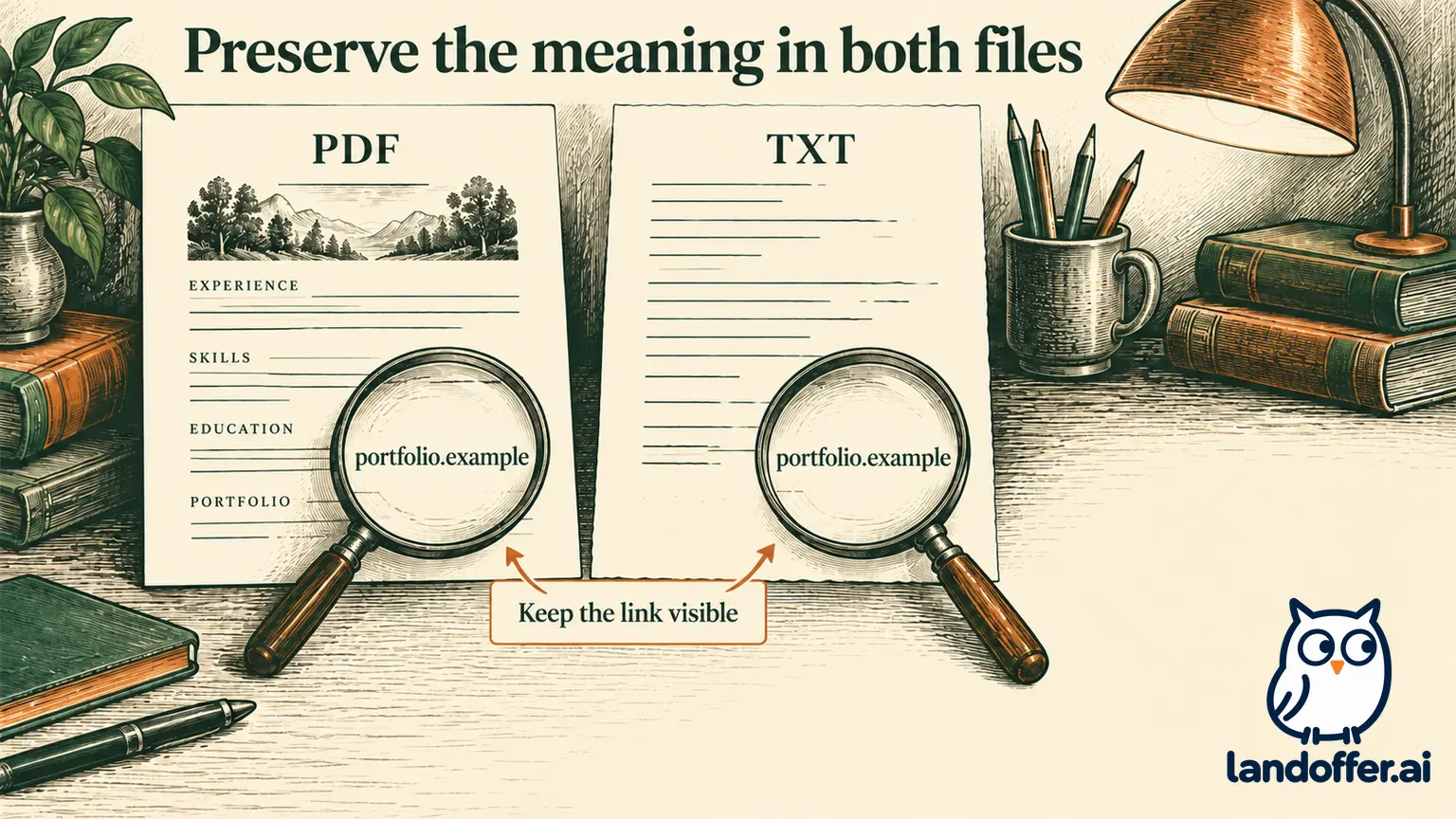
In this second fictional exercise, Ari compares hypothetical PDF and text versions after applying her structure plan. The findings are invented teaching examples, not defects observed in Resume.com or an actual export test.
| Check | Illustrative finding | Completed action |
|---|---|---|
| PDF section boundary | The independent sample appears visually attached to the paid research role | Keep its separate heading and spacing clear |
| PDF page break | Education heading is isolated at the bottom of the first page | Review the template or available layout control before accepting |
| TXT portfolio context | Only a display label survives | Include the public destination explicitly in the content |
| Both versions' wording | Research bullet still describes sessions, synthesis and designer handoff | Accept after comparison with her notes |
| Employer requests DOCX | Current help documents PDF and TXT | Use her existing confirmed DOCX route |
Her acceptance note is: “Research and independent sample remain distinct; portfolio destination visible in both versions; headings readable; employer-required format selected.” She stores the exact attachment prepared for each application.
The explicit destination matters even if a PDF link looks clickable. A reader may copy the text, view a printout or use a tool that displays only the words. Ari wants the portfolio location understandable without relying entirely on a graphical label.
When she later changes a sentence, she inspects the newly generated file again. An earlier accepted PDF does not automatically reflect a later edit. Similarly, selecting another template can change page breaks without changing the underlying experience.
If a required control or output is unavailable, Ari can keep her existing editor instead of rebuilding the document near a deadline. Free access is valuable, but the file still has to meet the application task.
Keep similarly named services separate
Resume.com's charge explanation says its builder is free and has no Resume.com subscription to cancel. It points readers toward the actual merchant when a charge belongs to a different career service. That is the provider's description, not a determination about an individual's bank statement.
Check the exact domain, merchant descriptor and receipt before applying a review or cancellation instruction to your situation. Similar names do not establish that two products have the same pricing or account system. An older paid-builder complaint may concern a different company.
This article does not inspect financial records or make a refund request. The relevance to the product review is that Resume.com's stated free model should not be replaced with another site's trial or renewal terms.
Who should consider Resume.com?
Consider Resume.com when free PDF or TXT creation meets the required format and the available structural controls suit your content. Keep expectations specific: self-service writing, template-based organization and a final inspection of the actual file.
Keep your current editor when a required DOCX output or precise design control is already solved there. Confirm any necessary control before moving the document. Treat imports and AI assistance as starting points that still need factual review.
To prepare a useful structure test, browse recent roles on LandOffer and choose one realistic target, identify the evidence that belongs first and confirm the attachment format before switching editors.