LandOffer
Job search
LinkedIn Application Viewed vs. Resume Downloaded: Decide Your Next Action
Record LinkedIn view and download events precisely, then separate automatic notifications from direct recruiting requests and your own next actions.
A LinkedIn Application viewed notification means the job poster opened your application on LinkedIn; Resume downloaded means the attached resume was downloaded. Neither notification guarantees a message, interview, or offer. Record the event against the correct job, check for a direct instruction, and choose your next action from that evidence rather than treating a download as a shortlist decision.
LinkedIn’s post-application help describes these updates for Easy Apply jobs hosted on LinkedIn. This guide reviews public documentation checked on October 19, 2026, with fictional examples; no private application or recruiter message was inspected. LandOffer publishes the guide and offers recent job listings, so you can continue reviewing suitable opportunities while keeping existing application records accurate.
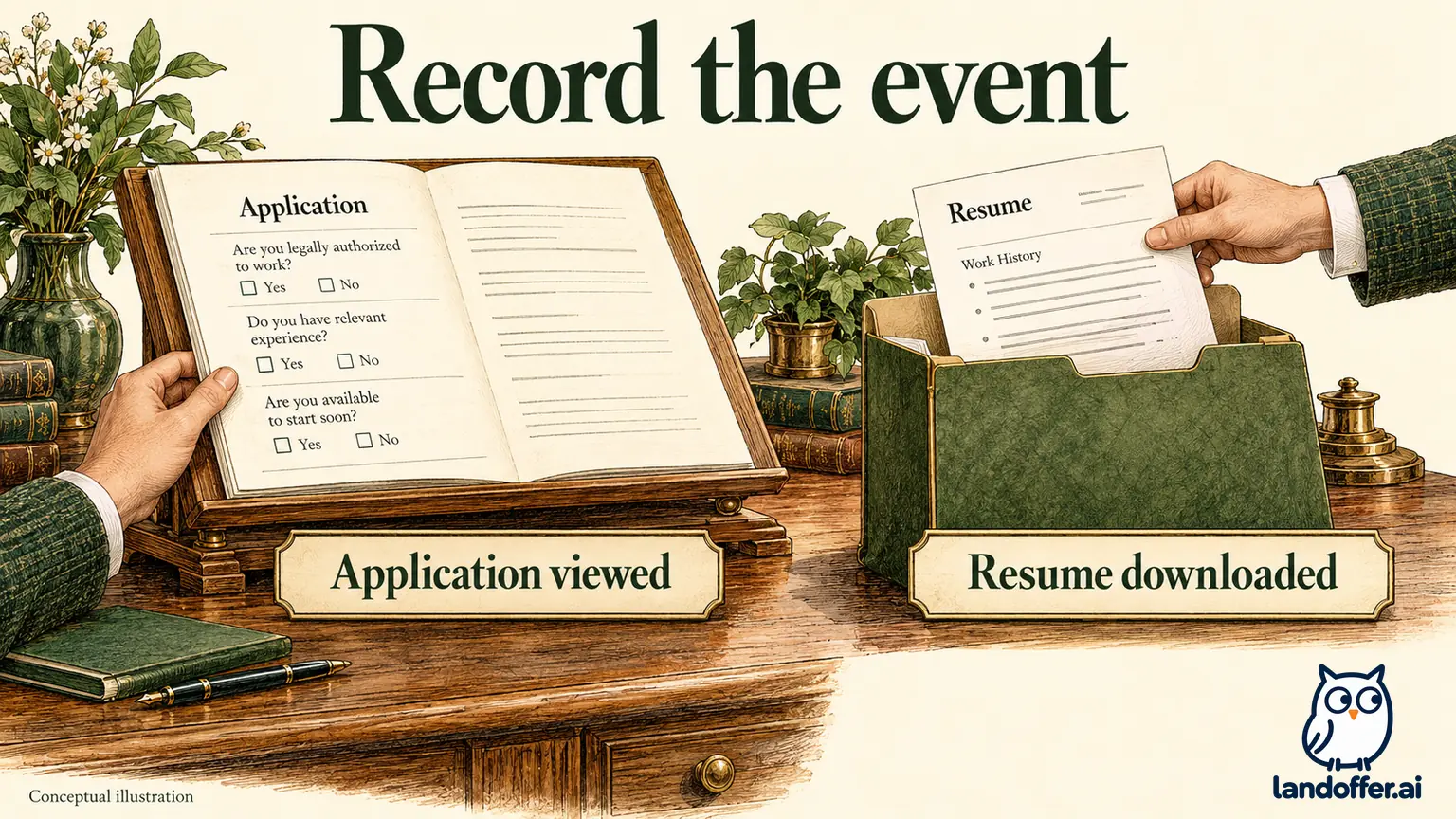
Read the event at the level LinkedIn defines
An application view concerns the application opened on LinkedIn. The candidate help says it can include viewing screening questions. Record the view without adding an assessment of how thoroughly the material was read or whether a hiring manager approved it.
A resume download concerns the file attached to that application. LinkedIn describes common reasons as looking at the resume’s details or forwarding the attachment within the company. Those are possible purposes described by the source. The notification does not tell you which purpose applied, who later received the file, or what anyone thought about it.
The two events describe different actions; neither establishes a hiring stage. A download is a more specific file event; it is not necessarily a later hiring stage than a view. Do not invent a required sequence in which every successful candidate must move from viewed to downloaded to interviewed. Keeping the event label precise lets you identify the next missing piece of information without reconstructing an unseen hiring process.
Keep the underlying record identifiable. Save the employer, role title, job ID or listing link, submission date, and selected resume version. Two jobs with similar titles can produce similar notifications. A view for one opening should not be attached to another because both are software engineering roles at the same company.
Separate automatic updates from a recruiter’s request
LinkedIn’s employer-facing application-updates explanation describes notifications sent automatically when applications are viewed or resumes downloaded. An event notification therefore is different from a recruiter composing a message asking you to do something.
A request for scheduling windows, an assessment, or a missing document contains an action you can investigate. Read the sender, role reference, requested information, and any deadline. An automatic view notification usually does not supply those details. Do not create a task to send a new resume merely because someone downloaded the existing one.
The public employer page describes real-time updates, but this guide has not tested notification delivery or measured delays. We also do not use its older survey percentages to estimate your chances. Both the candidate definition page and the employer explanation showed a relative update age of four years when checked. They remain public documentation, not a current account-level benchmark.
If a direct message and a notification arrive near each other, retain both. The message establishes the requested next step; the notification establishes its event. Their timing alone does not prove that the download caused the invitation, or that another applicant with the same event will receive one.
If the notification’s displayed date differs from the date you checked it, keep both. A note such as “download notification dated October 14; reviewed October 16” preserves that distinction without claiming you watched the download happen. Record the precision the interface provides. When it shows no exact event time, leave that time unknown rather than filling in the hour you opened the page.
Choose an action for the evidence you have
The following completed matrix separates a useful response from an unsupported interpretation. The actions are editorial guidance for managing your search, not a LinkedIn requirement to contact every poster.
| Evidence you have | What to record | Chosen next action | What remains unknown |
|---|---|---|---|
| Application viewed, with no message | View event for the named role and date | Check for any actual task, retain the event, continue your search | Screening result and next contact |
| Resume downloaded, with no request | Download event for the application’s attached file | Keep that version identifiable; do not send a duplicate attachment automatically | Whether it was forwarded, evaluated, or preferred |
| No new notification at your planned check | No new update observed at that check | Review the actual record and messages, then work on other suitable leads | Why no update appeared or what the employer decided |
| Direct recruiting message asks for availability | The message and requested reply | Verify the conversation and prepare the scheduling information | Whether proposed windows will be accepted |
The first two rows call for evidence checks, not a new application. The third does not become a rejection merely because the screen is quiet. The fourth changes your priority because it contains an explicit request. You can make a practical decision in each case without inventing a probability of success.
Also keep correction needs separate from notification activity. If you independently discover an important factual error in the submitted material, investigate an appropriate correction route. The error is the reason for that inquiry; a download does not create an editing tool or show that a correction has been applied.
A completed one-week event record
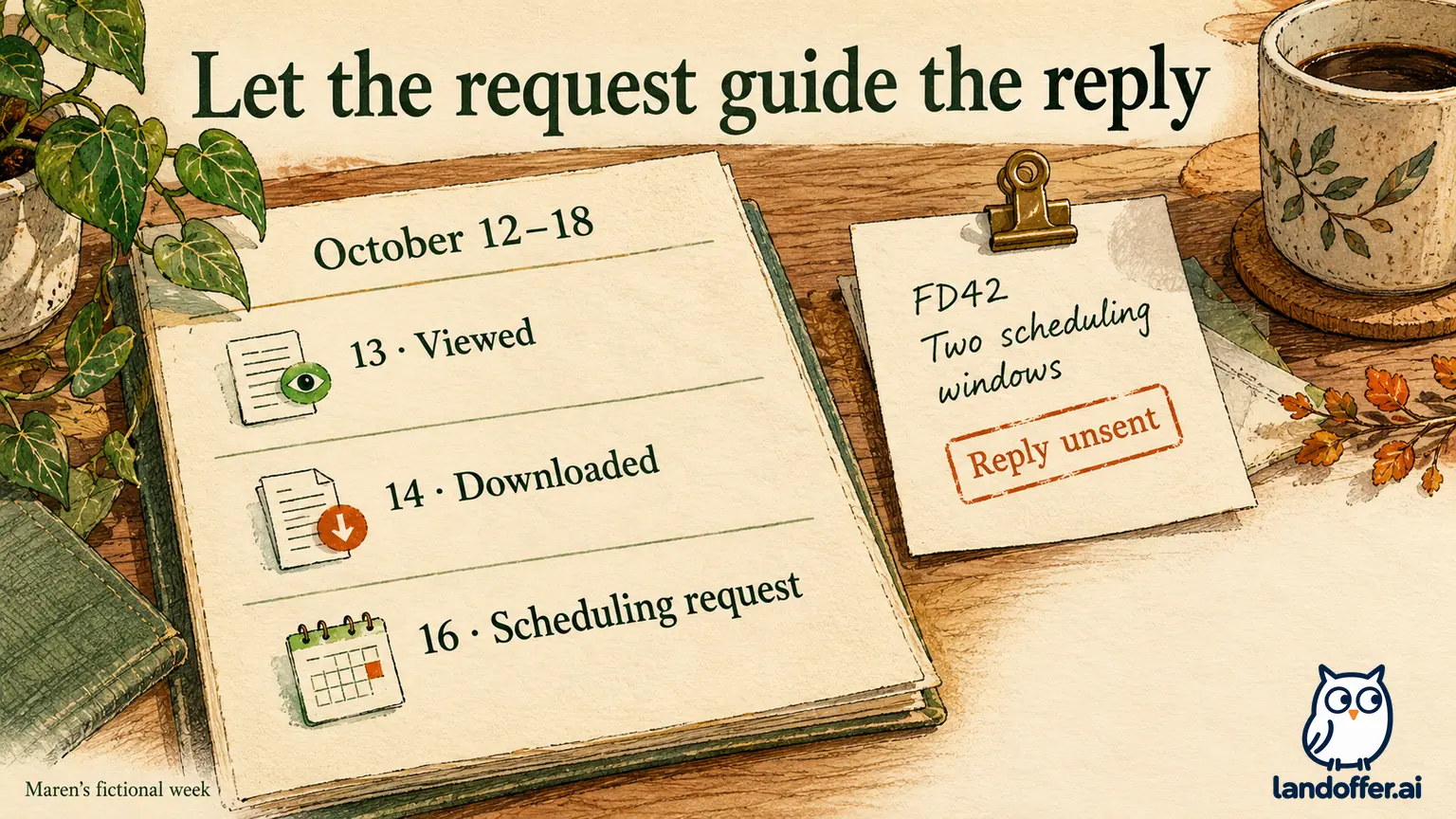
Maren Yu is a fictional applicant who submitted Easy Apply for invented Flintbridge Data role FD42. The following October 12–18 record is an authored teaching example. It is not a real employer’s timeline, a suggested response deadline, or evidence that most applications produce a scheduling request within a week.
Maren keeps one row per event instead of replacing the previous note with a more optimistic label. In the example, a separate recruiting message arrives later. That message is introduced as a new input, not predicted from the two notifications.
| Date in the example | Evidence recorded | Accurate state and action |
|---|---|---|
| October 12 | FD42 Easy Apply submission confirmation | Submitted; retain the receipt and selected resume |
| October 13 | Application viewed notification | View recorded; no interview assumed |
| October 14 | Resume downloaded notification | Download recorded; preserve the attached file’s identity |
| October 15 | No new message in this check | No new instruction observed; continue other search work |
| October 16 | Verified recruiting message requests two scheduling windows | Scheduling request received; check calendar and prepare reply |
| October 17 | Availability reply prepared locally | Reply draft ready, unsent; review the windows and recipient |
| October 18 | Weekly record review | Earlier events retained; complete the still-unsent requested reply through the verified channel |
At the end of the week, FD42 has an explicit scheduling request and a prepared reply. The example does not claim a booked interview, an accepted time, or a sent message. The reply draft remains unfinished communication until it is actually sent, and an interview time remains unconfirmed until the relevant exchange establishes it.
Maren also has a second fictional application, Aster Dock AD67, with a view notification but no individual decision communicated during this period. She records the view and keeps its next step unknown. She does not copy FD42’s scheduling state to AD67 or decide that AD67 failed because it did not produce the same sequence.
Keep a download from becoming a story about hidden reviewers
“Downloaded” can sound like confirmation that the hiring manager has your resume. The event alone does not identify that person. Even when LinkedIn explains that forwarding is a common purpose, the notification does not prove that forwarding occurred in your case.
Use a narrow note such as “FD42 resume download notification, October 14.” Avoid adding “passed recruiter screen,” “manager reviewing,” or “interview likely” unless a separate message supplies those facts. If a recruiter later identifies the next reviewer or requests a conversation, add that information with its own source and date.
Likewise, preserve the resume version rather than editing your local history to match today’s preferred file. A later PDF on your laptop does not change which attachment the earlier download concerned. You do not need to send a new version just to establish contact after a download. Wait for a request or identify an actual correction need before asking about replacement material.
For broader status-label questions, our job application status guide explains why a posting label, employer application state, and private tracker entry can mean different things. Here the key distinction is between a named LinkedIn event and a hiring decision that has not been communicated.
Decide whether a thank-you or inquiry adds anything useful
The candidate help says you can thank the job poster via InMail. That is an option, not a required response to each view or download. Consider whether you have a relevant message to send, whether the recipient is connected to the exact opening, and whether the employer provides contact instructions.
LinkedIn’s InMail guidance also makes access conditional. Basic members generally need Premium for InMail, recipients can restrict it, and the Open Profile feature can allow free messages. Do not purchase an upgrade on the assumption that a notification guarantees access to a particular person, a reply, or a faster decision.
If you choose to send a brief thank-you, avoid presenting the event as an invitation. “Thank you for considering my application for FD42” is different from “Thank you for shortlisting me.” If you have an existing legitimate recruiter conversation, follow its instructions and keep the inquiry tied to the role. There is no need to send the same note through several employees’ profiles.
An inquiry can be appropriate when a stated update date has passed or the employer asks applicants to contact a particular person. Keep that supplied timeline in your record. When there is no employer timeline, a personal reminder is your organizational choice; it is not evidence that the organization owes a decision on that date.
Use explicit instructions to plan the next check
For FD42, Maren’s next meaningful action is to review the two scheduling windows and send the requested reply through the verified conversation if she chooses to proceed. The prepared reply remains the outstanding task even if the dashboard shows no further change. She checks the calendar, confirms that the conversation names FD42, and includes the relevant time zone with her proposed windows before sending.
For AD67, she has no equivalent request. She chooses a later review point while continuing other applications. That reminder does not mean an interview is expected by then. If no new evidence appears, she can retain the last known event and decide how much attention to give the role without declaring an employer outcome.
External applications need their own evidence. The candidate notification documentation addresses Easy Apply jobs hosted on LinkedIn. If you clicked through to an employer site, a missing LinkedIn view or download should not be used to diagnose that external submission. Check the receiving system and its messages instead.
For your next review, write the exact notification, role, date shown, and one unresolved question. Check for a direct request before choosing whether to respond, schedule a personal check, or continue with recent roles on LandOffer. Keep the event separate from any requested task. If a verified message asks for action, record that action and its stated deadline; otherwise choose your own next review point.
Sources and Further Reading
- LinkedIn: What to expect after you apply for a job, view/download definitions, Easy Apply scope, and limits on outcome inference.
- LinkedIn: Application updates for job posts, employer-facing explanation of automatic notifications. Both pages showed “4 years ago” when checked October 19, 2026; no latency or outcome benchmark was performed.
- LinkedIn: Send an InMail Message, messaging access, recipient preferences, and Open Profile exception; same-day native documentation reading reused with provenance.