LandOffer
Job search
Handshake Virtual Career Fairs: Register, Book Sessions, and Check What Employers See
A virtual fair registration is only the beginning. A completed schedule and visibility example explain session bookings, public resumes and the route to Join Video.
Registering for a Handshake virtual career fair does not reserve an employer conversation. Choose specific available sessions, confirm a schedule without overlaps, and review the profile and resume information those interactions may expose. Current help requires at least Employers visibility for one-to-one fair sessions and Community for groups. On the day, join through the saved session's video control. A reservation or conversation is also separate from submitting a job application.
LandOffer publishes this guide and provides recent job discovery, so we have a commercial interest in job-search resources. We checked Handshake's public help on October 13, 2026. We did not enter a student account, inspect a school's configuration, change privacy, upload a resume, or book a session. Jules, Robin, the employers, and the schedules below are fictional teaching examples; they do not establish recruiter interest or a hiring outcome.

Find the fair, then find the actual sessions
Handshake's signup guide describes finding virtual fairs through Events, opening the fair, and using Available sessions. Your schedule holds confirmed reservations. Signup opens on a school-designated date and can continue until the fair ends. Booking your first session can also register you for the fair automatically.
After registering, open Your schedule and check for the specific employer, host, and time you intended to reserve. A bookmark can remind you that a fair exists. A general registration can record participation in the fair. Neither supplies a recruiter, time, or video appointment unless a specific session has been reserved.
Read each session's description before choosing it. A company may participate through more than one division, and a group presentation can serve a different purpose from a one-to-one conversation. Decide what you need to learn: the work in a particular engineering team, the recruiting timeline, or how a graduate program is organized. Choose a host whose session can answer your question about the work or recruiting process.
Jules is a fictional final-year computer science student considering backend roles. A group overview would help explain a company's engineering program. A one-to-one session would give Jules time to clarify which listed role fits their API project experience. The overview can explain the rotation program; the individual slot can clarify whether the backend opening expects experience Jules has. Preparing different questions gives each reservation a specific purpose.
Build a schedule that can actually be attended
The management instructions say session times cannot overlap. You can book multiple recruiters from an employer, but only one session with a particular recruiter. A red conflict indicator requires canceling the conflicting reservation before choosing the new time. Full group sessions stop appearing in the available list.
A missing session can be frustrating when you planned around that employer, but its absence does not establish a rejection. The documented capacity rule explains one possible reason; this review did not inspect availability for a real student or school. Likewise, two recruiter names from the same employer do not necessarily represent two different roles. Read the descriptions and use the additional conversation only if it answers a distinct relevant question.
Here is Jules's completed fictional selection. All times use the fair's displayed time zone; they are invented appointments, not actual session lengths or availability.
| Session considered | Time in this example | Completed decision | Reason |
|---|---|---|---|
| Northline Tools engineering overview | 10:30–11:00 | Keep | Establishes program scope before the individual conversation |
| Northline Tools second overview | 11:00–11:30 | Skip | Overlaps the one-to-one appointment from 11:20 |
| Northline Tools recruiter Morgan | 11:20–11:35 | Keep | Clarify the backend opening and application route |
| Another slot with Morgan | 12:00–12:15 | Do not add | Same recruiter; no second reservation needed |
The final schedule contains two appointments: the 10:30 group and the 11:20 one-to-one. There is a 20-minute gap between them. Jules can use that gap to write down one useful fact from the overview and refine the individual question. The skipped 11:00 session does not remain on the plan as something to attend “if possible.”
If Jules later prefers Morgan's 12:00 slot, the task is to change the existing reservation through the documented cancellation route, not keep both. Before canceling, Jules would inspect the currently available alternative; this example does not guarantee a slot will remain available while they make the change.
Leave room for the conversation itself. A technically non-overlapping schedule can still be exhausting if you have no time to review notes or recover from a connection problem. Jules's gap is a planning choice, not a Handshake-required buffer. Pick a pace that lets you participate in the appointments you reserve.

Choose the visibility required for your actual plan
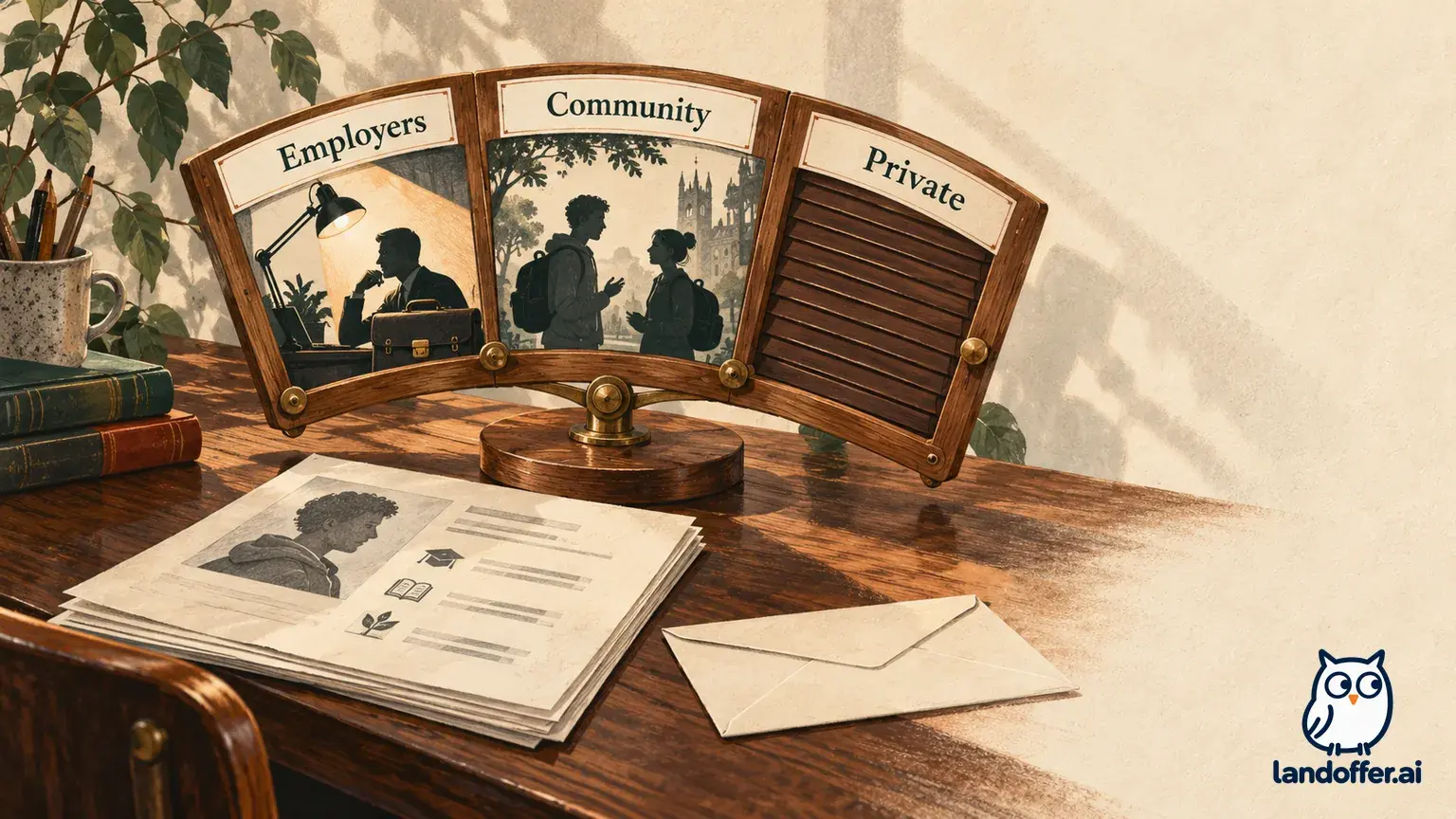
Handshake's April 8, 2026 privacy guide distinguishes three settings. Employers is sufficient for one-to-one fair sessions. Groups and internal virtual events require Community, which also exposes the profile to students and alumni and supports a public profile link. Private still permits job search and applications, but does not enable these virtual conversations. A partner school's career-services staff can see a private profile.
Choose based on what you intend to attend and the audience you accept. The older signup guide broadly recommends Community; that recommendation should not erase the newer dedicated guide's minimum for one-to-one sessions. You do not need to assume every virtual fair interaction requires the widest setting.
| Fictional candidate's plan | Completed audience decision | Trade-off accepted |
|---|---|---|
| Jules wants the group overview and a one-to-one | Choose Community for this plan | Wider profile audience accepted for group participation |
| Robin wants only a one-to-one and prefers not to share with peers | Choose Employers | Gives up group participation under this plan |
| Robin decides employer profile discovery is also unacceptable | Do not book the virtual conversation | Keep a narrower search route instead of accepting a conflicting audience |
These are completed decisions from stipulated preferences, not changes we made in accounts. Robin's third choice shows why a prompt deserves reading. If the required audience conflicts with your constraint, the useful response can be to change the participation plan. Clicking through because a meeting looks appealing does not resolve the conflict.
The same privacy guide distinguishes externally hosted employer events, which require at least Employers, from internal virtual events requiring Community. If the event uses another service, review that destination's instructions too. Do not infer that every event labeled virtual uses the same audience and joining route.
Review the resume the employer can actually access
Handshake's employer-interaction guide says employers cannot view the general registered-student list for a career fair. It separately describes public-resume access following interactions such as a booked session or employer event, subject to employer approval conditions, with a small vetted exception group. “The fair list is not visible” therefore does not mean a booked employer has no access to your public resume.
The session signup help describes a first-session prompt to check the uploaded resume and confirm the public document. Treat that as a document choice. The file you last used for another application may not be the version you want on the profile for this conversation.
Jules's fictional library contains a general backend resume and an older campus-leadership version. Jules selects the accurate backend version for the intended public profile document, then reviews the profile's project description against it. Both describe an API project, integration tests, and collaboration with two classmates. Neither claims sole ownership of a production platform.
The backend version foregrounds the API project and tests Jules plans to discuss, while keeping the same employment and education facts. It does not establish which attachment a separate job application contains. Jules would inspect that application's selected document independently if they later apply. A fair session is an employer interaction; it is not a substitute for reviewing the requirements and attachments in a specific application.
Also distinguish access from attention. Making a resume available does not prove the host downloaded or read it. Jules can prepare to explain the project without assuming that the recruiter already knows every detail. A short introduction can give the relevant context while leaving time for the question that motivated the appointment.
Prepare one question that changes the next action
Jules's fictional posting for Northline Tools mentions a graduate backend role, API implementation, and work with an operations team. Jules has relevant API project experience but no production on-call ownership. The question should clarify the expected starting responsibility rather than repeat the entire resume.
Jules's completed brief is:
I built an API for a class service project and wrote integration tests with two teammates. I am interested in the graduate backend opening. Does the initial rotation focus on supervised API delivery, or does it expect independent production on-call responsibility from the start? Which current requisition and application route should I use if the role fits?
The introduction preserves the project's scope. The question can change the next action: inspect a relevant graduate requisition, investigate an experience gap, or decide the role does not fit. Asking only whether the company is hiring would leave much of that work unresolved.
For the group overview, Jules instead asks how backend placements are allocated across rotations, if the host invites questions. That is useful program context. The individual conversation can then focus on the particular opening. Jules does not need to ask the same broad question twice merely because both sessions are with one employer.
Keep the brief flexible. If the overview already answers the rotation question, use the gap to refine the remaining uncertainty. Do not turn a limited appointment into a rehearsed speech that ignores what the host has just explained. The purpose is to understand the next decision, not to perform every prepared sentence.
Join from the saved session and preserve the result
Handshake's joining guide directs students through Events, Registered, and the fair's Your schedule, then Join Video. The button becomes available five minutes before the session. A disabled button earlier than that is not by itself a failed reservation. The guide also links audio/video tests and device requirements; review them for your actual setup.
For Jules's 11:20 appointment, the documented window begins at 11:15. Jules plans to locate the saved session before then, check its time zone, and use the available join control. This is a calculation and preparation example, not an observed successful join. If the expected control remains unavailable at the right time, Jules would use the fair contact or support route with the exact session details.
After the fictional conversations, Jules's completed note separates the states:
| Item | Evidence stipulated in the example | Recorded result |
|---|---|---|
| Fair registration | Registration and saved schedule present | Registered |
| Two selected sessions | Confirmed times in the schedule | Booked |
| Overview and individual conversation | Jules attended and recorded the discussed scope | Attended; notes saved |
| Graduate backend requisition | Host supplied an identifier and official application route | Role to review; not yet applied |
The conversation does not become an application or interview invitation merely because the host supplied a link. Jules reads the requisition's actual requirements and follows its application instructions next. If a follow-up is invited, Jules can refer to the backend scope question and the requisition discussed rather than send a generic request for any job.
Use the fair to resolve a relevant employer question, with a schedule and visibility choice you understand. If you still need a target opening, browse recent roles on LandOffer.ai or keep one already in your search, then compare its work with your evidence. LandOffer does not control school access, fair availability, employer visibility, or hiring decisions.