LandOffer
Job search
CVGist Review: Resume Imports, Job-Specific Versions, and Word Downloads
Verify the source profile, job target and downloaded file separately; treat generated keywords and claims as edits requiring factual review.
CVGist is worth considering if you want to turn an existing resume into several job-specific drafts and keep editing the result in Word. Its useful promise is a reusable source profile plus separate job targets. Before paying, check whether each target draft preserves your background and whether its Word file remains useful in your own editor.
The public site offers resume imports, AI tailoring and paid Word/PDF exports. This review checks public pages and documentation on October 14, 2026; it does not test an uploaded resume, generated draft, paid download or employer ATS. The dashboard guide is older than the current landing page, so its workflow should be treated as documented behavior rather than a verified account walkthrough.
LandOffer publishes this review and provides job-search tools. You can browse recent roles on LandOffer.ai to choose a real target before rewriting a resume. Use the employer's complete description to decide what needs emphasis; a matching phrase alone does not establish experience.

What CVGist describes importing
The current landing page presents three starting routes: tailor an existing resume, create one from a brief, or import from LinkedIn. Its visible file area names PDF and DOCX. We observed those public labels without supplying a file. A free-version button was disabled before input; that does not establish a free Word download or the limits of a completed preview.
The January 2025 dashboard guide describes a base profile built from a resume, LinkedIn export or plain text. It becomes context for subsequent generation. That offers a potentially useful advantage over retyping a career history for each application. However, the guide's linked illustrations use placeholder-image addresses, so they cannot demonstrate the current dashboard.
Begin with a source document that distinguishes employers, clients and projects. A visually clear PDF can still place two organizations close together, while a LinkedIn summary may compress the relationship into one sentence. An import needs to preserve who employed you, where the work happened and what you personally delivered. Those distinctions matter more than keeping an attractive heading.
Keep the original file unchanged so you can trace an incorrect employer, date or project back to the import. Create a separate factual reference with dates, role names, technologies and approved descriptions of confidential work. If imported text merges two entries, repair that relationship before asking for more polished writing. An error in that shared context can then appear in several tailored versions.
A completed import correction example
Consider Rafi, a fictional junior developer. His source resume lists Cedar Desk as his employer and a confidential logistics client as the assignment. He wrote a Python utility that normalizes timestamps in exported test logs. He tested local fixtures containing UTC offsets and daylight-saving transitions. A teammate maintained the client's production ingestion service. Rafi has no measured evidence of faster production processing.
The following table is an editorial review exercise. The risky wording is invented to show what Rafi would reject; it is not output observed from CVGist.
| Source fact | Hypothetical wording to reject | Rafi's corrected record |
|---|---|---|
| Employed by Cedar Desk; assigned to a logistics client | Software Engineer at the client | Keep Cedar Desk as employer; describe the client assignment within the entry |
| Python utility for exported test logs | Owned the production ingestion platform | Name the timestamp-normalization utility and its test-log input |
| Fixtures cover UTC offsets and daylight-saving transitions | Reduced pipeline failures by 40% | Describe the cases tested; remove the unsupported percentage |
| Teammate maintained the production service | Led production rollout | Credit only Rafi's utility and documented handoff |
His reviewed bullet becomes: “Built a Python utility to normalize timestamps in exported test logs; checked UTC-offset and daylight-saving cases with local fixtures and documented the conversion rules for the ingestion-service maintainer.”
That wording gives a reviewer an input, an implementation, a checking method and a handoff. It also leaves room for a straightforward interview explanation. Rafi can show how he handled ambiguous local times without pretending that the utility proves ownership of a production platform.
Suppose the target asks for experience investigating data-quality problems. Rafi can move the timestamp example higher and explain the malformed inputs he investigated. If it asks for production on-call experience, the source does not support adding that responsibility. Leave an unsupported requirement out of the resume, even if a suggested sentence sounds plausible.
After correcting the source, inspect the generated overview and skills list as well as employment bullets. A careful work-history entry can coexist with an inflated summary. Search the entire document for the client name, production, lead and any new percentages. Resolve each unsupported claim wherever it appears.
This is the main acceptance test for a reusable base profile: would its facts remain accurate when emphasized differently for another role? A source with blurred ownership creates more review work as the number of versions grows.
Job-specific versions need their own history
The dated guide describes adding a job URL or description, company and title, then editing the resulting target resume. It also says future resumes use an updated base profile and recommends duplicating targets before experimental edits; those controls have not been operated for this review. It does not establish that a source correction rewrites previously generated documents or downloaded files.
Treat each export as a document with its own review history. Save the job description alongside the employer's reference number and the date you read it. A URL can later point to a revised posting or disappear. The saved text explains why you emphasized a particular project when creating that version.
Here is Rafi's completed, fictional version ledger. The employers and references below are invented. Version labels and filenames are his local conventions, not verified CVGist interface fields.
| Target and source | Review decision | Saved handoff |
|---|---|---|
| Alder Tools, Junior Python Developer, AT-17; source v1 | Utility example is relevant, but source still blurs client employment | Hold Rafi_AT17_v1.docx; no application copy approved |
| Base profile corrected to v2 | Employer relationship and utility scope corrected | Keep v1 in archive; use v2 as the factual reference |
| Alder Tools AT-17, new draft from v2 | Recheck summary, employer line and utility bullet against v2 | Approve Rafi_AT17_v2.docx and matching PDF after file review |
| Beacon Data, Data Operations Associate, BD-08; source v2 | Lead with timestamp investigation; do not add on-call ownership | Approve Rafi_BD08_v1.docx and matching PDF after file review |
The result is two approved target packages and one held earlier file. Rafi would choose the AT-17 v2 package for Alder Tools. A search for the employer's name alone could still find the held v1 document, so the archive must sit outside the folder used for attachments.
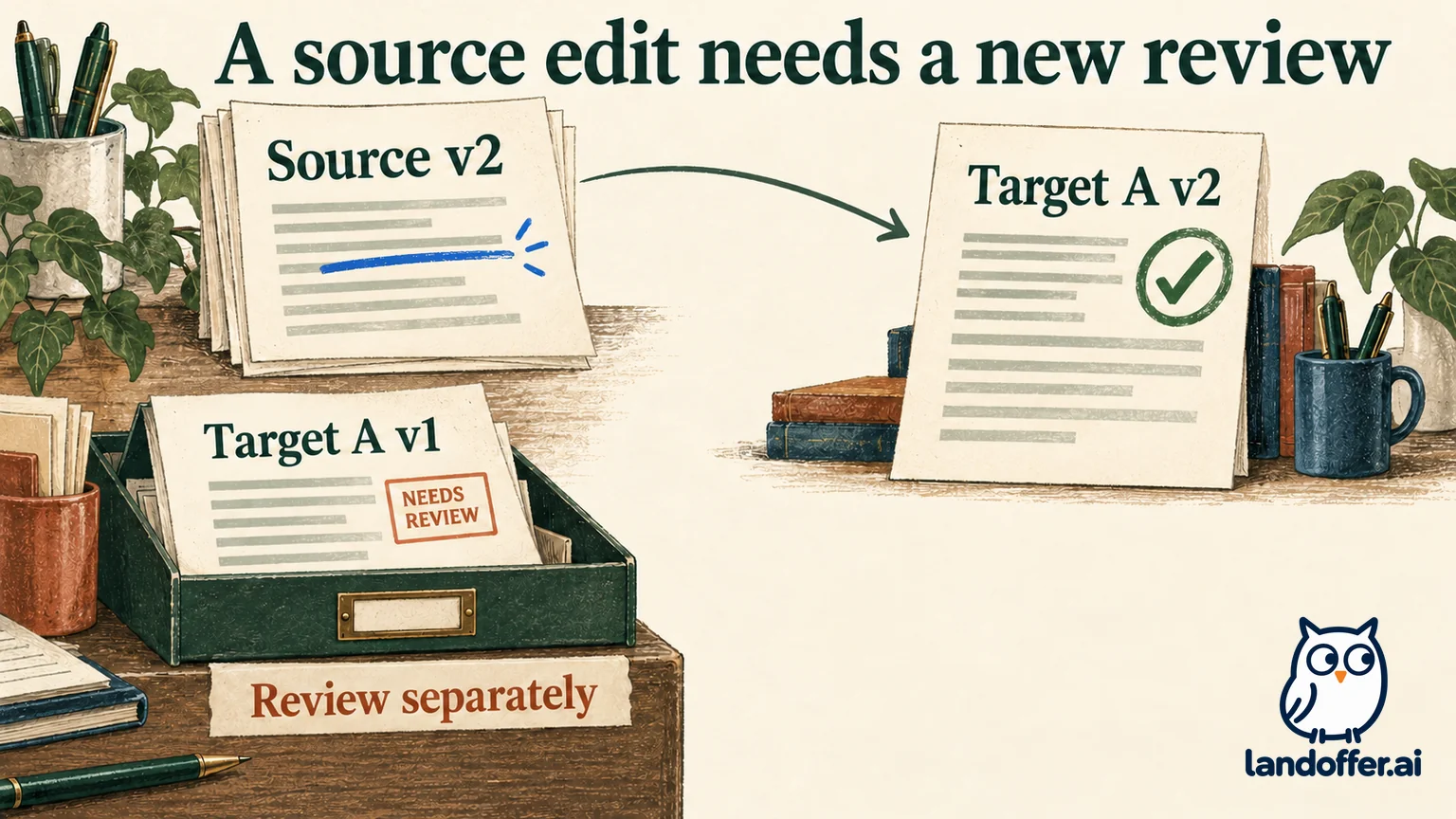
Notice that Beacon's first target version can use source v2. Source version and target version answer different questions: which facts were available, and how many revisions this particular application document has received. Keeping both prevents a later edit from becoming an unexplained “final-final” file.
If the job description changes, compare the requirements before generating another draft. An added technology may call for a genuine project example, or it may reveal that the role no longer fits. Neither outcome requires preserving the previous document simply because it already looks polished.
Word downloads are a handoff to inspect
CVGist's pricing page advertises Word and PDF exports; the dated guide specifically names DOCX and PDF. Editable output can be valuable when a coach suggests changes, you need another section, or you want to maintain the resume in your own editor. Export fidelity remains untested in this review.
Open the Word file in the application you intend to use. Check whether headings and bullets are editable, Cedar Desk remains the employer, and the project link stays clickable. Then make one ordinary change, such as adding a line to a project description. Inspect the following page for displaced headings or an isolated bullet. A document that looks right before editing may need adjustment afterward.
Create the PDF from the final reviewed document or verify that the separately downloaded PDF contains exactly the same wording. Compare the employer line, most recent role, project bullet and skills section. A corrected Word file paired with an older PDF would undo the benefit of the factual review.
For Rafi's AT-17 package, the acceptance record would name the v2 source, both final filenames and the editor used. If a PDF contains the earlier client-employer error, he holds the package until the two files agree. This is a proposed check for his fictional case, not an export test performed for this article.
Follow the employer's requested file format. For a portal that parses an attachment, inspect its populated fields when available and correct mistakes before submitting. CVGist's ATS marketing cannot establish how a particular employer's configuration will read your file or rank your experience.
Paid access, cancellation and source data
The public price displayed when checked was $2.99 for ten days, followed by $14.99 per month unless canceled; a separate monthly option displayed $14.99. The FAQ describes unlimited generation, tailoring and exports, plus dashboard cancellation. Those are public offer terms, not a completed checkout or measured usage test.
The page also says generated resumes remain accessible after cancellation while advising users to download first. Save the editable documents and PDFs you need before ending access. Continued viewing should not be treated as a promise of permanent regeneration or export rights.
Cancellation, a refund request and account deletion require separate evidence. The linked terms describe category-specific withdrawal rights and account termination through the owner; they do not establish a universal fourteen-day refund for US readers. Check the actual order's renewal date and applicable conditions before paying. We did not enter payment details or test cancellation.
The privacy summary, dated May 23, 2024, names OpenAI API among its services, while current marketing names Gemini. The full policy describes purpose-based retention rather than a precise resume-deletion deadline. These documents do not resolve the current processing path or establish that resume content is excluded from model training.
For a resume involving confidential client work, ask which providers receive document content, how long copies and generated versions remain, and what deletion covers. Use an approved, nonconfidential description of the assignment. Removing the client's name alone may leave identifying project details intact.
Who should use it—and who can keep Word
CVGist makes the most sense for someone with a reliable source resume who repeatedly adapts it to meaningfully different roles. Its documented target workflow and editable export option address that task. The candidate still needs enough knowledge of their own work to reject invented ownership and enough time to check each file.
Keep your existing Word workflow if you submit occasional applications and already maintain clear, accurate variants. A generator adds less value when the required change is simply moving one project above another. It may also be a poor fit if you need proven import fidelity or specific data-handling assurances before uploading confidential material; those questions remain unresolved here.
Choose one suitable role, prepare a clean source and judge one complete handoff before scaling up. Success means a factual target resume and a maintainable file you can confidently attach. Use LandOffer.ai to explore job-search options, choose one suitable posting and save its full requirements beside the source resume you will review.
Sources and Further Reading
- CVGist current public landing page — observed import modes and file labels.
- CVGist pricing — displayed paid offer, export descriptions and cancellation FAQ.
- CVGist dashboard guide, January 21, 2025 — dated base-profile and job-target workflow.
- CVGist privacy summary — May 2024 policy date and listed services.
- CVGist full privacy policy — retention and processing descriptions.
- CVGist terms and conditions — purchase, account and user-category terms.