LandOffer
Job search
CV Engineer Review: Building and Editing a Resume on Your Phone
Evaluate phone editing and PDF delivery while separating local files, public hosting, and editable cross-device records.
CV Engineer is worth evaluating if your phone is the device you have available for resume work. Its official materials describe section-based editing, templates, font and margin settings, and PDF saving. Evaluate the complete workflow: revise accurately, find the exported file, and retain the source for later edits. CV Engineer.
Mobile availability does not establish desktop feature parity or automatic synchronization. A PDF moved to another device is a readable document; it is not necessarily the editable resume project. The app also offers optional Pro features, so free installation should not be treated as a promise that every advanced tool is included.
This review checked the public website, expanded FAQ, US App Store listing, and privacy policy on October 14, 2026. We did not install the app, enter a resume, use its AI assistant, test export or synchronization, or buy a plan. The completed examples below are fictional editorial exercises. To find a role that gives your revision a specific purpose, browse recent roles on LandOffer.ai.

What CV Engineer describes for phone editing
The website’s FAQ says you can start creating a resume for free and identifies optional Pro tools. It describes PDF documents that can be saved and shared. Its editing presentation includes templates and font and margin controls. These are official descriptions, not export-quality results from this review. Official website and FAQ.
The US App Store listing describes PDF or Word import, custom sections, writing assistance, and saving or sharing a PDF. Word import is not evidence of Word export. The listing also contains several subscription and lifetime purchase entries; it does not give this review a single verified price-and-duration offer for your account.
Check the exact app identity before downloading. The official website links to iOS app ID 1445323895 and the Android package sampson.cvbuilder. Similar resume-builder names appear in search results. Following the official links helps avoid evaluating another developer’s product under the same broad description. Official download links.
A phone lets you start a revision away from a computer, though long entries may be harder to compare. When the keyboard covers part of a field, you may overlook a changed number or an omitted qualification. Review the accepted wording separately from the convenience of entering it.
Worked example: make a precise technical revision
Priya is a fictional Android QA engineer reviewing a mobile-test opening while traveling. Her original evidence notes say:
Built Kotlin-based test helpers for an Android checkout flow. Added 18 regression checks for discount handling and order confirmation. Maintained CI test configuration with another engineer. Investigated flaky tests caused by asynchronous state updates. Did not own production backend services.
The fictional target role asks for Android automation, reliable regression tests, and collaboration with developers. Priya has relevant evidence, but the posting does not authorize her to add experience she lacks. She first chooses the facts that belong in the revision: Kotlin helpers, the checkout flow, the 18 checks, and the investigation of asynchronous state updates.
Her vague first draft is: “Worked on testing Android checkout and improved automation with Kotlin, CI, and reliability fixes.” It names the area but hides the concrete work. Her accepted revision becomes:
Built Kotlin test helpers for an Android checkout flow and added 18 regression checks covering discount handling and order confirmation. Investigated flaky tests related to asynchronous state updates and maintained CI test configuration with another engineer.
This wording is suitable for a phone-sized editing session because it contains two focused sentences. It retains the number, the covered behavior, and the collaboration boundary. It does not claim a measured improvement in flake rate because Priya supplied no before-and-after measurement.
Now consider a deliberately misleading rewrite:
Led end-to-end mobile and backend quality, eliminated checkout failures, and owned the CI platform.
That sentence is an invented editorial counterexample, not output observed from CV Engineer. Priya rejects it for three reasons: it adds backend ownership, promises elimination of failures, and replaces shared CI maintenance with platform ownership. Her completed source-based comparison is:
| Detail | Accepted wording | Wording to reject |
|---|---|---|
| Test scope | Android checkout flow | All mobile and backend quality |
| Concrete output | 18 regression checks | Eliminated checkout failures |
| CI responsibility | Maintained configuration with another engineer | Owned the CI platform |
| Reliability work | Investigated asynchronous-state flakes | Unmeasured universal reliability improvement |
Priya’s profile also stays specific: “Android QA engineer working with Kotlin test helpers, checkout regression coverage, and CI test maintenance.” She does not describe herself as a backend engineer merely because the opening involves an application with a backend.
In a real editing session, compare each accepted sentence with your own source notes before replacing the field. If an AI suggestion sounds stronger, ask what factual change made it stronger. A shorter sentence is useful only if it preserves the work you can explain in an interview.
Review the complete page, not just the edited field
After the content revision, inspect the entire resume. Does the new bullet fit with the job title and dates? Has a custom section separated a project from employment clearly? Does a long technology name wrap in a confusing way? These questions remain relevant even when the app handles page formatting.
The official iOS page describes font-size and margin controls. Treat those settings as ways to improve the presentation of accepted content. Shrinking everything to squeeze more words onto a page can make a resume difficult to read. Editing repeated or weak wording may solve the space problem more effectively.
Priya keeps the checkout bullet intact and removes a duplicate skills sentence from her fictional resume. That is a content decision, not a demonstrated behavior of the app. If the page still feels crowded, she can compare templates or move less relevant details out of the target version. The technical evidence should remain understandable without extreme formatting adjustments.
A preview on a small screen may require zooming. Read both the overall page and the details: contact information, punctuation, date ranges, numbers, and links. Then inspect the exported document separately. A preview that looks correct does not establish that the downloaded file has the same page breaks or a useful text-reading order.
If an employer’s portal extracts fields, review them before submission. A selectable PDF and a successful upload are helpful checks, but neither establishes universal applicant-tracking compatibility. This review does not adopt the store listing’s ATS language as a tested result.
Worked example: keep the file and the editable source separate
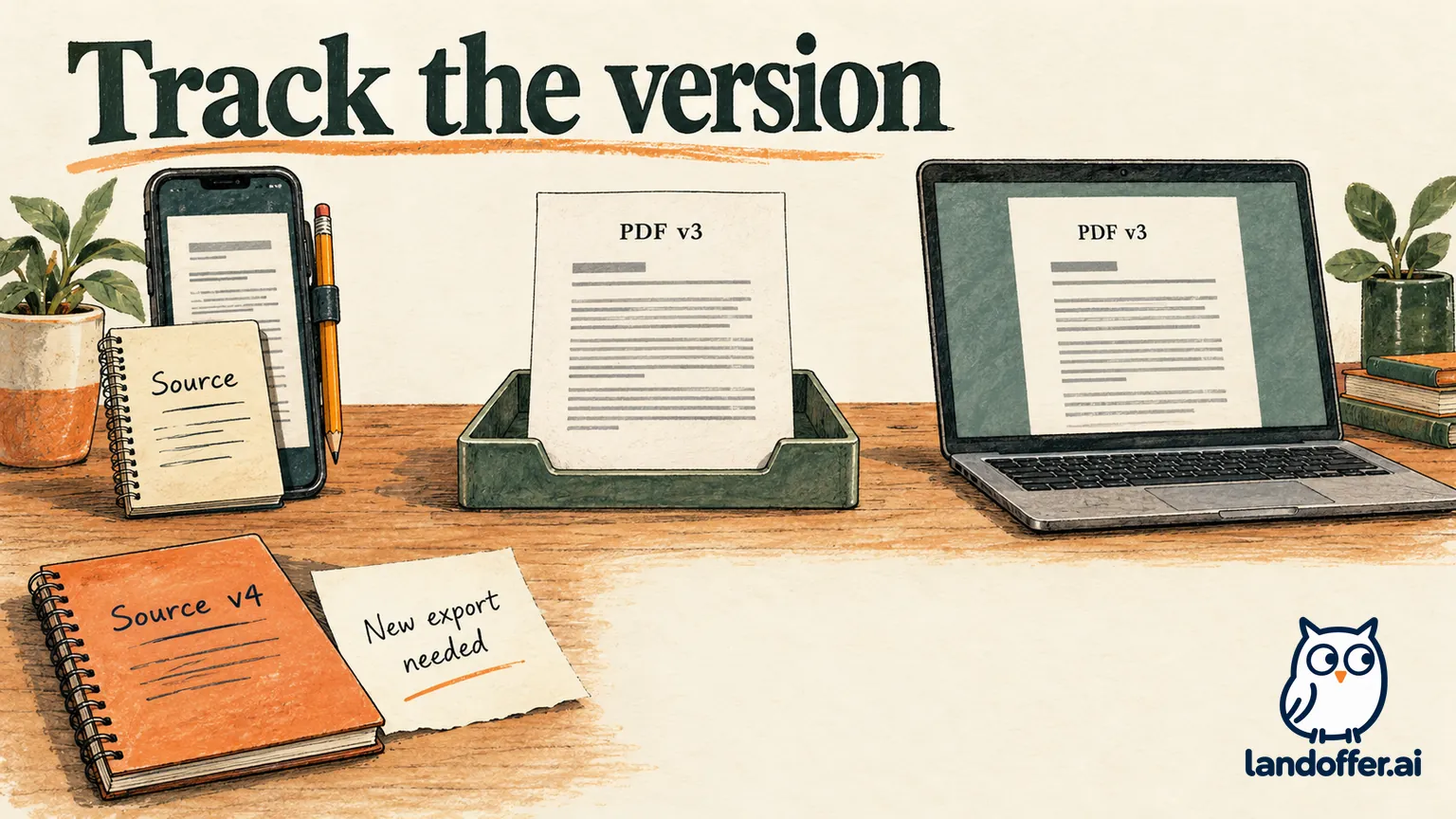
Dario, a fictional software engineer, has completed a resume revision on his phone and needs to continue the search on a laptop. His handoff involves three different artifacts: the editable source, a PDF export, and the employer’s application record. Losing track of one can make the others misleading.
His completed editorial handoff ledger looks like this:
| Artifact | Version and location in the example | What it establishes | What remains open |
|---|---|---|---|
| Source wording | Dario_Backend_Source_v3.txt, retained in his own document folder |
The accepted text includes the new API-debugging bullet | Whether an editable app project is synchronized to another device |
| PDF document | Dario_Backend_Resume_v3.pdf, copied to the laptop and opened |
A readable copy of version 3 is available on the laptop | Whether importing that PDF preserves editable fields |
| Employer application | No confirmation reference yet | Nothing has been submitted in this example | Submission and receipt through the employer’s required route |
These filenames and outcomes are fictional, not CV Engineer exports observed here. They show why a successful file transfer is a narrower event than successful project synchronization or an application submission.
Suppose Dario then discovers an older Dario_Backend_Resume_v2.pdf in his Downloads folder. His version record resolves the choice: version 3 contains the accepted API-debugging bullet; version 2 does not. He opens version 3 on the laptop and checks the API-debugging bullet before selecting the attachment. A recent download timestamp alone would not explain what changed.
He also makes a laptop revision to the source, creating version 4. At that point, version 3 remains the old PDF. His ledger records “source v4 ready; matching PDF not yet exported” rather than treating the previous file as current. The next deliverable is a PDF generated from the accepted version 4 content, checked before use.
This process does not depend on a claim that CV Engineer automatically transfers editable resumes between platforms. It works because Dario explicitly records the source, the deliverable, and the pending event. If the app supports a suitable synchronization route in his account, he can test it and replace the unresolved entry with observed evidence.
PDF saving, sharing, and public hosting are different routes
The documented ability to save or share a PDF is useful for applications and feedback. After exporting, find the file in the destination you selected and open it there. Check the name, version, page count, and content. If you move it to another device, open that copy too rather than assuming the transfer preserved the intended file.
Sharing the file with a selected recipient is different from creating a public resume page. CV Engineer’s privacy policy says Resume Hosting is opt-in and makes the chosen contact and resume information public. It also notes that people with the link can view it. Do not choose hosting simply because you want a private backup or an editable handoff.
The same policy says sections used with the AI Assistant are shared with OpenAI while specified contact fields are not. That does not establish that every technical detail inside a section is appropriate to disclose. Keep confidential customer names, internal system descriptions, and proprietary incident details out of a rewrite request unless you are entitled to share them.
The policy describes collecting contact and career information and using service providers. A phone app should therefore not be assumed to keep all resume work exclusively on the device. These are published policy statements, not a network audit or a guarantee of how a particular session behaves.
For Dario, a private file transfer is the intended handoff. He does not need public hosting to open his PDF on a laptop. If he later wants a public resume link, that is a separate decision about the audience and the information exposed.
What to verify before paying or changing devices
The US store listing checked for this review required iOS 18 or later for iPhone and iPadOS 18 or later for iPad. It also listed a Mac version requiring macOS 15 or later. Platform availability does not prove that the same editable record, purchase, or feature set carries between devices. Verify those points in the current account and app version you intend to use. US App Store.
Before buying Pro, identify the tool you actually need and read the displayed offer: included features, term, renewal behavior, and whether the purchase is a subscription or a lifetime item. This review does not infer subscription duration from a price alone. Try the available document workflow first, then evaluate whether a particular paid feature addresses a real limitation.
Before moving devices, distinguish a readable-file handoff from an editable-project handoff. Ask whether the source can be recovered and revised, not merely viewed. Keep an independent copy of accepted wording so a device change does not erase the reference you use to judge later edits.
Is CV Engineer a good fit for a phone-first search?
CV Engineer is a plausible option when your immediate problem is creating or revising a resume on a phone. Its published section guidance, layout controls, and PDF route address that use case. Its value depends on preserving technical wording and locating the correct deliverable.
The unresolved parts of this review are actual mobile editing precision, exported-file behavior, import fidelity, and cross-device synchronization. Those require app testing. Free availability and store descriptions do not settle them. If you need complex document editing or a specific editable format, verify that workflow before committing to a purchase.
Compare each revision with your source facts, then record the accepted source version, exported PDF, and submission receipt separately. For openings that help you decide what deserves space in your next version, explore LandOffer.ai.