LandOffer
Productivity & Workflows
ClickUp Review for a Small Delivery Team: Views, Guests, Automation, and Add-On Costs
A fictional six-person artwork delivery team maps internal roles and external access, counts a complete handoff workload, and compares Core and Business costs while retaining the current new-plan versus older-help quota mismatch.
ClickUp can suit a small delivery team when several people need different views of the same work, external reviewers need limited access, and repeatable handoffs justify automation. The buying decision is whether those requirements need Core or Business, how many people are billable, and which usage limits apply to the actual Workspace. Choose the plan only after matching the required views, roles, usage, and total bill.
This LandOffer.ai review uses current public documentation and a clearly fictional six-person delivery case. We inspected the public pricing interface on October 27, 2026; we did not open a customer Workspace, invite anyone, run an automation, or test performance. New-plan pricing and older help tables currently differ, so the distinction matters throughout the example.
Start with the plan generation, not an old price
ClickUp's pricing introduction says new Workspaces start on new plans while existing Workspaces are being upgraded gradually. Existing customers should check their owner notice and Upcoming Bill rather than infer a change from the website. The documentation says applicable price updates begin no earlier than January 2027 and happen at the stated renewal, not mid-term.
The live public selector showed Core at $9 per user per month billed yearly or $12 billed monthly; Business was $17 or $25 respectively. The page displayed dollars without an explicit currency code in the captured context. Treat these as dated public offers, excluding unverified tax, discounts, or contract terms. Annual equivalents are not monthly cancellation terms.
The same current comparison showed List, Board, Table, and Calendar across the plans. Core included Gantt; Workload and Timeline were trials on Core and included on Business. Automation Actions were 1,000 per Workspace per month on Core and 10,000 on Business. These are the specific differences used below, rather than a claim that every team needs Business.
Meanwhile, the automation help table still names Unlimited and gives Business 5,000 monthly Actions. That is a genuine documentation mismatch. Use the new public offer for a prospective new Workspace, but get the applicable allowance confirmed before relying on it. Do not silently apply either number to an existing contract.
Completed asset: map six people to one delivery workflow
The team, work, requirements, and completed decisions below are fictional. This purchasing exercise includes no ClickUp account test or observed customer results.
Mara coordinates a packaging-artwork delivery team. They have 30 proposed artwork tasks for a November review cycle. Their problem is that a spreadsheet lists dates, a separate board tracks stages, and a weekly slide lists who is overloaded. Updates can disagree because people maintain three records.
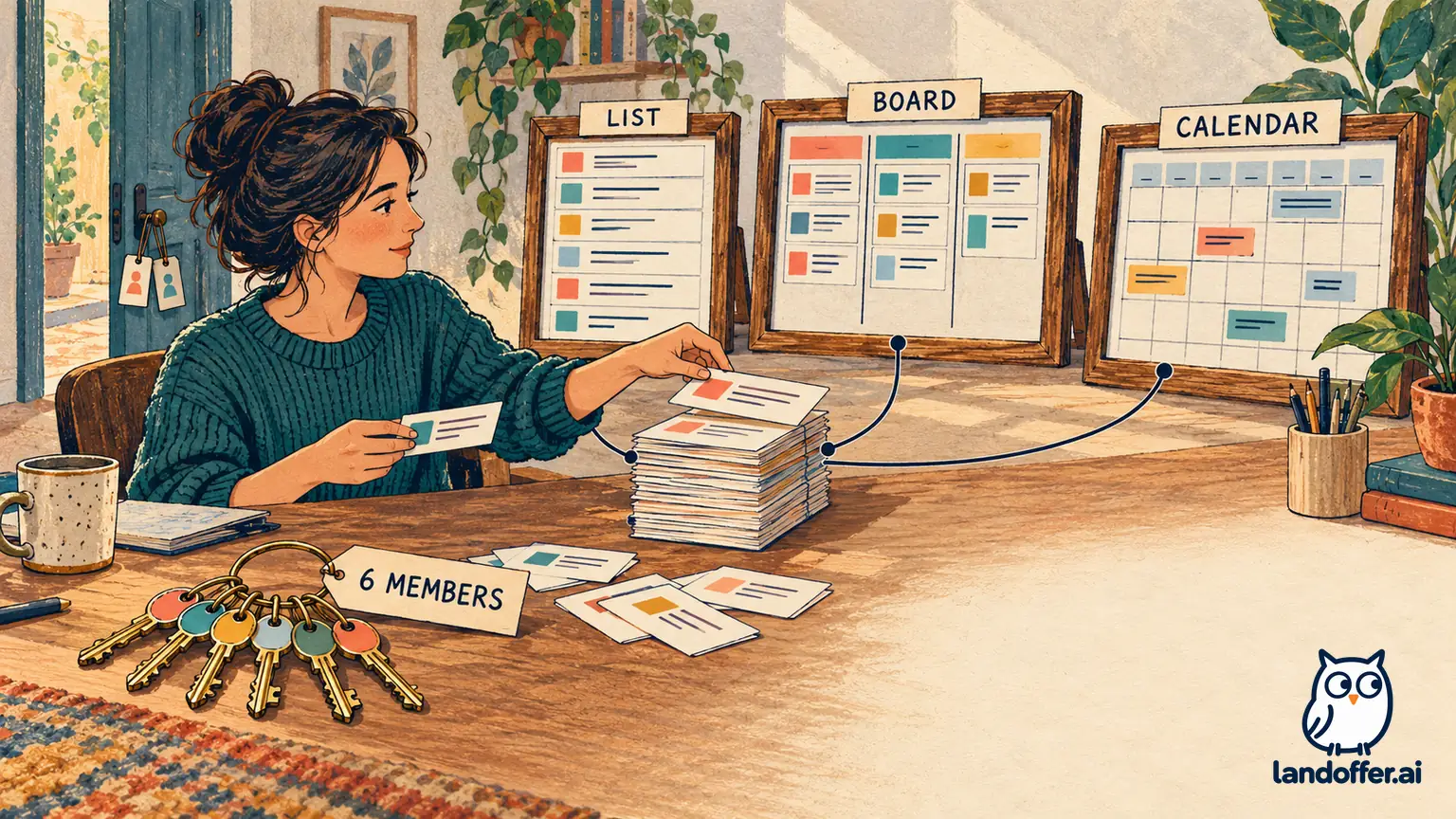
Mara proposes one task per artwork, with an owner, requested review date, status, and a link to its approved source file. Three planned views answer different questions: a List for ownership and missing information, a Board for stage handoffs, and a Calendar for review dates. They are views of the same proposed task set, not three copied task inventories. Source-file approval remains with the team's existing document owner.
| Person | Required work and proposed role | Boundary recorded before invitations |
|---|---|---|
| Mara, delivery lead | Workspace owner; billing and workflow configuration | Only person authorized by this fictional team to approve subscription spending |
| Jules, designer | Member; create artwork tasks and update design stages | Cannot approve a commercial print run merely by moving a task |
| Remy, designer | Member; maintain revisions and review dates | Uses the same task model as Jules |
| Tess, reviewer | Member; record internal review findings | Review comment is evidence, not an automatic release decision |
| Imani, QA coordinator | Member; track required checks and outstanding issues | Failed or missing checks remain visible |
| Cole, production liaison | Member; maintain supplier dependencies and handoff details | Supplier timing must be confirmed outside the task's requested-date field |
All six are internal contributors, including Mara; the budget therefore starts with six paid seats, not one owner plus five supposedly free guests. ClickUp's guest-role policy says people using the organization's email domain or SSO cannot be guests, and limited members carry the member subscription fee.
Two external people are additional to those six. Supplier reviewer Ada needs to comment only on the shared print-proof List, so the proposal assigns a permission-controlled guest seat. Client observer Ben only needs to read the approved delivery summary, so the proposal assigns view-only guest access to that specific item. Neither receives internal commercial notes. These are proposed boundaries; actual visibility and billing still require checking before an invitation.
On paid plans, view-only guests cannot comment or edit; giving permissions changes the guest type. The role-pricing table gives Core five permission-controlled guest seats for the first paid member, then two per additional member. Six paid members therefore imply 5 + (5 × 2) = 15 included seats. Business's corresponding formula is 10 + (5 × 5) = 35. Ada would occupy one, assuming no existing guest usage. Invite only the external people who need the specified content, even when more seats are available.
Mara's completed requirement decision is to evaluate Core first. The team needs the three basic views and Gantt, while continuous Workload and Timeline are optional. Cole can initially maintain a written capacity note. If that workaround proves inadequate in an authorized evaluation, the team will reconsider Business against a defined capacity-planning requirement.
There is also a privacy check before considering a private view a solution: the team must verify the underlying shared items and recipient permissions. Hiding one presentation of a task is not a reason to place confidential information in content a supplier can access. The scope record therefore keeps internal commercial notes out of Ada's proposed List altogether.
Count automation actions from a complete handoff
Automation should remove a defined manual step without obscuring who remains responsible. The same help article says an owner or admin activates the Automation ClickApp, guests cannot create automations, and member permissions depend on the location. These role limits matter when an external reviewer asks to “just automate” a change.
Mara drafts three ordinary rules for later evaluation. None sends a supplier email, approves artwork, uses an AI action, or changes access. They cover assignment, a due-date update, and an internal comment. Mara must check the assigned reviewer, revised due date, and internal comment separately in an authorized harmless test, then investigate missing or unexpected effects.
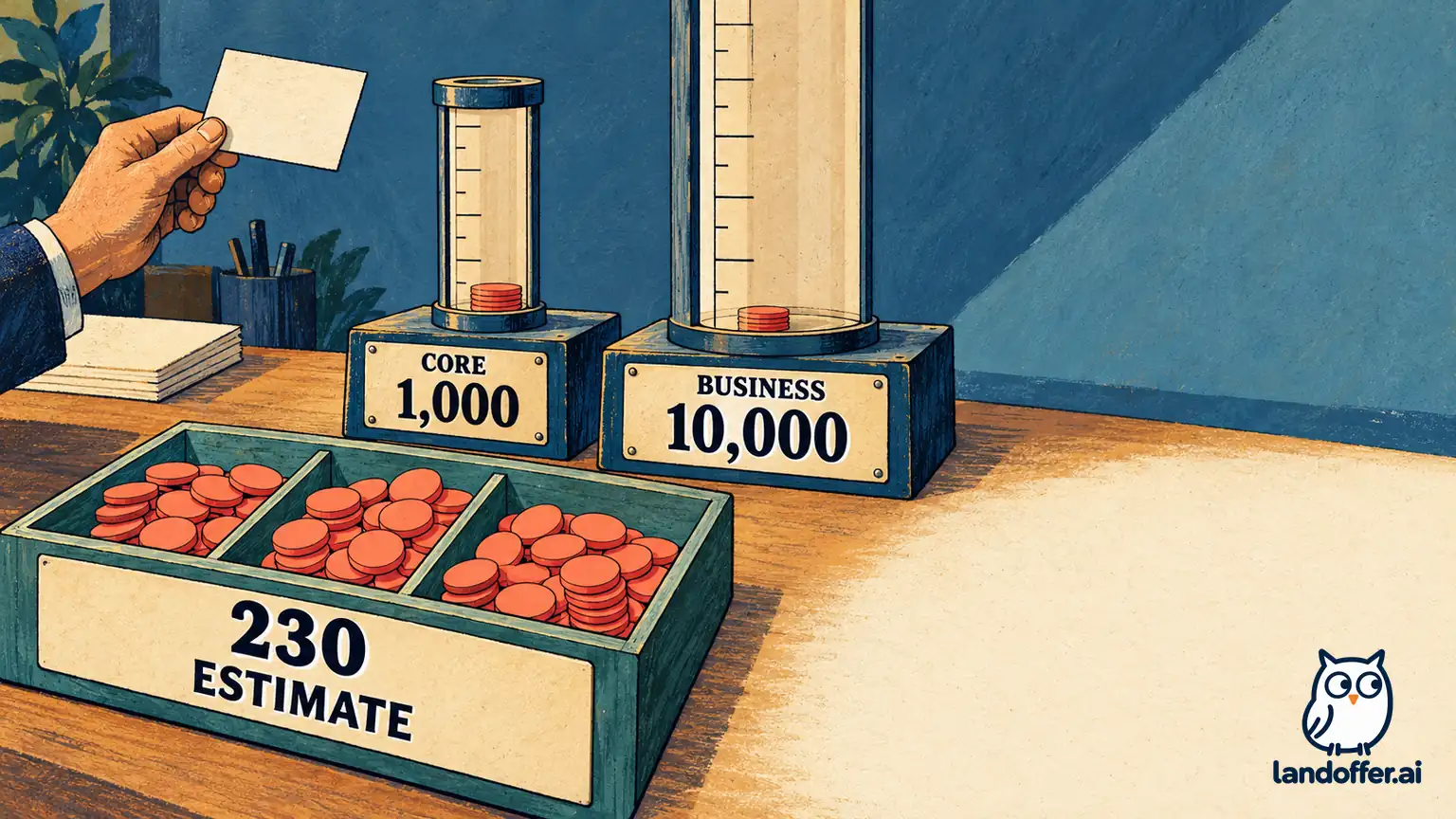
For planning, suppose each of the 30 artwork tasks reaches its first review handoff once, requiring three separate Actions: assign Tess, set the review due date, and add an internal handoff comment. That is 90 Actions, not 30 merely because there are 30 tasks. Suppose ten tasks each return once for revision and need two Actions, adding 20. One weekly reminder Action on each of 30 still-open tasks across four weeks adds 120. The deliberately conservative monthly estimate is 230 Actions, assuming all 30 stay open for all four reminders.
Those quantities are fictional workload assumptions, not observed ClickUp metering. Real triggers, retries, extra status changes, integrations, and AI-credit consumption must be inspected separately. Do not use the unused capacity as evidence that the rules are correct or safe.
The help page says monthly Actions reset on the first of the month, using its stated PST timing, and automations pause for the month after the limit is exceeded. That makes a manual fallback essential. In this case, Mara would review the open handoff List daily and assign missing reviews manually if automation is unavailable; she would not infer that silence means a task was processed.
Completed asset: finish the budget and decision record
Here is Mara's completed purchasing record, still entirely fictional. It makes a provisional choice while leaving actual product behavior unverified.
| Budget line | Core candidate | Business alternative |
|---|---|---|
| Six seats, monthly billing | 6 × $12 = $72 monthly | 6 × $25 = $150 monthly |
| Six seats, yearly billing | 6 × $9 = $54 monthly equivalent; $648 yearly | 6 × $17 = $102 monthly equivalent; $1,224 yearly |
| Twelve months at monthly rates | $864 | $1,800 |
| One qualifying commenting guest | Within 15-seat allowance under stated assumptions | Within 35-seat allowance under stated assumptions |
| One external read-only observer | Proposed view-only access; no fee under paid guest policy | Same role boundary |
| Planned standard automation workload | 230 Actions; 770 below public Core allowance | 230 Actions; 9,770 below public Business allowance |
| AI credit purchase | $0 proposed; no AI workflow required | $0 proposed; no AI workflow required |
The yearly Business alternative costs $576 more than yearly Core for these six seats. Monthly billing costs $78 more each month. Those differences purchase a different feature package, not an established reduction in labor or another app's cancellation. Mara has not measured the capacity-note workaround, so she records no savings forecast.
Her decision reads: “Recommend a limited Core evaluation for the artwork cycle. Six internal paid contributors, one scoped external commenting guest, one scoped read-only observer. Keep continuous Workload, Timeline, AI features, and supplier-email automation outside the required scope. No purchase or invitations approved by this document.”
She also fills in the next decision checkpoint: “Before a subscription decision, confirm the offered plan generation, guest-seat calculation, tax and billing cadence with the billing owner. In an authorized test, have Ada verify only the proof List is visible and Ben verify the approved summary is read-only. Check all three handoff effects, a revision return, and the fallback when a rule does not run. Record actual usage rather than comparing only task counts.”
A growth scenario clarifies what could change the answer. If the same rule mix served 150 artworks, with 50 revision returns and four reminder rounds on all 150 open tasks, the estimate becomes 450 + 100 + 600 = 1,150 Actions. That exceeds Core's displayed 1,000 by 150. It prompts a plan or workflow review; it does not authorize a top-up or prove Business's actual Workspace quota. The team could reduce unnecessary reminder activity, use the manual fallback, or evaluate the higher plan.
AI inclusion still leaves cost and scope questions
Current new plans include AI instead of selling Brain AI and Everything AI as separate add-ons, according to the pricing introduction. Check the applicable AI allowance and review generated results before using them in delivery work. The new public offer separately sells extra credits at $10 per 10,000 credits. An optional one-pack purchase would add $10 to the illustrated $72 Core monthly base, producing $82 before other charges; this is arithmetic, not a recommendation or a measured consumption forecast.
For an existing Workspace, read the add-on billing guide instead of adding a new-plan credit allowance to an old subscription price. It says the older Brain AI fee applies across Workspace members, including open seats, and mid-cycle add-ons can be prorated. One person's interest therefore does not establish a one-person add-on bill.
Keep three figures separate in the decision: subscription seats, ordinary Automation Actions, and AI credits. A generous allowance in one does not establish spare capacity in another. Mara's proposed budget avoids that confusion by requiring no AI work initially, while leaving future credit purchases subject to a separate need and spending decision.
Decide from the smallest required workflow
ClickUp is a reasonable candidate here because the team wants several views of shared tasks and limited external participation. Core is the provisional fit for the stated six-person case; Business becomes relevant when sustained advanced views, integrations, or a larger verified automation workload become requirements. Neither choice fixes unclear ownership or an inaccurate task model.
Before buying, fill in your own people, required views, action counts, guest permissions, and full cadence-specific bill. Before committing, record the actual Workspace plan and quota, recipient-access results, three handoff effects, and the manual fallback from an authorized harmless test. For more workplace software evaluations, visit LandOffer.ai; keep the final purchasing decision tied to the workflow and evidence your team can verify.