LandOffer
Job search
Swooped Review: AI Application Packets, Autofill, and Final Submission Control
A documentation-based review of Swooped’s application packets and autofill, with current billing boundaries and two completed examples of content review and submission control.
Swooped is worth considering if you want a tailored resume, cover letter and application answers prepared together, while keeping the final employer submission in your hands. Its current help documentation describes Auto Apply as packet preparation plus autofill on supported forms. You review the materials, check the employer form and take the final submission action yourself. That makes it a plausible fit for candidates who want writing help and less repeated entry, provided they can still spend time reviewing each application.
This is a public-documentation review, checked October 13, 2026, including browser inspection of pricing and help pages. We did not test a paid account, install the extension or submit an application. LandOffer publishes this review and also offers job-search tools. You can browse recent roles on LandOffer.ai to build a shortlist; this review does not establish that LandOffer performs Swooped's workflow better. The worked examples below are fictional teaching cases.

What Swooped's application packet actually does
The Auto Apply overview describes a packet containing the target job's details, a tailored resume, a cover letter where useful and proposed answers to employer questions. These related materials give you a common place to review the story you are presenting for one role. Compare that convenience with preparing and checking a separate resume, letter and answer set for each role.
For a software candidate, consistency matters as much as polished sentences. A resume may describe implementing a service, while the cover letter implies owning its architecture and a short answer claims managing the team. Each sentence can sound credible alone. Read together, they describe different responsibilities. Reviewing a packet should expose those differences before they reach an employer.
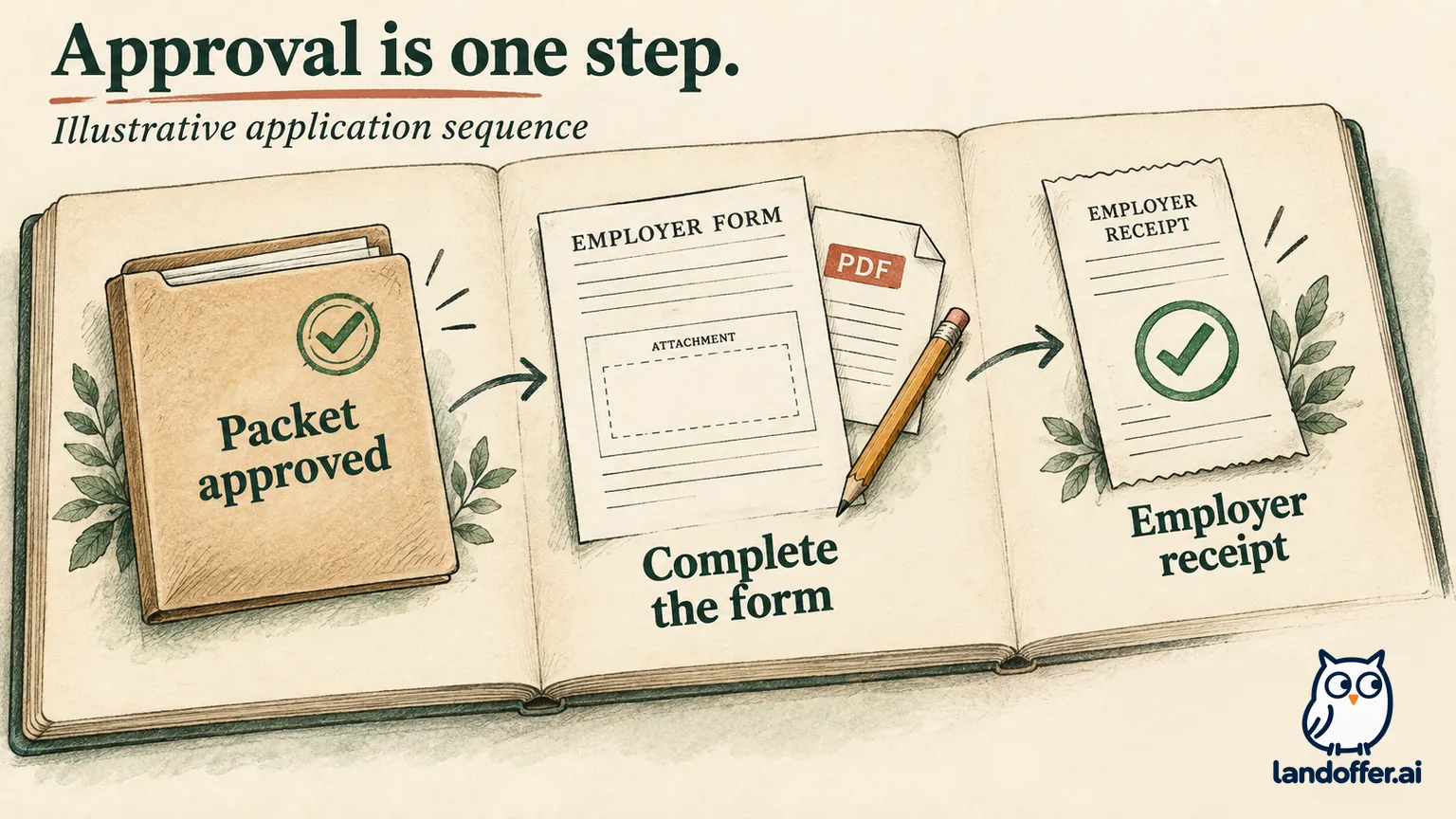
Swooped's packet guide distinguishes preparation, review, missing required input, readiness and awaiting submission. A ready packet means you can continue to the employer application. It is not evidence that the employer has received your materials. A submitted status records a submission; when uncertainty matters, check the employer-side evidence behind it.
The practical benefit is organizational. You can consider the resume, letter and answers as one application. The remaining responsibility is factual: make sure each document describes your actual work and the correct employer. This is especially valuable when you are applying to several related roles with different emphases.
Free, Pro and the cost of a short search
The public pricing page displayed the following offer when checked. These are advertised web prices, not a completed checkout or a promise about app-store billing.
| Option | Displayed charge | Relevant boundary |
|---|---|---|
| Free | $0; no credit card required | Manual applications, limited autofill, one AI resume and one AI cover letter |
| Monthly Pro | $9 first month, then $39 per month | Unlimited autofilled applications and AI resume/cover-letter generation |
| Quarterly Pro | $87 every three months | Advertised as $29 per month; paid as a three-month block |
The exact free autofill allowance was not specified on the inspected pricing page. Do not plan a weekly application quota around an assumed number. The Free and Pro help article also lists AI application answers, 20 monthly networking credits and unlimited networking templates for Pro. If you only need a resume and autofill, unused networking credits add little to your reason for upgrading.
Consider a fictional candidate choosing a plan for a short search. Under the displayed introductory offer, three monthly charges total $87: $9 + $39 + $39. That equals the advertised quarterly charge over the first three months. If the candidate stops after one month, monthly billing commits $9 under this offer, while the quarterly purchase commits $87. These calculations assume eligibility, unchanged prices and cancellation before another renewal; they exclude any checkout taxes.
The lower quarterly monthly equivalent therefore does not automatically make it the better first purchase. If useful access continues into a second three-month period, three standard monthly charges would total $117, compared with $87 quarterly. Choose based on the period you are prepared to buy, rather than an uncertain hiring date.
Cancellation follows the billing provider on your receipt: Swooped, Apple or Google Play. The current refund policy describes a seven-day request window for eligible direct purchases and separate store routes. Canceling future renewals does not itself request a refund. Keep the offer and receipt that applied to your purchase.
A completed packet review: fix the same claim everywhere
Meet Nia, a fictional backend engineer considering fictional Fernlight's Platform Engineer role, FE-214. The posting emphasizes Python, data validation and Kafka. Her project record says she wrote checks for daily invoice exports from six storefronts, investigated mismatched totals with a finance analyst and documented unresolved exceptions. She did not build the payment platform and has never used Kafka.
The following deliberately flawed draft snippets are written for this article. They are not outputs captured from Swooped and do not demonstrate an observed defect in its model.
| Packet item | Illustrative draft problem | Completed correction |
|---|---|---|
| Resume | Claims she built the payment platform | Names the Python export checks and six-storefront scope |
| Cover letter | Claims production Kafka experience | Removes Kafka and explains her data-validation work |
| Application answer | Claims she eliminated every billing discrepancy | Explains the rounding issue and records remaining exceptions |
Her corrected resume bullet reads:
Wrote Python validation checks for daily invoice exports from six storefronts, investigated mismatched totals with a finance analyst and documented unresolved exceptions.
Her cover-letter passage reads:
Your platform role's emphasis on data validation connects with my invoice-export work. I wrote Python checks and investigated mismatched totals with our finance analyst. I would bring that experience to the export-validation work described in your posting.
For an illustrative question about a technical decision, she writes:
One daily export passed our record-count check but its invoice total differed from the source. I traced the mismatch to inconsistent rounding rules and reviewed the expected amounts with our finance analyst. I updated the checks and documented the remaining exceptions before the next export. I did not treat matching row counts as proof that the amounts were correct.
This final set identifies her contribution without implying that she built the payment system or resolved every discrepancy. The missing Kafka experience remains a real gap. Nia checks whether the employer treats it as essential and decides whether the application is still appropriate. Tailoring cannot supply experience she does not have.
Her completed review record names FE-214, the corrected resume filename nia-fernlight-fe214.pdf, the revised letter and the final answer. She marks all three as reviewed in her own notes. That record is an editorial suggestion, not a claim that Swooped exposes those exact fields or stores every version automatically.
The example explains when the packet approach earns its place. If Nia would otherwise rewrite each item separately, reviewing one coordinated set may be useful. If she spends longer removing unsupported additions than drafting directly, more generation capacity does not solve her problem. The meaningful result is a coherent application, with every important claim traceable to her experience.
Keep a local copy of the final resume and any longer answers. Later edits to a profile should not leave you unable to reconstruct what an employer received. For a broader method of finding unsupported additions, see our guide to correcting false AI resume claims.
Mobile autofill and desktop Chrome use different routes
According to Swooped's employer-autofill instructions, mobile users open a reviewed packet in Apply Agent and continue into the employer form inside the iPhone or Android app. Desktop users use the Swooped Chrome extension. Employer sign-in, custom questions, attachments and acknowledgements may still require manual action.
That device distinction matters if you usually search on a phone. A recommendation to install the desktop extension would miss the documented mobile route. Conversely, documentation for in-app mobile filling does not establish extension support in Safari or another desktop browser. This review did not test either route.
The older Chrome-extension guide, dated April 30, 2025, describes saving jobs and generating materials for listings outside Swooped. It also describes manual copying for partially integrated boards. Saving a listing from a website and filling that employer's entire application are different capabilities. A broad job-saving claim should not become a promise of universal ATS compatibility.
On the employer page, inspect the uploaded filename, employment dates, contact details, work-location question and authorization wording. A required answer may mean something different from a similarly named profile field. Read optional and collapsed sections too. The final form is the version you are about to send, even when the packet looked correct beforehand.
Approval, an unfinished form and an employer receipt
Here is a second completed fictional example, continuing Nia's FE-214 application. It follows Swooped's documented distinction between packet review and submission, but the events and records are illustrative, not a product test.
Nia approves the corrected packet on her phone. The employer form opens, but its required resume attachment is missing. Her packet is ready; this particular form is unfinished. She leaves the application unsubmitted, adds the correct file and checks that its filename appears. She then reviews the remaining pages and personally submits. In this example, the employer shows a confirmation naming FE-214.
| Event in the example | Nia's completed record | What the record establishes |
|---|---|---|
| Packet approved | Materials reviewed for FE-214 | Her content decision |
| Employer attachment missing | Resume still needed on employer form | An unfinished application |
| Correct file added and form checked | nia-fernlight-fe214.pdf; answers reviewed |
Readiness for her final action |
| Employer confirms FE-214 after submission | Confirmation saved with role and date | Evidence of employer receipt |
| Tracker reconciled | One submitted FE-214 application | Search history aligned with that evidence |
Swooped's troubleshooting guidance directs users to complete missing packet answers, correct inaccurate employer fields and check submission evidence. For desktop access problems, it also recommends checking that Swooped and the extension use the same account. A repeated failure is worth reporting with the employer link, affected step and a screenshot that excludes unnecessary personal information.
If Nia had closed the page immediately after approval, the last defensible record would have been an approved packet with submission unverified. She should inspect the employer portal before trying again. Lack of an email alone would not prove failure, and a duplicate attempt would not clarify whether the first one arrived.
Nia can now return to her search without wondering whether approval sent anything. Her saved confirmation and document name explain the completed application when she checks her notes later.
Who should try Swooped, and who should keep their workflow?
Try the free workflow if you repeatedly prepare role-specific documents and want to examine them together before filling a supported employer form. Consider Pro after using the free allowance to confirm that its drafts need manageable edits and its filling works on your target forms. Unlimited usage helps when the drafts and autofill already reduce the work you need to do.
Keep your current tools if your resume and answers are already strong, your tracker is dependable, or most of your employers require manual completion anyway. Swooped may also be a poor fit if your main requirement is delegated submission while you are away: its current help pages put the final action with you. Our autofill versus auto-apply guide explains how to compare that permission across workflows.
Data handling belongs in the purchase decision. Swooped's privacy policy, dated March 26, 2025, describes personal information processing and use of third-party AI services. Reviewing a packet before submission does not establish that its data stays solely on your device. Read the applicable terms before adding sensitive material; this review is not a security audit.
For your next application, choose one suitable employer posting and identify whether writing or form entry is slowing you down. If you need a shortlist, browse recent roles on LandOffer.ai, open the employer's listing and verify its requirements. Use that one role to compare Swooped's prepared materials with your existing resume and answers before deciding whether to pay.
Sources and Further Reading
- Auto Apply Agent overview — packet contents and final-action responsibility.
- Reviewing an application packet — documented states and review steps.
- Swooped pricing and Free versus Pro — public plan boundaries and billing offers.
- Employer autofill instructions — mobile and desktop routes.
- Chrome extension guide — job saving and partial integrations.
- Auto Apply troubleshooting — incomplete fields, account access and confirmation.
- Subscription cancellation and refund policy — billing-provider routes and purchase terms.
- Swooped privacy policy — published data-processing notice.