LandOffer
Job search
Remote OK Review: Job Filters, Premium Access, and Application Destinations
Use Remote OK for remote-role discovery while checking location evidence, the full paid commitment and where the application must actually be completed.
Remote OK is worth a focused search if you want to discover remote engineering roles and inspect their location, stack and pay clues together. Start with its public listings. Consider paid access only after identifying what you cannot inspect or do without it, and after reading the entire subscription commitment. A remote label, a salary badge and an Apply button answer different questions.
This Remote OK review uses official pages and a signed-out public browser observation on October 12, 2026. We did not buy a plan, test alerts or submit applications. LandOffer publishes this guide; our recent jobs page is another discovery starting point if you are comparing sources. The recommendation below rests on accessible information, role eligibility and subscription terms. It does not predict hiring speed.

What you can learn from the public search
The Remote OK homepage exposed keyword and location inputs, salary and benefit controls, and sort choices including latest and highest paid during our public review. Visible cards combined titles, skill tags, location labels and application links. Some showed compensation; others asked visitors to upgrade to see salary. This establishes what appeared in that session, rather than proving that every displayed filter works identically for every visitor.
Use a concrete engineering question for the first pass. “Backend engineer, Python, employed from Portugal” is more useful than “remote developer.” Enter the skill or title, inspect the location selection, and read several relevant descriptions before narrowing further. An employer may call its role software engineer while describing backend Python work. A restrictive title query can hide that role even when the stack fits.
Separate ordinary results from promotional material. The public page contained promoted sections as well as individual listings. Their presence does not establish a suitable vacancy or a recommendation for your background. Inspect the company, role and destination for each result instead of treating every block on the page as an equivalent engineering opportunity.
Do not measure value by the number of cards alone. Five cards can represent overlapping searches, unsuitable countries or repeated opportunities. Count a result as useful when it is a distinct role with enough evidence to justify reviewing the employer's requirements. Keep a separate category for unresolved location or employment details so an attractive title does not silently become an eligible job.
Read the location label as a clue
Our public session showed both worldwide wording and the more tentative “Probably worldwide,” alongside country and region labels. That qualifier matters. It leaves a question open; it does not give the candidate permission to work from any country. Even an unqualified worldwide label should lead to the individual job description rather than end the location check.
For a location-constrained candidate, look for three pieces of role evidence: where the employer can engage the worker, what working-hour overlap it expects, and whether travel or periodic attendance is required. These are separate constraints. A company could accept someone in Portugal but require daily overlap that makes the schedule unsuitable. Another could permit flexible hours while restricting payroll to a different country.
If the listing and employer page disagree, record the discrepancy rather than choosing whichever sentence is more convenient. Preserve the role title, company and requisition identifier when available. A current employer description is usually the better place to inspect the actual application requirements, but an unclear employer page still needs clarification. The remote-job filtering guide explains the broader location and time-zone checks.
Keep a visible salary range and a hidden range in different categories. A hidden range means the information was unavailable in the view you inspected. If compensation is a hard constraint, that role stays unresolved until you obtain role-specific evidence. This prevents an unavailable number from quietly passing your minimum-pay screen. It does not establish low pay, high pay or the absence of a salary range elsewhere. Before considering a subscription just to reveal compensation, inspect the employer's public listing for the same role. Do not substitute a different vacancy or a company-wide estimate for that requisition's terms.
What the paid plan actually adds
The public Premium plan page advertises early-access postings, more detailed filters, alerts, salary information, application tracking and profile visibility benefits. These are provider descriptions. We did not measure their accuracy, delivery time or effect on employer attention. A verified badge or preferred display position is not evidence that a recruiter will review or select you.
The same page distinguishes a single-platform subscription from TopAccess, a bundle with other services. Access to a partner marketplace is different from being accepted by that marketplace. If your only unmet need is an individual employer's location rule, buying more platforms does not answer it. Choose a paid capability only when it addresses an identified problem in your search.
Here is a completed decision ledger for Mina, a fictional backend engineer in Portugal. She can spend $40 in total on job-search services, needs an employment arrangement available in Portugal, and already knows how to check official employer sites. These inputs are invented to explain a decision; they are not an observed subscriber experience.
| Question | Mina's recorded evidence | Decision |
|---|---|---|
| Can she discover plausible employers publicly? | She has two fictional backend leads with readable descriptions. | Continue the public discovery pass. |
| Is the first lead eligible? | Its employer description names Portugal and compatible hours. | Inspect the application for that exact role. |
| Is the second lead eligible? | Its card says probably worldwide; its description does not name allowed countries. | Hold it for a location clarification. |
| Does hidden salary justify buying immediately? | One range is hidden on the board; the employer page also omits it. | Keep compensation unresolved; do not invent a range. |
| Can her total budget cover the advertised base commitment? | The published monthly amount spans twelve months. | Do not subscribe on the assumption of a one-month experiment. |
The ledger produces one role to review, one question to resolve and no purchase. It does not conclude that Premium has no value. A different candidate who needs documented premium features and can fund the commitment may reach a different decision. The important distinction is between paying for a known capability and paying because an ambiguous result feels promising.
Monthly billing is not a monthly commitment
At the time of review, the single-platform page displayed $14.95 per month with a twelve-month commitment, billed monthly. Twelve payments at that advertised amount total $179.40, before any applicable taxes or other checkout adjustments. This is arithmetic from the public offer, not an invoice or a confirmed quote for a particular customer.
There is a material inconsistency to resolve before buying. The FAQ cancellation section describes access ending after the current billing period and says there will be no further charges. Elsewhere the FAQ describes annual commitments. The terms updated July 20, 2026 state that installment obligations continue through the current annual term after cancellation, subject to their stated exceptions. The public plan page also identifies the annual commitment.
Do not turn that conflicting wording into a recommendation to pay for one month and cancel. Ask support in writing: “For the single-platform plan offered to me, if I cancel after the first payment, what further installments remain due, when does access end, and when would renewal occur?” Also request the plan's applicable refund conditions and keep the response. Retain the response alongside the offer presented at purchase. This review describes the published conflict; it does not decide how a contract would be interpreted in a particular jurisdiction.
For Mina, the immediate decision remains straightforward even without resolving every term: her total budget cannot support the advertised base commitment. She can keep using accessible discovery sources and employer pages without initiating a purchase. If you already subscribed, review your own plan and billing records to establish the current term and remaining obligations. Do not infer a billing change from a profile change.
An Apply click begins one of two handoffs
Remote OK's employer FAQ describes two posting destinations: an external application URL or an email link that opens the candidate's mail client. That is a useful product-specific distinction. Reaching the destination begins the application process; it does not demonstrate that an application was submitted or received. We did not test either route with a real vacancy.
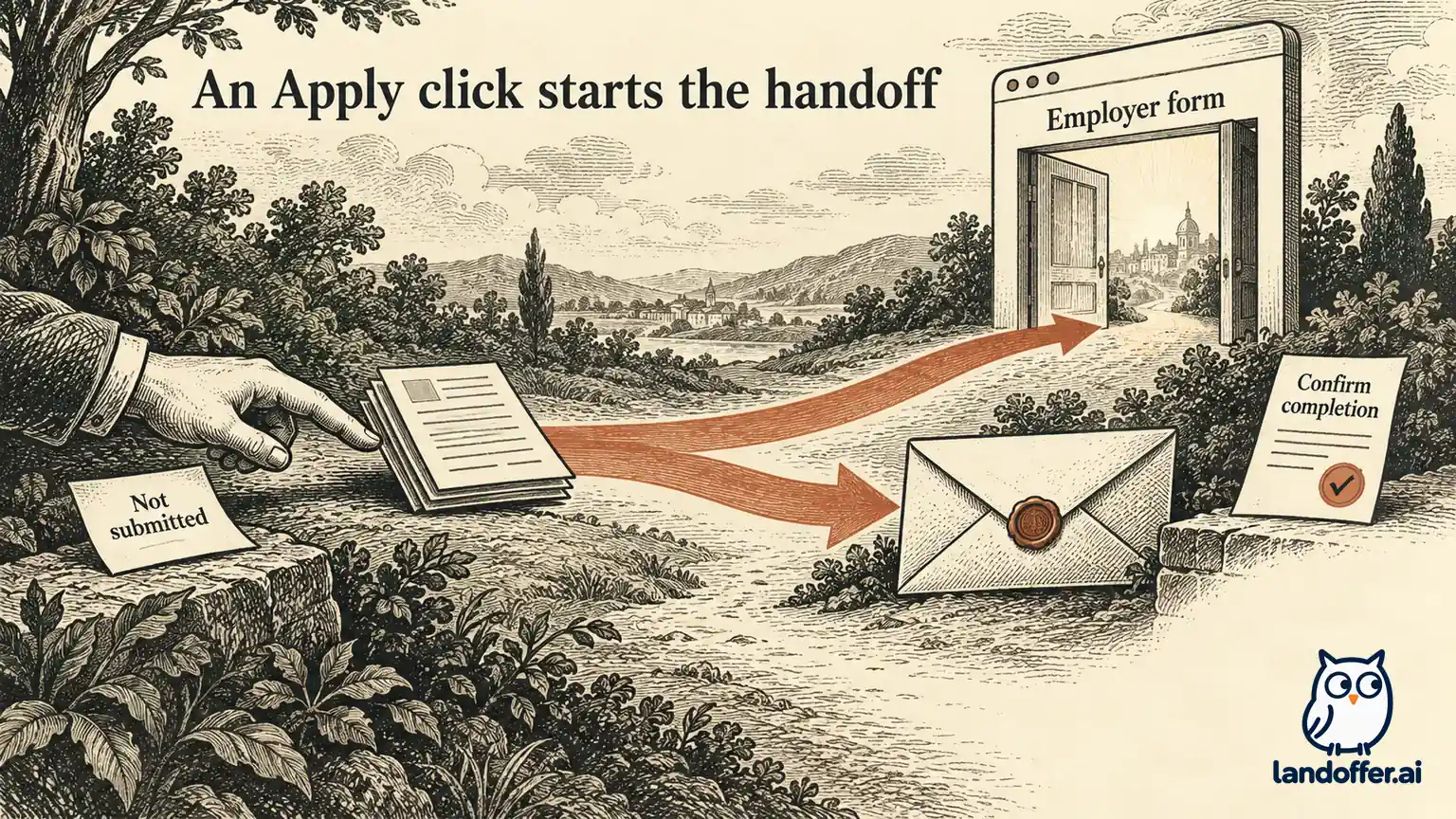
Consider two fictional handoffs from Mina's search. In this invented example, backend role RO-701 leads to an employer form. She checks that the company and role match, completes the required fields, reviews the attached resume, and reaches a confirmation identifying RO-701. Her search log can now distinguish “submitted through employer form” from “discovered on Remote OK.” The board is the discovery source; the employer form supplies the submission evidence.
For role RO-702, the link opens an email draft addressed to recruiting. The draft contains a subject but no attached resume. Mina has not applied simply because a composer appeared. She checks the employer's instructions, adds the requested material, reviews the recipient and sends only when ready. If the message remains in Drafts, her log should say “email prepared, not sent.” A Sent copy establishes sending, while employer acknowledgment is separate evidence of receipt or processing.
The recovery action depends on the destination. If no mail client opens, inspect the employer's published application instructions and use its verified contact route where permitted. Do not send an empty email repeatedly or upload a resume to an unrelated form just to record activity. If an external page fails, save its role identity and error details, then use the company's official career site to look for the same requisition.
Avoid creating a second submission merely because the board does not show a status. An external employer process can have its own confirmation and portal. Compare the role identifier and the evidence you already have before starting again. The career pages versus job boards guide covers that discovery-to-employer boundary in more detail.
Who should use Remote OK, and who should wait?
Use it as a discovery source when its visible remote-role organization helps you find employers you would otherwise miss. The public search is especially worth a bounded pass when you can name a stack, location constraint and preferred work arrangement. Keep any unresolved country, salary or destination detail in your notes rather than treating the board's presentation as a complete offer.
Wait before purchasing when your main problem is missing employer requirements, an unclear annual budget or conflicting cancellation language. Those are questions to resolve before buying access. If another source already gives you the same distinct eligible roles and usable employer destinations, there is no demonstrated need to add a subscription solely because it advertises more opportunities.
For your next search, choose one role and record its employer location rule, current access path and completion destination before deciding whether to apply or pay. You can start with recent LandOffer listings or stay with a source that already works for you. The useful outcome is a role you can assess and an application you can account for, with any paid commitment understood in advance.
Sources and Further Reading
- Remote OK public job search — signed-out public observation, October 12, 2026.
- Remote OK subscription entry — public offer and described capabilities, checked October 12, 2026.
- Remote OK FAQ — documented application destinations and conflicting cancellation wording, checked October 12, 2026.
- Remote OK terms — updated July 20, 2026; checked October 12, 2026.