LandOffer
Job search
Personal CRM vs. a Spreadsheet for Job-Search Networking: When Is a Subscription Worth It?
Decide whether a personal CRM solves a specific gap in your networking routine, with current notification and permission limits plus two completed fictional budget decisions.
A personal CRM subscription is worth considering when it solves a specific networking problem that your spreadsheet and existing routine do not: missed reminders, fragmented interaction history or repeated difficulty finding relevant context. It is harder to justify when your current list is accurate, regularly reviewed and easy to use. The number of contacts alone does not establish that you need a subscription.
Compare the work you need to do, the permissions required and the full cost over your likely period of use. This article uses Google Sheets as a concrete spreadsheet example and Dex as a paid personal-CRM example, not a ranking of every product. You can use recent roles on LandOffer.ai to keep job discovery separate from relationship maintenance. Public sources were checked October 20, 2026; no contacts, accounts, integrations, notifications or subscriptions were created or tested.

Compare the job each tool must do
A spreadsheet can hold names, context, links, last-contact dates and your chosen next actions. You control the structure, but you also own the work of keeping it useful. A personal CRM supplies a more opinionated relationship record and may connect that record to reminders or imported activity.
Neither tool can decide whether someone welcomes a message, owes a reply or has authority to refer you. Keep the context accurate and make the contact decision yourself, whichever tool you use. An organized database is not evidence of a stronger relationship or a better hiring outcome.
| Need | Spreadsheet approach | Personal CRM approach to investigate |
|---|---|---|
| Remember why you know someone | Write brief factual context in a record you can find | Contact-centered notes and activity history |
| Notice that an action is due | Review the list or use a separate reminder mechanism | Date-based task reminders, with notification settings checked |
| Maintain a relationship over time | Choose and maintain your own review routine | Interaction-based cadence, where the product supports it |
| Recall communication history | Update or reference the relevant conversation manually | Connected email or calendar activity, within documented scope |
| Share selected context | Review file permissions and prepare only appropriate material | Check the product's actual sharing scope rather than assuming a contact is private |
This comparison is about responsibilities, not a claim that every CRM has every feature. For Dex specifically, its reminder documentation distinguishes fixed-date tasks from its interaction-based Keep-in-Touch feature. That distinction can matter more than an attractive contact dashboard.
A due-date cell is not the same as a delivered reminder
Google's Sheets notification guidance describes edit notifications, including notifications about changes by others. Those messages are different from a scheduled personal reminder that a row's review date has arrived. If nobody changes a cell, a change-notification rule does not necessarily have a new event to report.
Google also documents conditional notifications, available only to certain work or school accounts. They depend on cell changes and have limits. Its guidance explicitly warns that volatile formulas such as TODAY() can change while a file is closed without triggering a notification. Do not assume a date formula creates a dependable reminder service for a personal account.
A spreadsheet can still work well with a review habit or a separate task tool. Identify whether the nudge comes from your own review routine, a separate task tool or a configured notification; the date field alone does not provide it. Adding a custom script or third-party add-on creates another component to maintain and another permission or cost decision; it is not automatically the simpler option.
Dex documents task notifications and Keep-in-Touch cadence, but documented delivery channels are not proof that you will receive or act on a particular alert. A paid notification can still be ignored. Choose a paid capability only when it addresses the process problem you identified; you still decide what action is appropriate.
Worked decision: Ruth keeps the spreadsheet
Ruth is a fictional QA engineer whose network spans former coworkers and a small local testing group. She already has access to a personal spreadsheet account and a separate review routine. Her problem is choosing relevant roles, not losing conversation history. The following four-week record is invented to demonstrate a purchase decision, not measured product performance.
| Week in the fictional review | Planned list reviews | Completed | Decision recorded |
|---|---|---|---|
| 1 | Two | Two | Kept the discussion context she needed; no new source connection needed |
| 2 | Two | Two | Removed an outdated role link instead of sending an irrelevant request |
| 3 | Two | Two | Located an earlier conversation note without reconstructing an inbox history |
| 4 | Two | Two | Kept the same review routine and found no missing reminder requirement |
Ruth completes eight of eight planned reviews in this stipulated case. She does not treat that as a success rate to advertise or evidence that spreadsheets improve job outcomes. Within the fictional case, the log supports a narrower decision: Ruth uses the current process consistently and can find the context she needs.
Her completed choice is to keep the spreadsheet and existing review mechanism. The assumed incremental software cost is zero because she already has the required access; this is not a claim that every spreadsheet account or business license is free. She declines a new subscription because it would duplicate a working routine without solving an identified problem.
Ruth also rejects the idea that she must connect an inbox merely to maintain a contact list. She can reconsider if interaction history becomes difficult to recover or her review routine stops working. Buying a CRM would then need a new reason grounded in the changed problem, not a larger contact count by itself.
Count maintenance and data access on both sides
The spreadsheet owner maintains labels, dates, duplicate records and links. The CRM user still needs to review imported identities, correct context and decide which activity matters. Integration can change the type of maintenance rather than eliminate it.
A switch also requires deciding which record you will maintain. If the spreadsheet and CRM both remain active, identify where completed actions and corrected dates belong so the two histories do not drift apart. Before moving information, map the fields you actually need and check what the destination can represent. Preserve the difference between a context note, a last-interaction date and an unresolved promise so you can still identify what needs attention after a move.
Dex's Google Sync guide describes a combined Gmail/Calendar connection, with an existing address-book import handled separately. This is more specific than “automatically organizes my whole network.” Review the connection's scope and the organization's rules before considering an employer-managed account.
A cloud spreadsheet also has a sharing boundary. Google's Drive sharing guidance distinguishes viewer, commenter and editor access. Its sheet-protection guidance says protected ranges are not a security measure and that hidden sheets can still be accessed in relevant circumstances. Hiding a notes tab does not turn a shared workbook into a private notebook.
Use a separate limited file when another person needs only a small shareable summary. A local spreadsheet kept off cloud services has a different data path from Google Sheets, with its own storage and backup responsibilities. “Spreadsheet” is not a single privacy configuration.
Likewise, a personal CRM's no-sale statement is not a promise that no service provider processes data. Dex's privacy policy describes integrations, processing and retention. Compare the actual data path you would enable, not the product category's reputation.
Put the subscription on a realistic budget
Dex's current pricing page displayed Premium at $20 per month with Monthly selected and $12 per month with Annual selected. The annual display is a different billing commitment from buying monthly periods; check cancellation and renewal terms rather than assuming you can undo a charge. Multiplying the displayed annual rate by twelve gives a $144 planning amount before taxes or other checkout details; no checkout total was tested.
| Planned duration | Monthly planning cost at $20 | Annual planning amount at $12 × 12 |
|---|---|---|
| Three months | $60 | $144 |
| Seven months | $140 | $144 |
| Eight months | $160 | $144 |
| Twelve months | $240 | $144 |
At these displayed rates, eight paid monthly periods exceed the computed annual amount; seven do not. That arithmetic does not establish value, guarantee future pricing or predict how long a job search will last. An annual plan can cost less over a long period and still be the wrong commitment for someone who needs only a few months or has not evaluated the tool.
Before starting a trial, resolve the offer actually shown. Dex's pricing FAQ says six days, while its Get Started guide says seven days and automatic conversion to the chosen billing period. Do not use a trial to make the budget look risk-free, or treat the longer wording as a guaranteed cancellation deadline.
Worked decision: Daniel budgets a limited evaluation
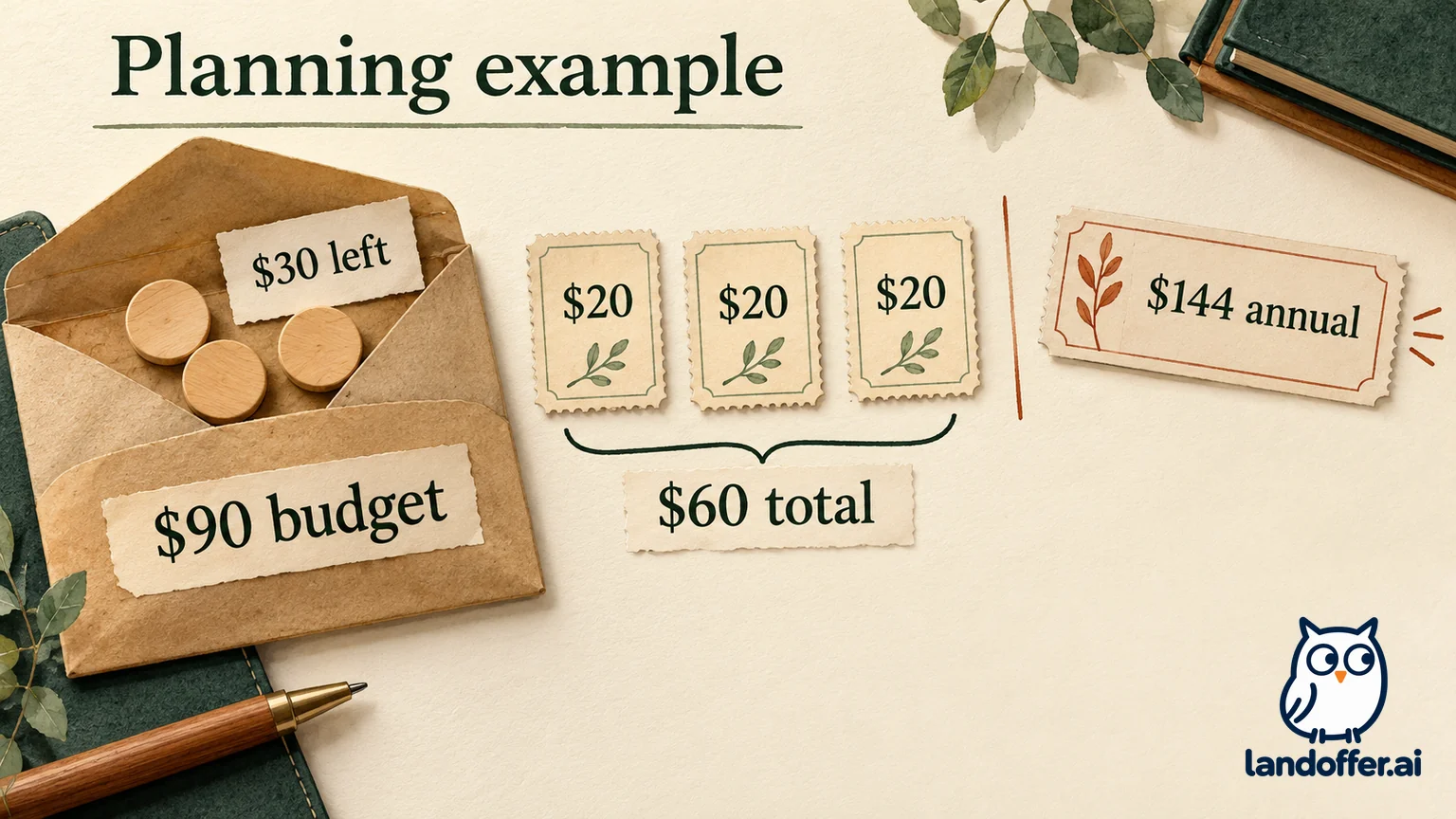
Daniel is a fictional developer planning a three-month search. He has a $90 software budget for relationship management during that period. His spreadsheet contains enough context, but his invented four-week review log records only four completed reviews out of eight planned. The missed reviews left due items unseen until he reopened the file. This is a hypothetical process problem, not an observed trial.
He does not claim that a CRM will save a certain number of hours or produce replies. He identifies a requirement the current process lacks: a notification he can evaluate independently of remembering to open the spreadsheet.
| Daniel's decision input | Completed budget or scope decision |
|---|---|
| Three-month expected need and $90 budget | Allocate at most $60 to three $20 monthly periods, leaving $30 uncommitted |
| Computed annual planning amount of $144 | Reject annual purchase now: it exceeds the stated budget by $54 |
| Needs a task nudge, not a consolidated employer inbox | Do not make work-email access a condition of the evaluation |
| Four missed reviews in a fictional log | Treat reminders as the capability to evaluate; do not assume a new database fixes attention or follow-through |
| No completed CRM evaluation yet | Authorize one monthly period in the hypothetical budget, then decide whether to continue; do not precommit all three periods |
Daniel's completed decision is to budget a one-month evaluation at the displayed monthly rate, conditional on the actual offer and acceptable data handling. He does not buy or connect anything in this article. The $60 figure is a three-month ceiling at an unchanged rate, not an immediate charge or a demonstrated return on investment.
Before another paid month, he would need evidence that the chosen notifications arrive in a channel he uses and that he responds to them. If the problem persists because he dismisses every reminder, paying again has not addressed the underlying issue. If he continues, that decision should rest on his own observed use, not the fictional log or the price table.
Decide what would make you stop paying
Define the capability you are paying for and how you would continue without it. If the CRM becomes another stale list, an integration brings in information you cannot appropriately retain, or the current search no longer needs it, revisit the purchase. Understand the provider's cancellation, export and deletion rules before relying on them; they are separate operations, not interchangeable guarantees.
A spreadsheet is a reasonable choice when you maintain it reliably and its data path fits your needs. A personal CRM is a reasonable candidate when specific reminder or history features justify both cost and access. Neither choice replaces accurate records or thoughtful contact decisions. Use LandOffer.ai to continue evaluating roles while keeping relationship maintenance tied to the commitments you actually make.
Sources and Further Reading
- Google Sheets edit notifications and conditional notifications — change-triggered features, eligible accounts and formula-trigger limitations.
- Drive file sharing and protected or hidden sheets — access roles versus edit protection and visibility.
- Dex standard reminders and Keep-in-Touch — documented task and cadence functions, not tested delivery.
- Dex pricing and Get Started — public monthly/annual displays and inconsistent trial wording.
- Dex Google Sync and privacy policy — connection scope and processing boundaries; public sources checked October 20, 2026.