LandOffer
Job search
Jobvite Application Already Exists: Find the Candidate Record and Resume the Right Workflow
Match the employer, job ID and original application email before recovering access, requesting a correction or clarifying a different requisition.
When Jobvite says you have already applied, find the existing application before trying to submit again. Match the employer, requisition or job ID, and email address against your earlier receipt. Jobvite's candidate guidance says repeat applications to the same job are generally unavailable. The appropriate next step may be accessing that record, sending a correction, completing an employer-requested follow-up, or asking the employer to resolve a mismatch.
This guide reviews current public Jobvite and employer instructions checked October 23, 2026. We did not access a candidate account, trigger a duplicate submission, or change an application. LandOffer.ai publishes this guide. As you browse recent roles on LandOffer.ai, keep separate records for each employer and requisition so a repeated listing does not become an unnecessary second application.

Identify what the message actually refers to
A notice about an existing application is different from a rejected password, an email address already registered, or an unfinished questionnaire. Record the exact error text and whether it appeared during sign-in, registration, or an application attempt. The same general impression, “the portal will not let me continue,” can describe several different problems.
The current Job Seeker Application Q&A says candidates generally cannot apply to the same job twice, with rare exceptions. It directs someone seeking reconsideration to the earlier application and hiring team. That supports recovering the original record; it does not establish that your application has been reviewed, rejected, or advanced.
A separate Jobvite career-site FAQ describes a duplicate page for repeat submissions using the same email address and job. That page is older implementation guidance, so it explains the basic distinction rather than establishing every employer's current interface. The candidate Q&A, published March 6, 2026 and rechecked October 23, provides the current general rule.
Read the notice alongside the actual job identifier. A title such as Software Engineer can be reused for a reopened position, another location, or a separate team. A different title can also appear in an email about the same requisition. Preserve the identifier and employer destination instead of resolving the case from the title alone.
Reconcile the employer, email, and earlier receipt
Start at the employer's official careers site and compare the posting with the link you followed. A job-board copy can remain available after the employer changes the listing. Finding the employer’s current opening helps you avoid repeating an application through an outdated link.
Look for an earlier confirmation email using the employer's name, the role, and the application date you remember. Check the email account you actually supplied, including a personal address you used before changing jobs. Your preferred contact address today may differ from the identity associated with the earlier submission.
Jobvite's email Q&A says confirmations normally arrive promptly but can be delayed by employer settings; it recommends checking Spam or Junk if one is missing. The absence of an email is therefore weaker evidence than a visible submitted record. It is also insufficient to conclude that a second submission is necessary.
Keep one short reconciliation note: employer, posting link, job ID, original application email, receipt date, and current message. Record unknowns explicitly. “Receipt not located” is more accurate than “never applied” when the system reports an existing application and you have not checked the relevant mailbox.
Do not substitute a different email address just to get past the notice. That creates another identity question without explaining which original record belongs to the role. The employer may then need to reconcile two records instead of answering the single question you started with.
Recover access through the job-seeker route
Jobvite's job-seeker login guide identifies app.jobvite.com as the candidate entry and supports password recovery. It also explains that an unvalidated account can require registration using the same email address used to apply. That is an access-recovery instruction, not a recommendation to create an alternative applicant identity.
Use the recovery route appropriate to your existing sign-in method. If the application email differs from the one currently displayed, correct the selected identity before deciding the record is missing. Keep reset or registration links private, and complete credential changes yourself through the verified service. This article does not require sharing a password or recovery link with anyone.
An employer may provide its own sequence. Nutanix's public Jobvite candidate login guide starts from the recruiting welcome email and Application Status link, then explains an email registration link and the same-email requirement. That is useful evidence that submitting an application and establishing account access can be separate events. It is Nutanix's documented sequence, not a universal button-by-button guide for every Jobvite employer.
If recovery does not reveal the expected record, return to your reconciliation note. Distinguish a login failure from a successful login that shows no matching application. Tell the employer whether sign-in failed or the Applications page opened without the expected job ID. “I can sign in, but cannot find requisition A872” gives a more actionable starting point than “Jobvite is broken.”
Worked example: Lena finds the application she already sent
Fictional example: Lena, a platform engineer, opens a job-board listing for Harbor Tools' Software Engineer role. After entering her usual application email, she receives an already-applied notice. She wants to update her resume because a recent release adds relevant production experience.
She initially remembers applying to Harbor, but not which engineering role. Instead of using a second email, she completes this evidence record:
| Record item | Lena's finding | Consequence |
|---|---|---|
| Employer | Harbor Tools on the official careers site | Matches the employer in the old email |
| Job identifier | A413 on both the posting and receipt | The old receipt belongs to this opening |
| Application email | Her existing personal address | Access recovery should use that identity |
| Earlier submission | Confirmation dated October 12 | Preserve the existing application |
| Current purpose | Add newly completed release experience | Ask about an update, rather than submit a second application |
Her completed decision is to retain A413 as one submitted application and prepare an updated resume for the hiring team. The job-board page being available again does not, by itself, establish that a new application is required.
For resume corrections, the application Q&A recommends replying to the original confirmation with the new file and explaining the update. Lena follows the employer's communication instructions, identifies A413, and describes the change narrowly. She does not claim that sending a new version automatically replaces every copy the employer holds.
She records “updated resume sent; employer acknowledgment pending” after sending, rather than “application corrected.” The first describes an action she can verify. The second would require confirmation about what happened to the record. This difference matters if an interview later refers to the earlier resume.
Worked example: Amir has a different requisition and no matching record
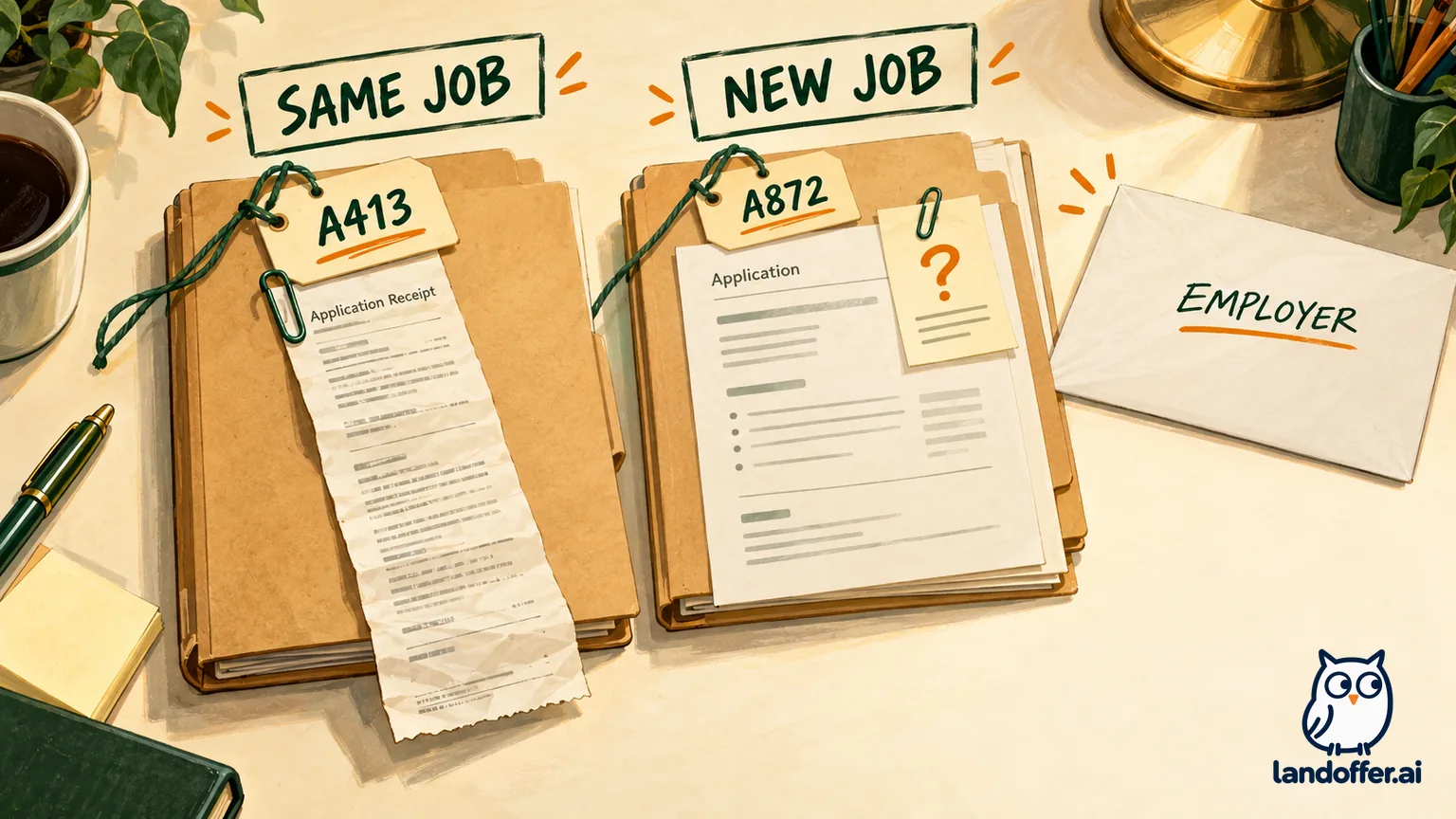
Fictional example: Amir applied to Harbor Tools for A413 earlier in the month. He now finds A872, a different backend opening at the same employer, through its careers page. The apply flow reports an existing application, but his recovered account only shows A413. He has not established whether the employer has associated his existing candidate record with A872.
The difference changes the conclusion. Lena had an exact job-ID match. Amir has evidence of one application and an unresolved relationship to another. He should not report that A872 was successfully submitted simply because the system recognized him.
| Question | Amir's evidence | Remaining issue |
|---|---|---|
| Is the employer the same? | Both openings are on Harbor Tools' official site | Employer identity matches |
| Is this the same requisition? | Earlier A413; current A872 | They are different identifiers |
| Is account access working? | Existing application A413 is visible | Login recovery is not the current blocker |
| Is there an A872 receipt? | None located in the application mailbox | Submission to A872 remains unconfirmed |
| What is the requested action? | New application attempt meets an existing-record notice | Employer needs to confirm the correct route |
Amir prepares the following fictional, unsent message for the verified recruiting contact:
Subject: Existing application record and next step for A872
Hello Harbor Tools recruiting team,
I previously applied to A413 using my existing application email. I am now interested in A872, Backend Engineer, listed on your careers site. The apply flow reports that an application already exists. I can access A413 in my account, but I have not located an A872 confirmation or record.
Could you confirm whether my existing candidate record is already associated with A872, and which step I should use to complete or continue consideration for that requisition? I would like to avoid creating a duplicate application.
Thank you, Amir
This message gives the employer enough context to distinguish access, identity, and requisition. It requests a procedural answer without asking Jobvite support to decide his candidacy. In a real private message, supply the application email through the employer's requested channel; do not publish it or a personalized account-access link in a forum.
Amir leaves his tracker at “A872 submission unresolved; clarification requested.” If the employer confirms that he is already under consideration, he records that reply. If it supplies a new application or follow-up route, he completes that particular step. Neither result should be invented before the employer responds.
Continue the existing workflow without restarting it
Once you locate the right record, identify the next requested action. A received application can still have an employer-requested questionnaire, interview invitation, or document correction outstanding. The existence of the record does not prove that every later requirement is complete.
Read the latest verified employer instructions alongside earlier receipts. A screening invitation is a request to do something; an application confirmation is evidence that a different step was received. Keep those records together but preserve their separate completion states. For the later-form scenario, see the distinct Jobvite screening-form guide.
If no action is requested and the original submission matches the current job, avoid repeatedly restarting the apply flow to check progress. Consult the available record and employer instructions instead. Repeating an already-blocked operation supplies little additional evidence about what the hiring team is doing.
Do not interpret account access as a hiring result. You may be able to open an application without knowing whether someone has reviewed it. Likewise, an unfamiliar status label needs employer context. A correct recovery process can end with “waiting for the hiring team's next instruction,” rather than an immediate new form to complete.
Keep withdrawal and deletion separate from recovery
Account deletion does not resolve which application an existing-record notice refers to. Jobvite's account-deletion Q&A says account deletion does not remove applications already sent to employers. It directs application retraction and personal-information requests to the hiring company.
If you no longer want consideration, request withdrawal through that company. Do not assume withdrawal makes the same requisition available for a fresh submission, deletes the candidate record, or changes a reapplication policy. Those are different requests with different consequences.
Jobvite's job-seeker support page also distinguishes the software provider from employers hiring through it. A Jobvite product-demo form is not a route to fix an application with an unrelated company. Use the employer's established candidate contact for the role and give it the exact identifiers already collected.
The useful end state is one understood application record and a clear next action: received and awaiting review, correction awaiting acknowledgment, follow-up still required, or new-requisition access awaiting clarification. Save the job ID, current state, supporting receipt or employer reply, and the next requested action. Then browse recent roles on LandOffer.ai and continue your search without treating an unresolved portal message as a hiring decision.
Sources and Further Reading
- Jobvite: application and duplicate-submission Q&A
- Jobvite: career-site duplicate-page explanation
- Jobvite: job-seeker email and confirmation guidance
- Jobvite: candidate login and same-email recovery
- Nutanix: employer-specific Jobvite candidate access guide
- Jobvite: account deletion and employer-held applications
- Jobvite: appropriate support and employer routes