 LandOffer
Job search
Jobscan Review: What a Resume Match Report Can and Cannot Tell You
Jobscan is useful for job-specific text and document checks; its report measures a chosen comparison and cannot establish employer screening rules.

Jobscan is useful when you already have a resume and want structured feedback against one job description. Use the Match Report to compare your resume with the selected description: it can surface missing terms, searchability issues and document checks. It cannot tell you the employer's actual cutoff, verify that you possess a skill or predict whether you will get an interview.
This documentation review was checked October 8, 2026. We did not scan a real resume in a signed-in account. All worked data below are fictional. LandOffer publishes this review and offers job-search tools, so our recommendation uses the same bounded evidence standard. Start with a real role from recent jobs on LandOffer.ai or a source you already use; the employer's requirements remain the decision context.
What a Match Report measures
The Jobscan tutorial describes uploading a PDF or Word document, or pasting resume text, alongside a job description. The report then compares the selected inputs. Its listed match priorities include hard skills, education when an advanced degree is requested, job title, soft skills and other keywords. Hard skills receive greater weight than softer terms.
The same tutorial separates word-count and measurable-result advice from the factors in the Match Rate. That prevents a useful distinction from disappearing inside one percentage. A stronger achievement sentence may improve the resume for a human reader without changing the same parts of the numerical match. Conversely, adding a keyword can change a comparison while making the prose less credible.
Jobscan's resume-matcher page calls the rate a visualization tool and explicitly distinguishes it from an employer's ATS score. The vendor recommends a target of at least 75%; that is Jobscan's guidance, not an employer's published screening line. We found no basis for treating the percentage as an interview probability.
The score also depends on which description you supply. A stale or abbreviated posting can produce feedback about the wrong version of the role. Keep the current employer text and check that you copied requirements, location and role level, rather than a related position's snippet. A precise input does not validate the scoring model, but it does make the comparison relevant.
Free scans, paid reports and current price evidence
The provider's Premium explainer says free accounts receive five scans per month, with Searchability tips and a condensed skills list. Premium expands the report and removes the scan cap. That is the documented allowance we use; we did not verify an account's remaining scans or how any particular rescan is charged.
The public pricing link redirected to an app plan page without readable plan text during this review. Official comparison articles still advertise $49.95 monthly and $89.95 every three months. Those are publicly advertised prices in Jobscan's own articles, not checkout prices verified for a signed-in account. The Jobscan–Teal article also describes a seven-day Premium trial excluding LinkedIn optimization. Confirm the actual plan, renewal and trial conditions shown to your account before entering payment details.
| Reader's task | Useful access boundary | Decision implication |
|---|---|---|
| Inspect one important role | Free report provides limited feedback | Start with its available findings and your own evidence review |
| Iterate across several job descriptions | Five monthly scans may constrain the loop | Count role comparisons and revisions before buying unlimited access |
| See complete skill and formatting guidance | Premium explainer describes the expanded report | Pay for specific feedback you will use, not for a higher-looking number |
| Build or retain a document | Tutorial offers a free builder with PDF/Word downloads | Jobscan is broader than a scanner, though this review focuses on the report |
For a small search, the free report may be enough to notice an omitted but supported term. For repeated comparisons, a paid report can reduce the access limit. It still cannot supply missing experience. Keep your existing editor if it already produces a clear document; you do not need to replace it just to read scan findings.
Completed asset: separate a missing word from a missing qualification
Dev is an invented early-career candidate considering Juniper Signal role JS-84. The fictional posting asks for Java, automated unit testing, collaboration in code review and familiarity with Redis. Dev's source folder contains a Java team project, JUnit tests for an account-validation module and reviewed pull requests. It contains no Redis use and no production cache work.
His draft says:
Wrote tests for a Java project and worked with other students.
The missing phrase “unit testing” is a wording gap because the source includes JUnit tests. Redis is an experience gap. Both can appear as missing terms in a report, but they require different decisions.
| Posting term | Source evidence | Completed edit decision |
|---|---|---|
| Java | Java source files and project history | Retain the language in the project entry |
| Unit testing | JUnit checks for valid, empty and malformed account input | Name JUnit and unit testing in the bullet |
| Code review | Pull-request comments from teammates and Dev's replies | Explain his review participation without claiming team leadership |
| Redis | No source record or hands-on use | Leave it absent; assess the role's required/preferred wording |
Dev's reviewed bullet becomes:
Added JUnit unit tests for valid, empty and malformed account input in a Java team project; revised the validation module after teammate code review.
This supplies context and evidence. It does not claim a coverage percentage, production reliability or independent ownership of the whole system. The project entry remains a student project. If Dev is asked how the tests worked, he can explain the expected inputs and revisions from the source material.
An unsupported alternative would say he implemented Redis caching or improved response time by a percentage. We reject that wording before considering any score change. This is our authored example, not generated Jobscan output and not a candidate success story.
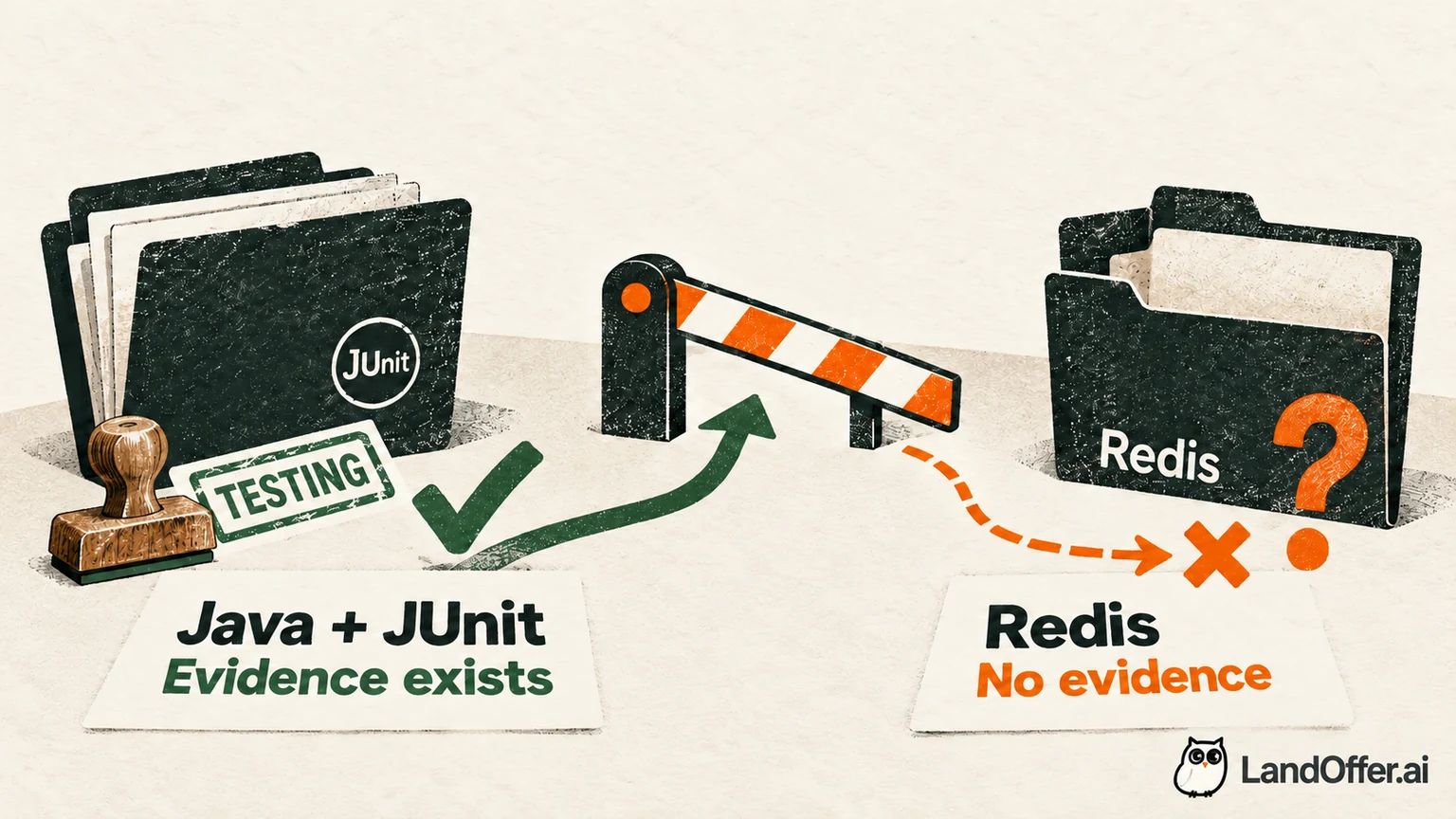
The completed result is a more specific truthful bullet and a clearly recorded Redis gap. Dev can apply if the employer's full instructions and his fit judgment permit it, or spend effort elsewhere. The report cannot settle that decision by concealing the gap. A low-looking report can be discouraging, but Dev now has two clear outputs: a truthful JUnit bullet and a gap he can evaluate. That is more useful than polishing a number while hiding uncertainty.
Excluded and predicted skills change the report's context
Jobscan documents excluding an irrelevant skill from a report and refreshing the score. It also describes predicted skills associated with the field that do not affect the Match Rate because they were not in the supplied description. These are useful controls, but the distinction should survive your edits.
If a report misclassifies a term, excluding it can make the report more relevant. If Redis is an actual requirement, excluding it does not remove that requirement from Juniper Signal's posting. In Dev's JS-84 note, record ‘Redis remains absent; the posting describes familiarity, so review that requirement before applying.’ If an unrelated term was excluded, record that separately. Neither action means Dev acquired a qualification.
Predicted skills are leads for reviewing your background, not instructions to expand your skills list. Ask whether you used the suggested tool, where and at what depth. A related concept is not the same technology. Someone who wrote a Java service has not automatically operated every common datastore in that field.
The tutorial's highlighted-keyword context can help distinguish language from evidence. Read where a term appears in the job description and your resume. A tool named only in an old coursework list may not support a claim of recent professional ownership. Relevance and truth need that contextual reading, even when an exact match exists.
Completed asset: choose the correct input for the question
The tutorial states that formatting checks require a file upload. Pasted text does not provide the Formatting section. That is a material limitation if you want to evaluate layout, because plain text has already discarded much of the document's presentation.
Consider two fictional versions of Dev's draft. The pasted text shows the Java project, education and contact details in a readable order. The PDF puts the project description in a narrow second column and uses a small heading. Reading the pasted version alone cannot establish how that PDF will be assessed or parsed.
Dev's completed inspection record distinguishes the tasks:
- Text comparison: use the current JS-84 description and reviewed project text to identify relevant language. The result is the JUnit clarification and retained Redis gap above.
- Document review: upload the actual file when format feedback is needed, then read the exported file independently. The required check is contact readability, section order and the project entry's placement.
- Employer upload: inspect visible imported fields and the attached filename before submission. Jobscan's report cannot prove what that particular employer form received.
No file was scanned in this review. The fictional record demonstrates why Dev chooses file input for a layout question instead of claiming pasted text tested it. For your own document, keep the source file, exported version and target description together so you can trace the comparison input and selected attachment when reviewing a later revision.
If the report flags a field already visible in the PDF, investigate the field rather than assuming every ATS will fail. One scanner's reading is evidence about that scanner and input. A customized employer flow may behave differently. A practical response is to simplify ambiguous formatting where possible and verify the actual upload, without promising universal compatibility.
How to use AI suggestions without letting the score lead
The tutorial describes AI Optimize for Premium, including accept/reject suggestions and a comparison view. It also describes retaining an existing document's format. We did not test that preservation or generated wording. Treat each change as a draft that needs source checking, even when it is placed under the right work entry.
For Dev, an acceptable suggestion would clarify his JUnit work. A suggestion that changes his official title or introduces Redis is rejected. A summary can name a target direction while leaving actual experience titles intact. Do not rename a former position simply to create an exact title match if doing so misrepresents the role.
After accepting accurate changes, read the whole page once without the score visible. Check whether the resume explains what you did, whether bullets repeat the same point and whether the most relevant evidence is easy to find. A document designed only to raise the rate can become hard to read or more specific than the source permits.
Jobscan is a reasonable choice for repeated, job-specific feedback when you understand these limits. It is less compelling if your need is merely a blank-page editor, if free scans are sufficient or if you expect an external tool to reveal hidden employer selection rules. The builder and tracker are additional documented features, not proof of report predictiveness.
For one next role, browse recent jobs on LandOffer.ai. The page offers discovery; it does not perform a resume scan or establish the employer's current screening rules. Open the employer's current description and sort each missing term into supported wording, genuinely missing experience or irrelevant feedback. Make the truthful changes first; keep your current tool if it already supports that review.
Sources and Further Reading
- Jobscan tutorial: input types, match factors, report sections and review controls.
- Resume matcher: vendor interpretation of the Match Rate and its limits.
- Premium explainer: documented free scans and expanded report.
- Jobscan vs. Teal: publicly advertised billing and trial; checkout not tested.
- Jobscan vs. Simplify: current monthly price reference; vendor rankings and outcome claims are not adopted.