 LandOffer
Job search · Applying
Jobright Review: Job Matching, Resume AI, and Application Control
Jobright presents a broad job-search workflow: suggested roles, an AI-assisted resume editor, autofill, and an agent that can apply. This review explains which claims come from Jobright, what a candidate should test, and why human control and a reliable application receipt matter.
Jobright may appeal if you want one place for suggested jobs, resume editing, and application help. Its public site describes matched roles, autofill, tailored resumes, and an AI Agent. The important question is whether those steps produce relevant roles and accurate submissions for you. Jobright's marketing pages do not establish that every match is suitable, that every resume edit is true, or that every employer form is supported. This review is based on current public documentation and a candidate-side evaluation method, not an authenticated product test.
Use the method on one role before enabling a broader workflow. If your priority is a fresh shortlist, you can also browse recently spotted roles on LandOffer and compare the employer listings you find. A tool's usefulness begins with the quality of the opportunities you would actually apply to.
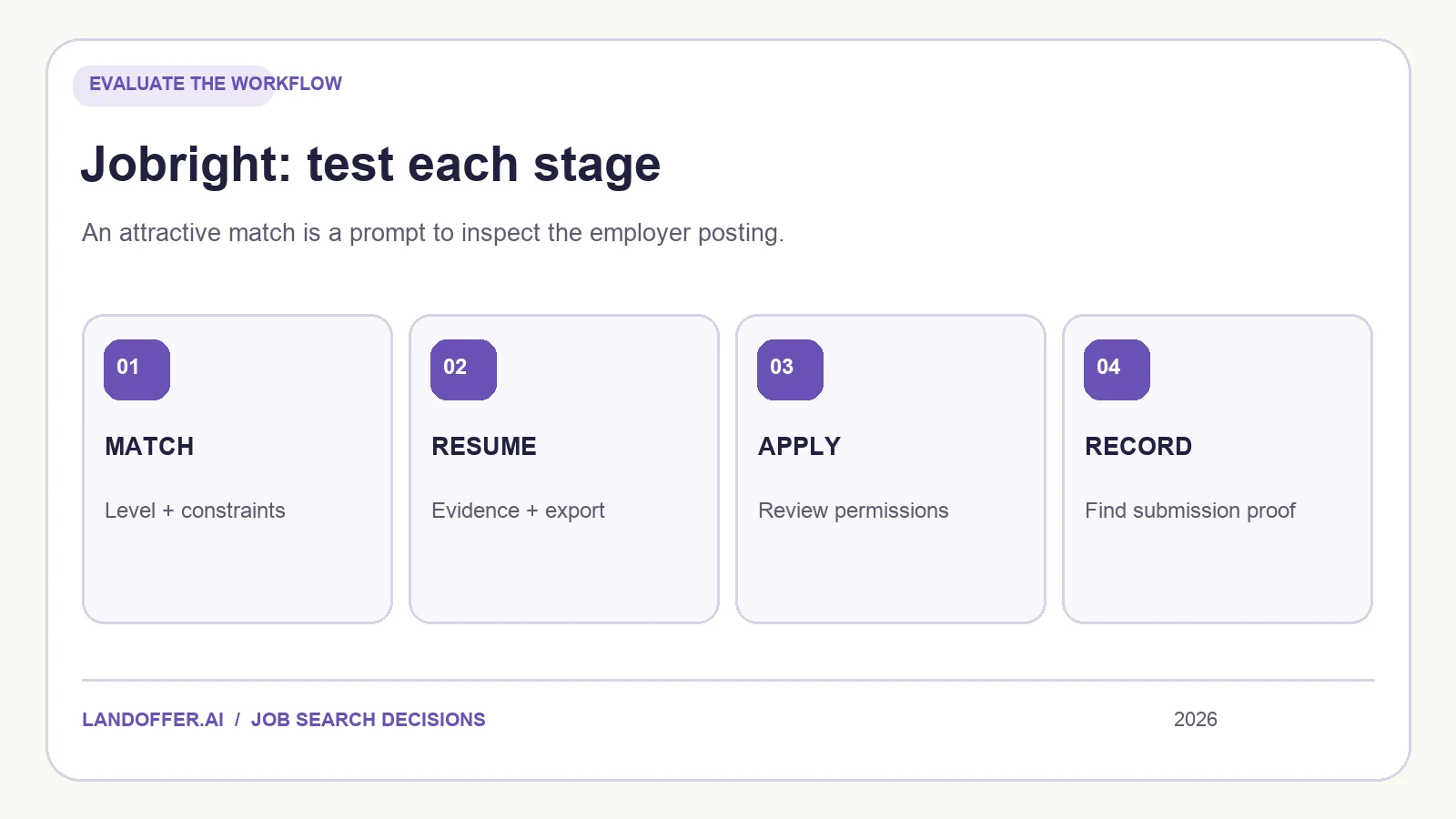
Begin with the match, not the headline score
Jobright's public job-seeker page says its matching considers skills and goals. That is a feature description. Before treating a suggested role as a good fit, inspect the employer's original posting and ask four practical questions: Is the role open? Does the level match your experience? Do the location and work arrangement meet your constraints? Can you explain the strongest evidence that you could do the work?
A match can be plausible yet unsuitable. A backend engineer with Python and distributed-systems experience might see a role requiring production ownership in Go. The overlap could make the suggestion worth investigating, but it does not answer whether the employer requires years of Go experience or expects on-call leadership. Write down the specific missing information. Good matching should save you inspection time, not replace inspection.
Compare ten suggested jobs with ten jobs found through your usual search. Use the same criteria for both sets: current employer URL, level, location, compensation information when shown, hard requirements, and a reason to apply. Do not compare raw counts or the size of a vendor's advertised job catalog. A smaller set with clear evidence may be more valuable than hundreds of loosely related cards.
If you are searching across software, data, and product roles, keep those tracks separate. A ranking that appears accurate for one role family may not translate to another. Update your preferences deliberately and see whether the next set of matches changes in the direction you expect. If it does not, note the limitation instead of assuming the score is objective.
Resume AI: refine the wording without changing the facts
Jobright's AI Resume Builder page describes uploading an existing resume, getting an analysis, generating a revised version, and downloading it. These steps can be useful when your evidence is buried or your document is hard to scan. The risk is that a fluent revision can sound more authoritative than your real experience warrants.
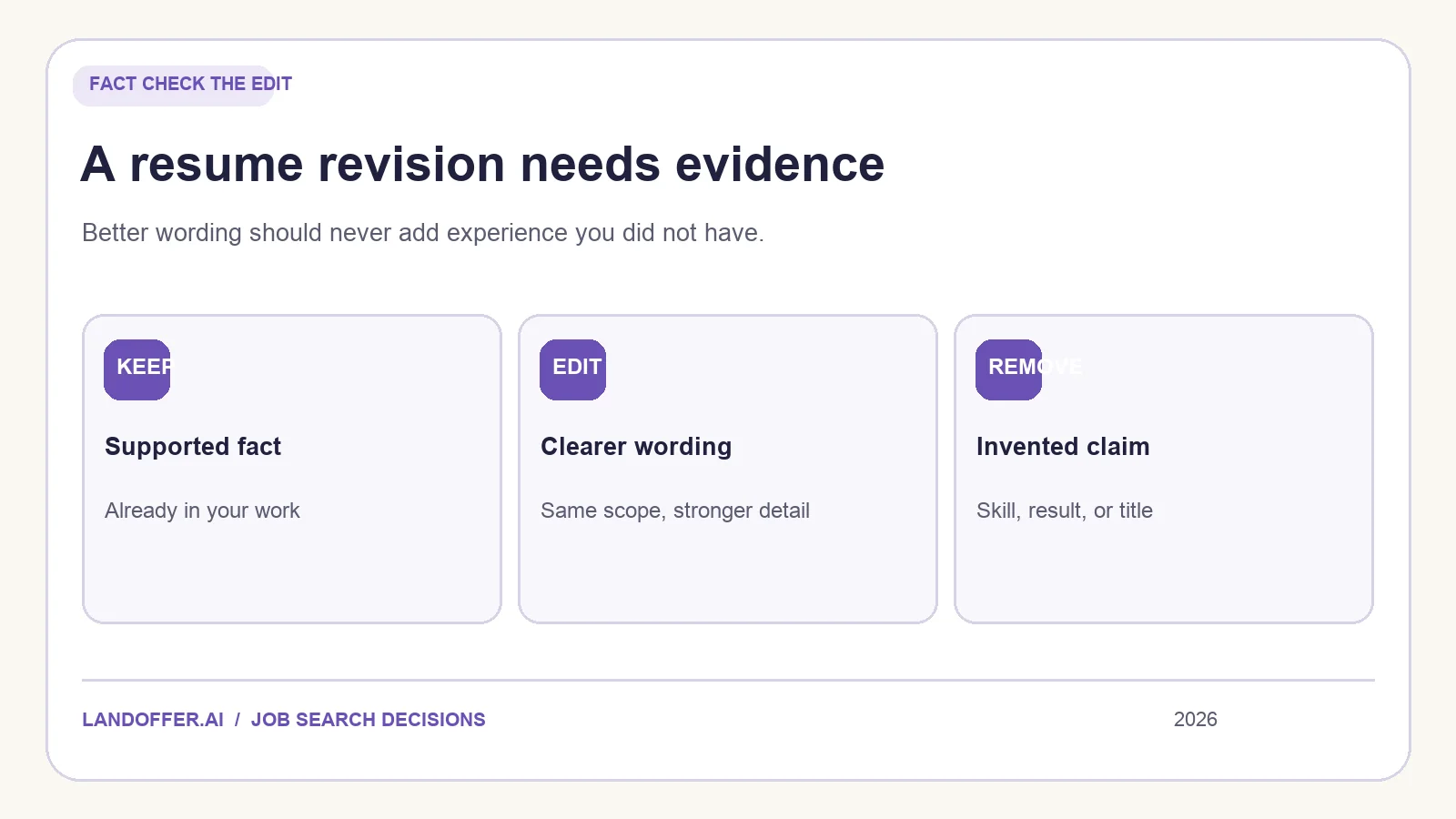
For a role you genuinely want, compare the original, the job description, and the generated resume line by line. Highlight every new number, title, technology, degree, certification, and ownership claim. Put each change in one of three categories: already supported by your evidence, clearer wording of supported work, or unsupported. Keep the first two after editing for accuracy. Remove the third. A keyword appearing in a posting does not license you to claim you have used it.
Also check whether the rewrite keeps the scope of your work. “Contributed to a service migration” and “led a company-wide migration” are different claims. Changing verbs to sound impressive can change the underlying fact. If you need a stronger bullet, add a decision you made, a constraint you handled, or a measurable result that you can substantiate. Do not fabricate an impact number because a template asks for one.
Download the file and inspect it outside the editor. Confirm that dates, section headings, links, and line breaks survived. The employer receives an exported file or attachment, not the editor's preview. Keep the original and final versions named so you can later tell which one went with each application.
Autofill and AI Agent are different control models
Jobright's homepage promotes one-click application autofill. Its AI Agent page goes further, describing a service that matches jobs, customizes resumes, and applies. A Jobright announcement also describes agent submission on behalf of candidates. Do not treat those as the same operation. Autofill may assist a form you are reviewing; an agent may perform steps while you are elsewhere. The exact permissions and review points should be checked in the signed-in product before activation.
Ask what you can approve at three moments: before a role enters the queue, before a document or answer is generated, and before a final employer submission. Can you inspect the role and application data? Pause or exclude an employer? See which resume version was used? Correct an answer? Receive a confirmation that identifies the employer and requisition? A helpful agent makes those transitions visible and reversible where possible.
The answer may differ by product mode, account plan, employer portal, and current release. We have not verified those settings in a Jobright account. Avoid a blanket claim that every Jobright application waits for a final manual click, or that every action is fully autonomous. Read the current controls in the mode you intend to use. If you cannot see the submission boundary, test with a low-volume workflow first and preserve your own record.
For high-stakes answers such as work authorization, salary expectations, or employer-specific questions, insist on a review path you understand. A repeated profile answer can be convenient; it can also propagate an outdated statement. Check your profile and the final application, especially after your circumstances change.
How to judge the application record
A job-search tool is easier to trust when its status words correspond to events. “Recommended” means the system surfaced a role. “Saved” means you kept it for later. “Form filled” means data moved into fields. “Submitted” should be backed by an actual confirmation or clear portal state. These events are not interchangeable, even if they appear in the same dashboard.
For each trial application, save the employer URL, role title, requisition number when available, document version, date, and the evidence that the employer received it. If the tool reports success but you cannot find a matching employer receipt, label it needs verification in your own notes. That does not prove failure; it prevents an uncertain event from turning into a false fact. If you apply through more than one service, check for duplicate submissions before retrying.
You can use a simple spreadsheet or another tracker. The format matters less than the ability to reconstruct what happened. If a tool has an integrated application history, test whether it exports or displays enough detail to be useful when an interview invitation arrives several weeks later.
A fair one-hour evaluation
Start with a target role family and three real constraints: for example, mid-level backend engineering, US remote or a named city, and a technology set you have actually used. Create or update your profile, then save a short sample of matches. Open the original employer pages. Count how many you would plausibly apply to after reading the details, and record the reason for each exclusion. This is a personal relevance check, not a statistically meaningful performance study.
Choose one role for a resume revision. Compare facts as described above, download the file, and inspect it. Then review a supported application form without submitting until you understand the autofill behavior. If you consider Agent mode, inspect queue settings, approval steps, stop controls, and outcome records before allowing it to act. Test the exact workflow you might keep using, rather than a collection of unrelated demo features.
Finally, compare the work you saved with the work you added. A service that cuts typing but forces extensive corrections may still be worthwhile for one candidate and frustrating for another. A service that surfaces fewer but more relevant jobs may matter more than resume automation. Choose based on your actual bottleneck.
Who should consider Jobright?
Jobright is worth examining if you want suggestions, resume help, and application tools in one search environment. It deserves extra scrutiny if you plan to use any mode that submits on your behalf, because the most consequential question is what goes to the employer and when. If you prefer to review and submit every form manually, compare its assistive workflow with products built around applicant-reviewed autofill. Our Simplify vs. Jobright guide sets up that comparison, while Jobright alternatives groups options by the problem you want to solve.
Whichever tool you choose, begin with roles that meet your own constraints. Browse recent jobs on LandOffer, check the employer posting, and keep control of the facts in every resume and application.