LandOffer
Job search
Enhancv vs. Kickresume: Which Resume Builder Gives You the Right Editing Control?
Choose by the scope of the edit, how you review changes, and the attachment you must produce—not by a template count.
Start with Enhancv when you want to evaluate explicit section and entry controls, a documented paper-size switch and an assistant that describes applying or undoing individual suggestions. Start with Kickresume when its design options, separate tailored copies and change reports fit your review process, especially if a basic free design meets your ongoing PDF needs. Both provide layout and AI tools. Choose around the change you need to make, what must stay intact and the file you must deliver.
LandOffer publishes this comparison and also offers job-search tools. We checked public documentation on October 19, 2026. We did not operate authenticated vendor editors, generate AI output or export product files. Our completed examples include a local A4 HTML exercise and manually authored revision decisions. Choose a requirement from LandOffer’s recent jobs, then identify the smallest document operation that would address it.
Name the object you want to change
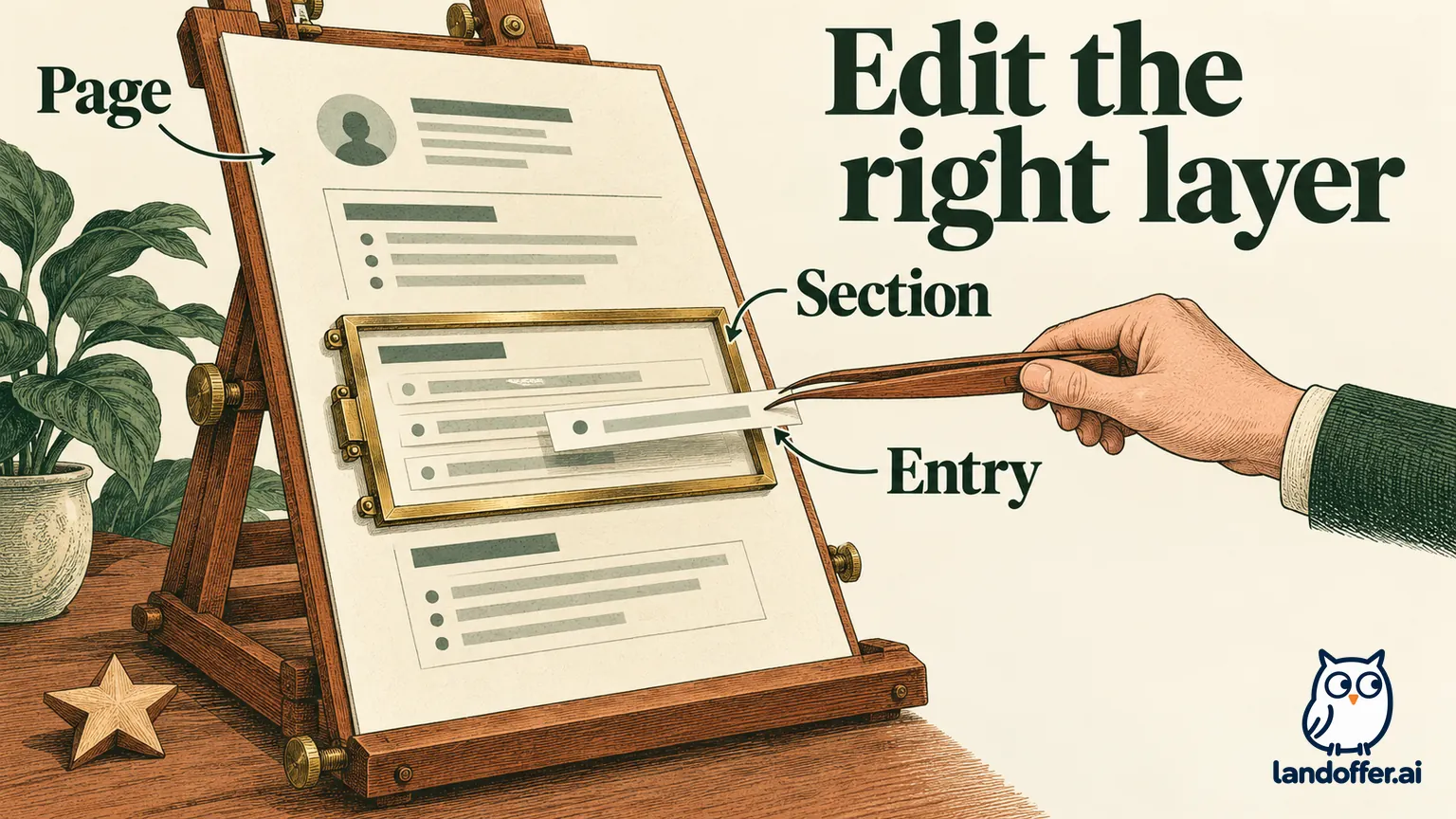
Moving Projects above Education changes section order. Moving one project above another changes entry order within a section. Changing a decoration should leave the heading and facts intact. Rewriting a sentence changes content. These operations can produce similar-looking pages, but the selected object matters. A section control should move the whole group; an entry control should move only the selected project.
Enhancv’s section-order guide describes dragging sections. Its separate entry-order guide describes arrows or dragging an entry by its corner. The guides are dated February 2021 and May 2019, respectively. They establish documented distinctions, not a current editing session we observed.
Kickresume’s builder page describes changing colors, fonts, sizes and layouts. Its general help also describes duplicating a document. That gives you a documented starting point for design and copy management, but the broad description alone does not establish the current click path for every small change.
| Editing requirement | Enhancv’s documented route | Kickresume’s documented route |
|---|---|---|
| Reorder content | Separate guidance for sections and entries | Layout customization; verify the selected editor’s exact operation |
| Review proposed wording | Inline assistant with apply and undo | Tailoring modes and a change report |
| Preserve working material | Master resume described in tailoring workflow | Duplicate documents and a separate tailored copy |
| Revisit a free design | Seven-day evaluation with restrictions | Downloads within free customization, with basic design choices |
A missing detailed guide is not proof that a product lacks the operation. It is a reason to inspect that operation before moving your full history. Conversely, a broad customization promise is not evidence that every template lets you manipulate every component independently.
Keep paper size constant during a comparison
Enhancv’s page-format guide, dated February 2026, documents US Letter and A4 under Templates. It describes regional defaults and automatic fitting when the format changes. We did not inspect an exported PDF to verify that fitting.
Set the actual employer’s requested size before comparing arrangements. A design that fits only after changing the required sheet is not a successful solution to that application’s layout constraint. Keep that constraint visible while choosing which material to emphasize. If you change paper size while moving content, a newly comfortable layout can result from the extra space rather than the editing control you meant to evaluate. Keep the same wording, type settings and paper constraint while testing one change.
Our example below uses A4 because that is the fictional task’s requirement. It does not establish A4 as the right default for every application. We did not verify a corresponding current paper-size click path in Kickresume; its documented layout options should be checked in the actual selected editor.
Marta’s completed two-task layout exercise
Marta is a fictional student who contributed documentation to a volunteer repair workshop. She wrote a device-setup guide in August 2026, including connector labels and a supervised power-on check. She also reorganized command-reference examples in June. Her degree remains expected in May 2027.
A teaching application emphasizes setup instructions. We created three original local HTML states using the same four factual paragraphs, type settings and A4 sheet. These are not Enhancv or Kickresume templates, full resumes or product exports.
| Task | Initial state | Completed local result |
|---|---|---|
| Move the relevant project within Projects | Command reference precedes Device setup guide | Device setup guide comes first; Projects remains in the same section position. |
| Remove a decorative star | Star precedes the Projects heading | Star is absent; the Projects heading and every factual paragraph remain. |
We opened all three states in a 1280-pixel browser and inspected the rendered pages. The CSS A4 sheet measured about 794 by 1,123 pixels in each state. The four fact groups matched exactly across the saved browser records, including their dates and volunteer context. The setup paragraph still says August 2026 and supervised power-on check; the command-reference paragraph still says June 2026. Expected May 2027 remains attached to the degree. This is a local HTML observation, not a printing, pagination or employer-parsing result.
Marta’s settled layout specification is precise: the setup entry comes first, the heading is plain and the underlying facts stay unchanged. She does not move all Projects elsewhere merely to prioritize one entry. She also does not delete the heading to remove its star.
Enhancv earns the first evaluation for her entry-order task because it has a directly documented route, subject to confirming the older instructions in the current editor. Kickresume remains relevant if its chosen design supplies the same operation. Our exercise does not measure which vendor performs it faster or with fewer mistakes.
Marta now has a specific way to check the edit. After making a small change, Marta can identify the moved object, the preserved neighboring entry and the unchanged source. A cleaner-looking page with a missing date would fail that condition.
Decide how you want to review AI changes
Enhancv’s current tailoring page describes inline alternatives with one-click apply and undo. That is relevant when you want to review individual changes within a draft. The same page describes a master resume used for targeting a job description.
Kickresume’s tailoring page describes Conservative, Balanced and Turbo modes, an explanation of changes and a separate tailored copy. This is relevant when preserving the original and reviewing a proposed version is central to your routine.
Neither description proves that generated claims will stay accurate. A lighter mode can still require factual review. An undo control is valuable only if you notice which meaning needs restoring. We did not compare identical inputs or measure either tool’s accuracy.
Vikram is a second fictional candidate. His contract documentation-preview task involved adding Playwright link checks and updating selectors after markup changed. It did not include responsibility for production releases or rollback decisions. We manually authored and reviewed two proposals:
| Proposed wording | Source check | Completed decision |
|---|---|---|
| Added Playwright link checks for a documentation preview and updated selectors after markup changes. | Both tasks and preview context are supported. | Retain. |
| Owned production releases and rollback decisions. | Neither responsibility is in his record. | Reject. |
These are our editorial sentences, not observed vendor output. Deleting one unsupported noun would not rescue the second proposal; the responsibility itself is wrong. The retained sentence can be clearer without changing Vikram’s role. He can keep the useful clarification and leave the unsupported responsibility out, rather than abandon all editing because one proposal overreaches. Neither action requires believing a vendor’s promise of error-free writing.
Vikram chooses to evaluate Kickresume’s separate-copy and report workflow because he wants to compare a proposed version against an untouched source. If reviewing only a few inline changes became his priority, Enhancv’s described apply/undo route would be a reasonable alternative. His completed factual decisions stay the same whichever interface he uses.
Free design access has different boundaries
Enhancv’s free-version guide describes seven days, all templates and design tools, basic sections, branding and a maximum of twelve section items. Its Pro description adds content suggestions, more sections, no branding and unlimited items. Do not turn access to all designs into a promise of unrestricted or indefinite free editing.
The branding guide says removal requires Pro. That is a feature condition to inspect; it is not proof that an employer rejects a branded document. Our four factual groups also do not establish how Enhancv’s actual item counter would count Marta’s material. We did not enter them into the product, so there is no observed account balance or download entitlement for this example.
Kickresume’s pricing page lists four basic free resume templates and unlimited downloads within free customization options. Paid access expands designs and assistance. Its tailoring page separately advertises a free first tailoring and unlimited tailoring with Premium. Those are different boundaries; free downloads do not mean unlimited free AI.
For someone returning to a basic PDF months later, Kickresume’s documented free-customization route is a meaningful reason to start there. Someone who needs a specific Enhancv operation may reasonably evaluate its shorter offer first. In either case, keep a source you can maintain and inspect the actual saved file.
Read the current charge and unresolved export wording
After initially showing incomplete values, Enhancv’s native public pricing card loaded a $69 quarterly total, billed every three months. Kickresume’s native pricing displayed $24 monthly, $54 every three months and $96 every twelve months. These were public US-dollar displays, not authenticated checkout quotes.
We did not select paid access or verify taxes, promotions or every billing option. The observed quarterly totals differ, but a lower total does not establish that the required control is included or that the products offer identical services. Resolve the operation and selected terms before purchasing.
Export descriptions require particular care. Enhancv’s tailoring page describes PDF and simple TXT output, despite accepting DOCX input. Upload compatibility does not establish a matching export format.
Kickresume’s current builder page advertises PDF or DOCX downloads. Its general help instead describes plain-text .doc without graphics, while the student FAQ describes PDF and TXT. We did not obtain a file to resolve that disagreement.
Do not conclude either that Kickresume has no DOCX or that an identically styled DOCX is verified. If that format determines your choice, confirm the actual output from the current account and template. Keep an existing compatible editor available until the required deliverable has been inspected.
Choose the control you can explain and check
Enhancv is a reasonable first evaluation for a candidate who wants its specifically documented entry, section and paper controls or individual AI-change review. Kickresume is a reasonable first evaluation for basic free design work or a separate-copy tailoring process with a report. Neither earns a universal win from template variety.
Marta resolves the scope of two layout changes; Vikram resolves the meaning of two proposed sentences. Both finish with an explicit preserved source and a change they can explain. Neither case establishes a vendor export, a hiring advantage or a universal ATS result.
Keep your current editor if it already supports the required operation and output. Select one recent LandOffer role, name one edit and what must remain unchanged, then perform that small task on a copy. Reopen the actual attachment and identify how you would make its next revision before moving the rest of your history. Keep the earlier source until that check succeeds. If the required operation or format remains unclear, preserve the working editor instead of paying to resolve an assumption.
Sources and Further Reading
- Enhancv plans and current public pricing
- Enhancv section ordering
- Enhancv entry ordering
- Enhancv US Letter and A4 controls
- Enhancv inline AI review and output descriptions
- Enhancv free-version scope
- Enhancv branding removal
- Kickresume design and current export claims
- Kickresume free customization and pricing
- Kickresume tailoring modes and change report
- Kickresume general export help
- Kickresume student FAQ and format wording